Shopify Canvas Review (2026): Sidekick AI Spatial Design — Game Changer or Theme Trap?
An unfiltered review of the new spatial interface, testing the accuracy of Sidekick AI against production requirements and evaluating the trade-offs.
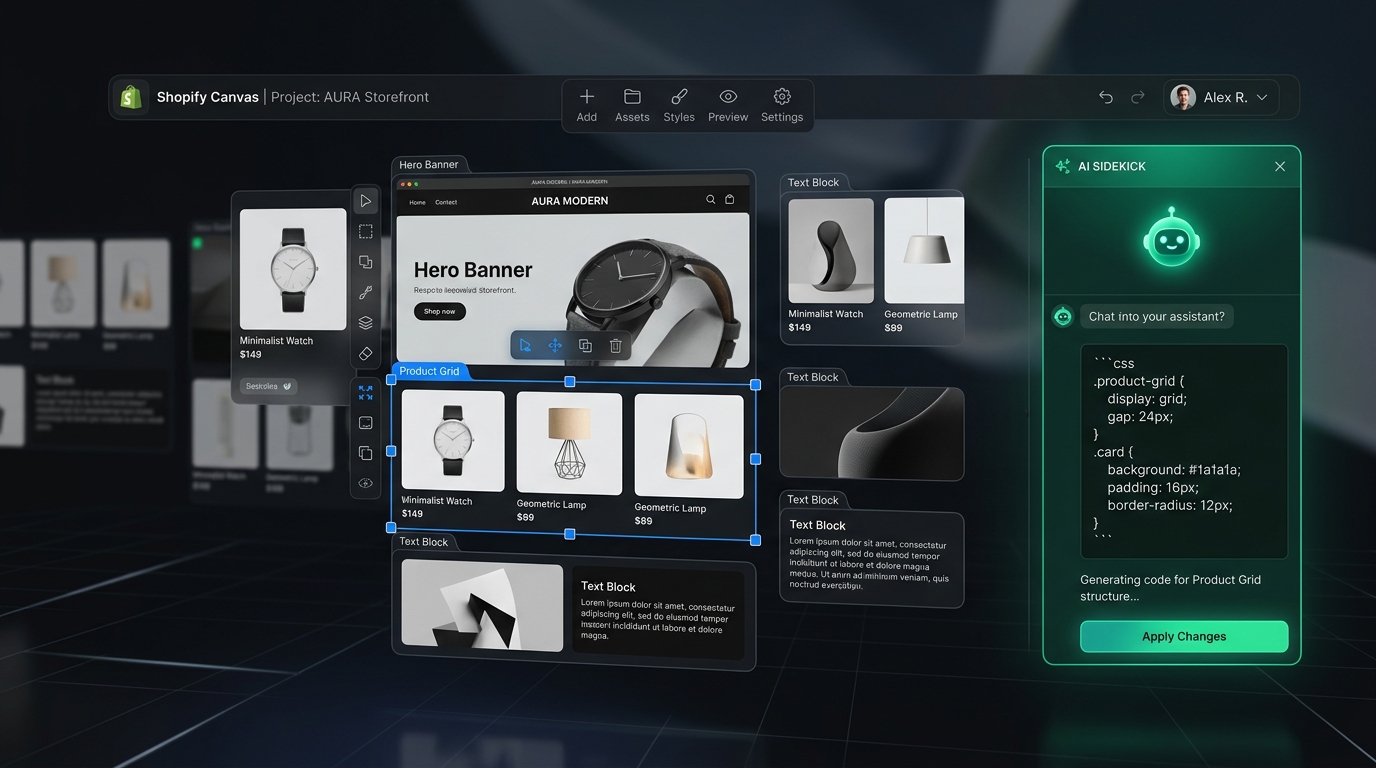
Shopify has officially entered the spatial AI design era. From natural-language code generation to infinite canvas freedom, here is an objective, unfiltered look at what Canvas delivers, what breaks, and what you must prepare.
Before testing or committing your live production theme, understand the boundaries of the Early Access release.
| Feature Dimension | Official Status | Technical Reality & Impact |
|---|---|---|
| Spatial Freeform Canvas | Supported | Drag, drop, and resize sections freely on desktop without rigid block boundaries. |
| Sidekick AI Code Generation | Supported | Generates functional Liquid, CSS animations, and layout modifications from natural language prompts. |
| Third-Party Theme Store Themes | Not Supported | Only works on Shopify-built themes (Dawn, Horizon) and custom themes. Not available for Theme Store purchases yet. |
| App Blocks & App Embeds | Not Supported | Third-party app blocks and embeds cannot currently be placed onto sections created inside Canvas. |
| Automatic Theme Updates | Broken | Themes modified via Canvas become disconnected from future theme version upgrades due to custom file overwrites. |
| Mobile Thumb Navigation | Limited | Canvas handles basic responsive scaling, but cannot build persistent Mobile Tab Bars or App-like thumb navigation. |
| Shopify Markets & Translations | Manual | Translate & Adapt and market-specific content layers are currently bypassed during real-time AI code generation. |
Every article follows our rigorous 5-part review standard: Shopify's Claim • Hands-on Test • Community Reaction • Navi+ Verdict • Actionable Checklist.
An unfiltered review of the new spatial interface, testing the accuracy of Sidekick AI against production requirements and evaluating the trade-offs.
Exact steps to gain Early Access, prompt Sidekick for clean semantic code, inspect generated Liquid, and safely rollback when AI halluciates CSS.
Desktop-only access, locked theme stores, dead-end theme updates, missing app integration, and inline CSS debt: the fine print exposed.
Why Theme 2.0 App Blocks are currently locked out of Canvas sections, and how independent script embeds keep critical features alive.
How real-time Liquid injection forks your theme code permanently, making one-click theme updates impossible. A version control guide for merchants.
Will native AI spatial canvas kill traditional page builders? Direct comparison across monthly subscription costs, speed overhead, and layout flexibility.
Over 75% of ecommerce sales happen on smartphones, yet Canvas is designed on desktop. Why mobile navigation still requires dedicated thumb-zone architecture.
Real-world Lighthouse benchmarks comparing clean theme baselines against Canvas-generated sections. DOM bloat, CLS shifts, and asset load analysis.
Testing currency selectors, multi-language localization, and regional market rules inside Canvas sections. Where the current implementation falls short.
A pragmatic decision flowchart for new stores, high-volume merchants, and Plus brands. How to pilot safely without putting your primary revenue at risk.
"Canvas makes customization cheap. Navi+ should make intelligence maintainable."
Có một nghịch lý kiến trúc cốt lõi mà mọi merchant cần nhìn rõ: Canvas giúp tạo code tùy biến (Customization) rất rẻ và nhanh, nhưng cái giá phải trả chính là chi phí bảo trì (Maintenance) tăng theo cấp số nhân.
THEME ├── Shopify original code ├── Canvas generated layout ├── Sidekick modification 1 ├── Sidekick modification 2 └── ... modification 100
Khi bảo AI "Tạo smart mega menu", AI nhồi 1.000 dòng Liquid/CSS/JS thẳng vào theme. Qua 100 lần prompt, theme trở thành 1 bản dị biệt duy nhất ("snowflake"). 500 store = 500 codebase độc lập, không thể update!
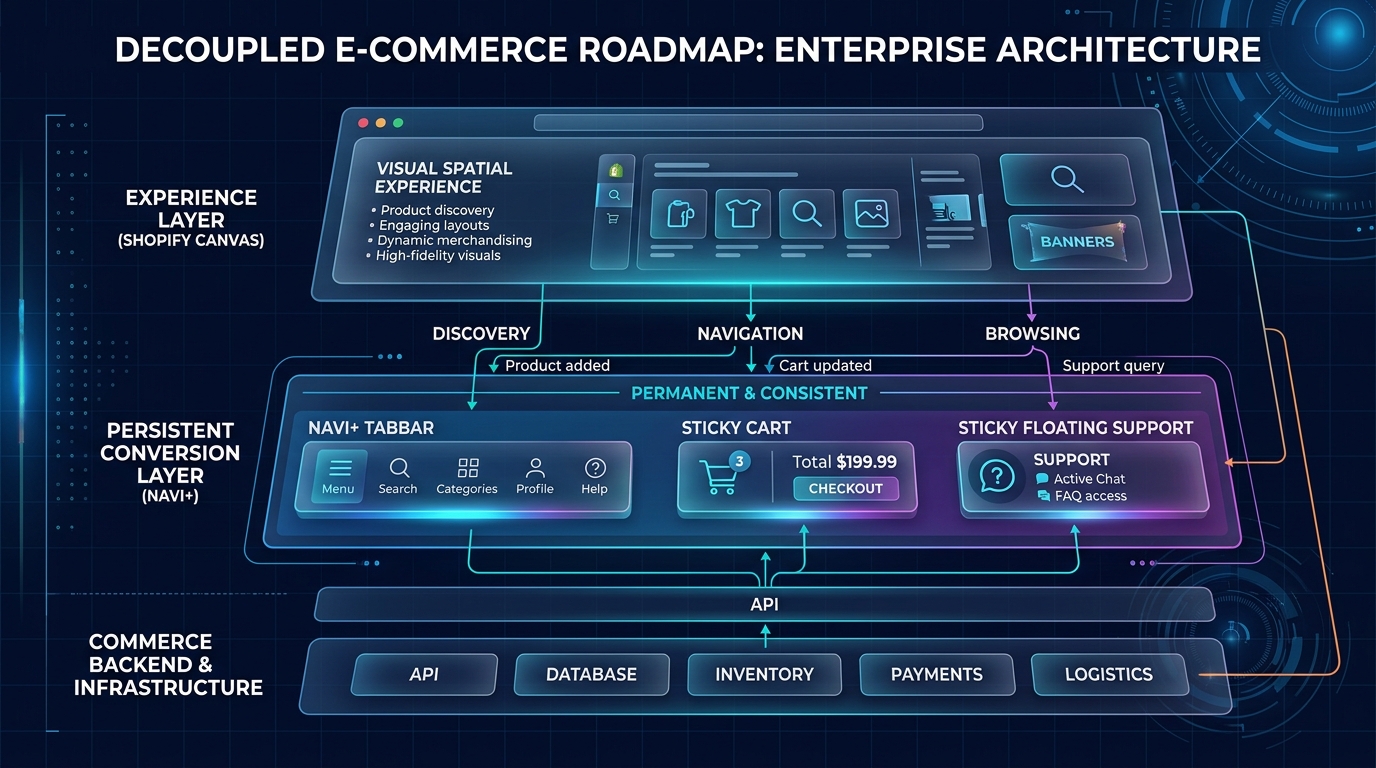
THEME ↓ (Slot chỉ định: "Đây là chỗ cho Navi+") [Navi+ Slot] ↓ Navi+ Engine (CDN Edge < 16ms) ├── Smart Merchandising & Personalization ├── Multi-market & Auto-translate └── Live A/B Testing & Analytics
Theme sạch 100%. Khi Navi+ nâng cấp Engine từ v1 → v2 → v3, toàn bộ 2.000+ store tự động nhận tính năng mới mà không cần Sidekick rewrite theme của từng store.
Câu trả lời dứt khoát là KHÔNG. Chiến lược đúng đắn nhất trong kỷ nguyên AI: "Canvas provides the slot. Navi+ owns the product inside the slot."
Clear answers to the most common questions merchants and developers are asking right now.
Shopify Canvas is an infinite, spatial storefront editor announced in October 2026. Powered by Shopify’s Sidekick AI, it allows merchants to prompt layout changes and visual designs that are translated into real-time Liquid and CSS modifications directly within the theme.
Early Access is rolling out gradually to selected Shopify merchants. Stores must be on desktop, running a Shopify-developed theme (like Dawn or Horizon), and have Sidekick enabled in their Shopify Admin settings.
Currently, no. Early Access is strictly limited to first-party Shopify themes and fully custom themes. Commercial themes purchased from the Shopify Theme Store are not yet supported.
Sections generated on the Canvas cannot currently host Theme 2.0 App Blocks or App Embeds. Apps that inject floating scripts or headless elements (like Navi+ CDN menus) continue to function normally, but in-section app widgets must be placed outside Canvas containers.
Yes. Because Sidekick writes custom code directly into your theme's files, the automated theme update system cannot reconcile these modifications without risk of overwriting. Always duplicate and backup your theme before enabling Canvas.