Báo cáo đặc biệt • Cập nhật tháng 11/2026

Bảo mật Shopify thời AI: vụ app bị chiếm quyền và cách giữ an toàn cho cửa hàng

Tháng 10/2026, khách mua hàng trên nhiều cửa hàng Shopify bị dẫn sang trang thanh toán giả qua chính các app mà chủ shop đã cài. Đây là bức tranh đầy đủ: mối đe doạ thời AI, Shopify đã bảo vệ những gì, công nghệ nào đáng hiểu, và Navi+ được thiết kế ra sao để hạn chế rủi ro.
Oct 10, 2026
Checkout hijack through app settings first reported
romanzipp.com
3 apps
Unavailable in the App Store by Oct 16
iTnews
5,714
Fake stores cloning scraped Shopify catalogs
Sansec, June 2026
$200,000
Maximum Shopify bug bounty
shopify.com/bugbounty
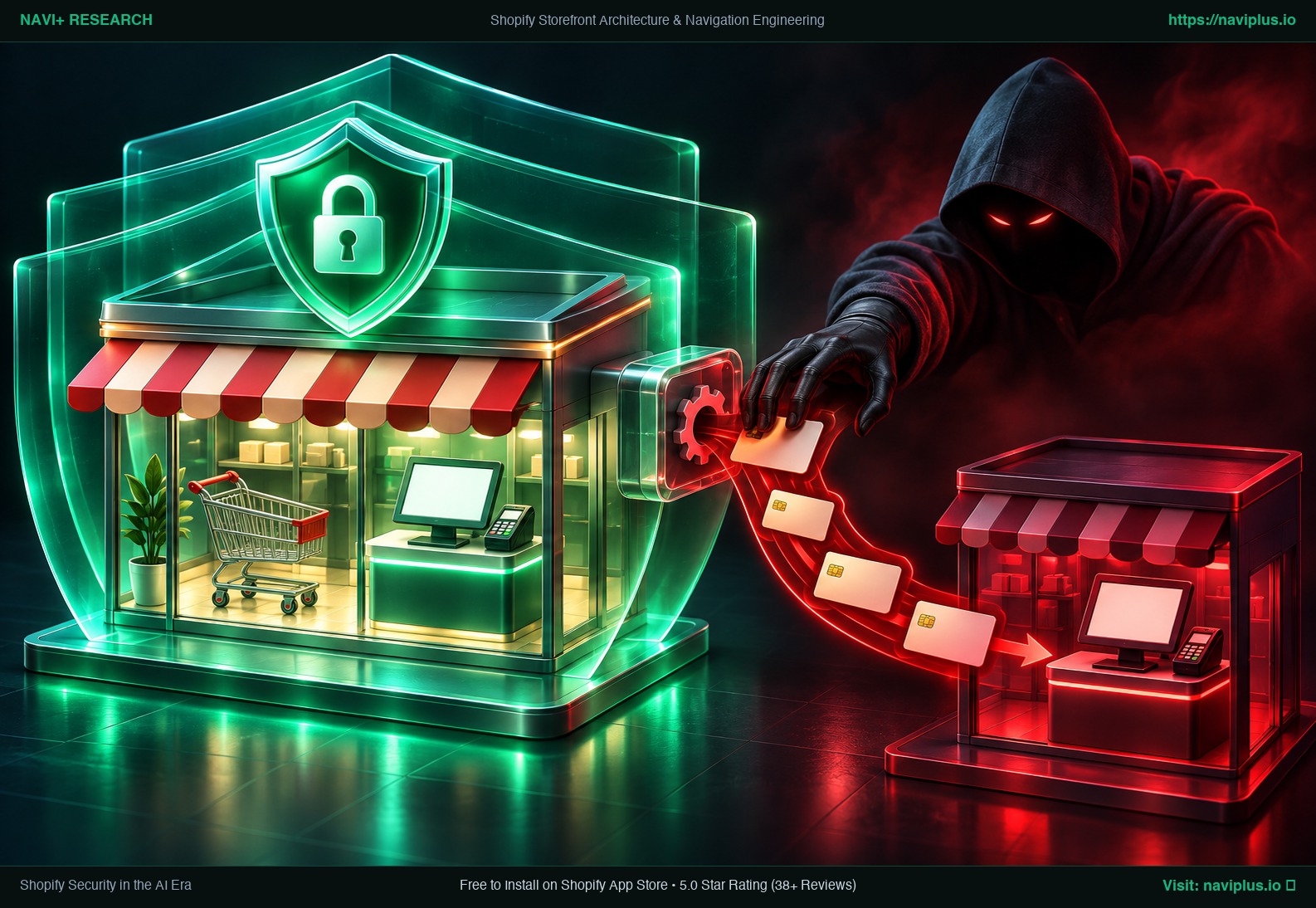
Concept illustration of a protected Shopify store and an attacker diverting payment cards through a plug-in app
Concept illustration: a protected store, and an attacker diverting payments through a plug-in app.

Chuyện gì đã xảy ra

Không phải Shopify bị hack, cũng không phải cửa hàng bị hack. Kẻ tấn công đi qua hệ thống của nhà cung cấp app.
  • Jul–Aug 2026 — Security firm cside links earlier incidents to the same pattern: code injected into app settings fields after vendor credentials were compromised.
  • Oct 10 — Developer Roman Zipp finds a store's checkout button sending shoppers to a look-alike domain, traced to the Hulk Product Options app. The app file on Shopify's CDN is clean; the code comes from the vendor's settings API.
  • Oct 13–15 — Selleasy's developer confirms an internal tool was accessed; Swym Wishlist Plus is also reported.
  • Oct 16 — All three listings are unavailable in the App Store. An Australian merchant says Shopify asked it to stay closed; it reopens by Oct 19.
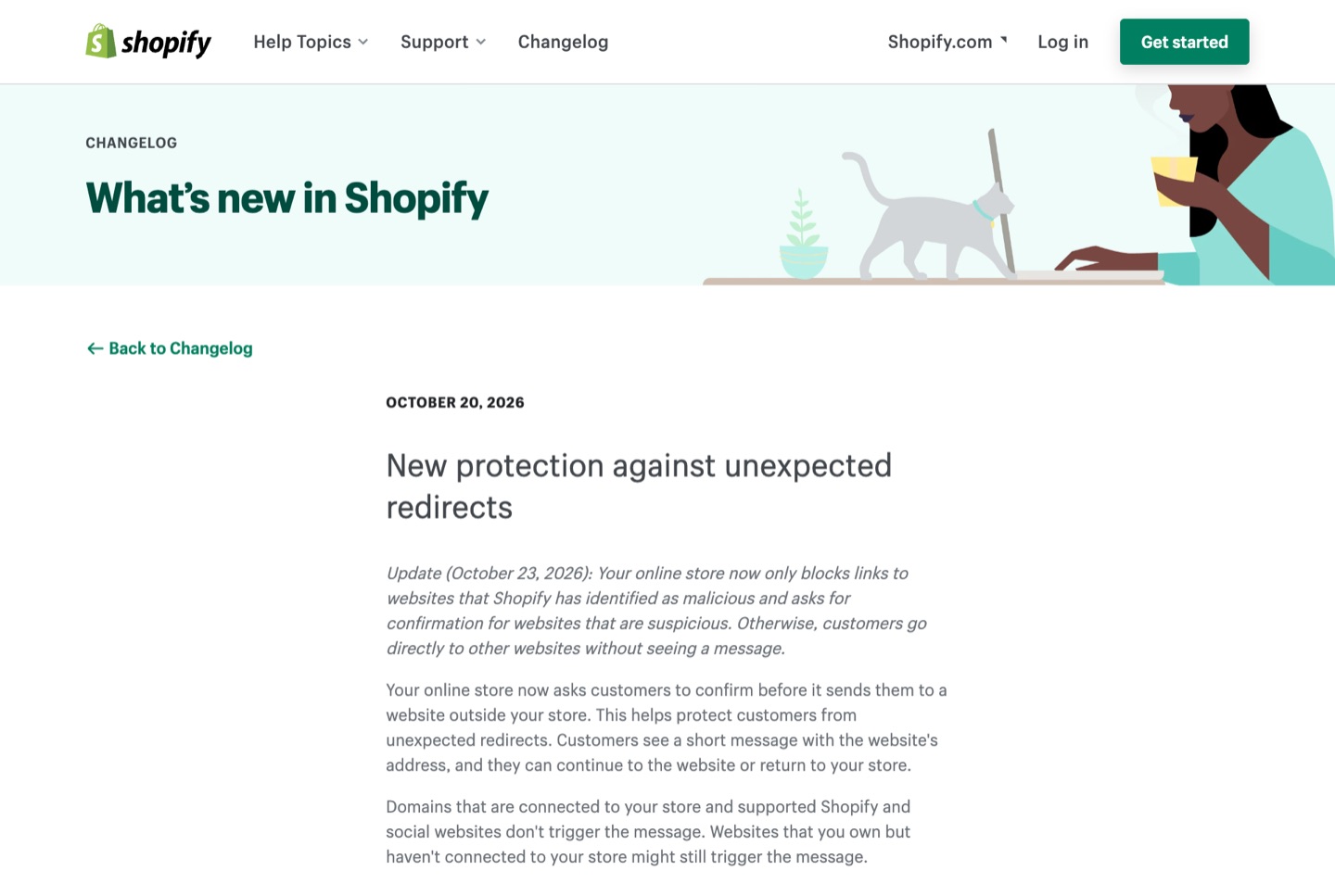
  • Oct 20 & 23 — Shopify adds a warning before storefronts send shoppers to outside sites, then narrows it to block known-malicious sites and confirm suspicious ones.
  • Still unknown — No total number of affected stores or shoppers has been published.
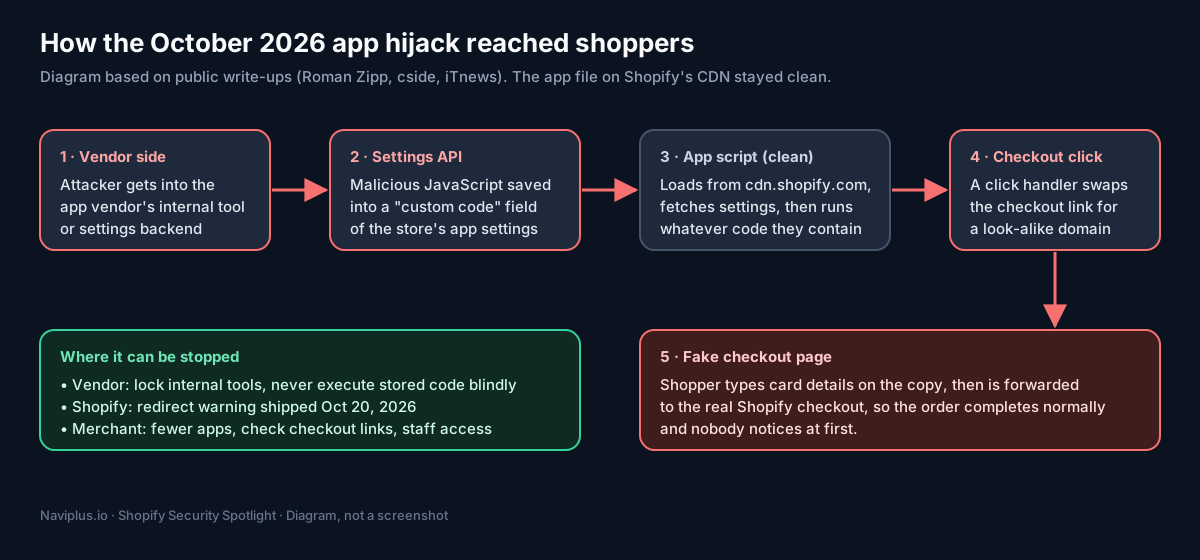
Diagram of how the October 2026 Shopify app hijack reached shoppers
Diagram: the attack lived in app vendors' settings data, not in the store's theme or on Shopify's CDN.
Shopify changelog: new protection against unexpected redirects
Real-world observation: Shopify's changelog entry of October 20, 2026, updated October 23.

Shopify lo phần nào, chủ shop lo phần nào

Phần lớn sự cố thật xảy ra ở cột bên phải.

AreaShopify protectsWho actsYour job
Checkout & paymentscheckout.liquid retired, sandboxed pixels, 3D Secure (EEA), Shopify Protect (US)ShopifyRemove old checkout scripts
Staff logins2-step authentication, passkeys, security keysSharedTurn them on, remove old accounts
AppsToken exchange, scopes, customer-data rules, privacy webhooksSharedChoose vendors, remove unused apps
Storefront scriptsApp embeds, redirect warning (Oct 2026)YouKnow what runs on your pages
API tokensShort-lived tokens for public appsYouProtect custom-app and agency tokens
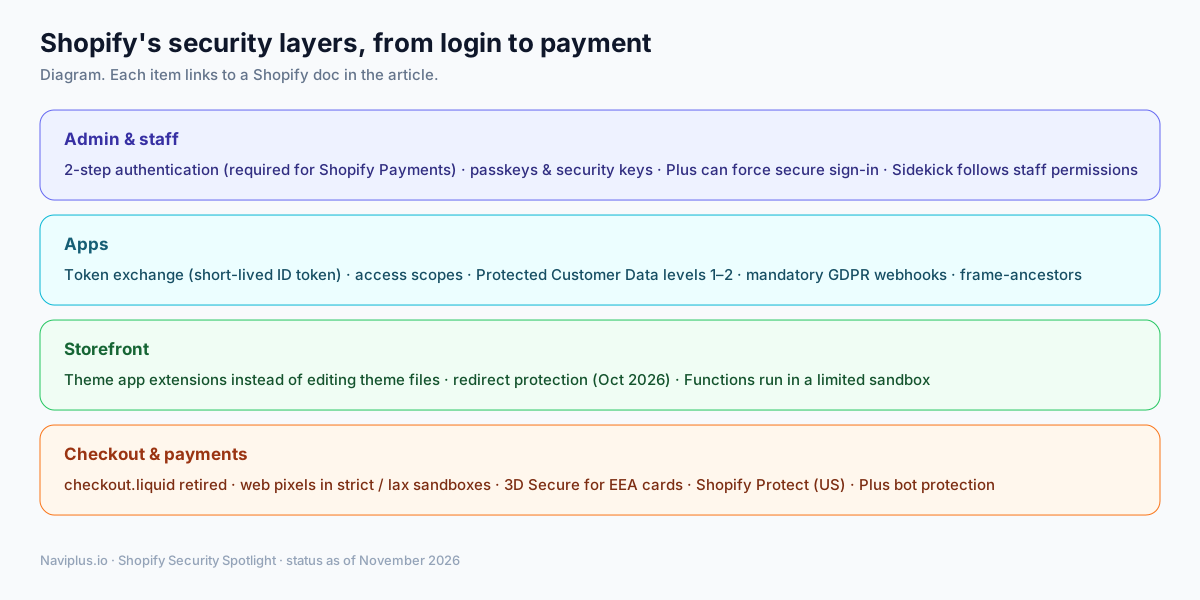
Shopify's security layers from admin login to payment
Diagram: Shopify's four security layers as of November 2026.

Bộ 4 bài chuyên sâu

Mỗi bài có nguồn mở được cho từng con số.

Navi+ được thiết kế để giới hạn rủi ro thế nào

Một app menu không cần đụng vào đơn hàng, khách hàng hay trang thanh toán. Navi+ chỉ lấy đúng những gì menu cần:

  • Chỉ quyền đọc: theme, sản phẩm, menu điều hướng, nội dung. Không quyền ghi theme, không đơn hàng, không khách hàng.
  • Không chạy ở trang thanh toán: không có checkout extension, không có web pixel.
  • Không sửa file theme: gắn qua app embed, tắt là gỡ ngay.
  • Khách xem cửa hàng không gọi tới máy chủ Navi+: menu là file tĩnh trên CDN; script lỗi thì menu ẩn, cửa hàng vẫn chạy.
Giới hạn thật: menu cho phép HTML tuỳ chỉnh, và file menu do nhà cung cấp phục vụ. Những thiết kế trên thu hẹp rủi ro, không làm rủi ro bằng không.
Đọc chi tiết Xem Tab Bar của Navi+

5 việc nên làm trong tuần này

  1. Audit your apps in Settings → Apps and sales channels. Remove unused apps and read each app's access list.
  2. Test your checkout path in a private window. The address bar should stay on your domain or Shopify's checkout.
  3. Require passkeys or security keys for every staff account; remove people who no longer need access.
  4. Rotate Admin API tokens that were ever pasted into code, documents or AI chats.
  5. Check App embeds in the theme editor so you know exactly which apps run code on your storefront.

Frequently asked questions

Was Shopify hacked in October 2026?

No public report says so. The malicious code was served through the settings systems of specific app vendors. Shopify removed the affected listings and added redirect protection to storefronts.

How do I know if my store was affected?

Check whether you had Hulk Product Options, Selleasy or Swym Wishlist Plus installed in October 2026, and test your checkout path in a private window. If shoppers report unfamiliar checkout pages, contact Shopify Support.

Would Subresource Integrity (SRI) have stopped it?

Not in this case. The app's file on Shopify's CDN was unchanged; the malicious code arrived as settings data from the vendor's API, which SRI does not check.

Does Navi+ access my checkout or customer orders?

No. Navi+ requests read-only scopes for themes, products, navigation and content, and has no checkout extension or web pixel.

Sources

  1. Roman Zipp, Shopify shops hit with ongoing Checkout Hijack attack — romanzipp.com
  2. cside, HulkApps Shopify checkout hijack — cside.com
  3. iTnews, Shopify tells Australian store to stay shut — itnews.com.au
  4. Shopify Changelog, New protection against unexpected redirects — changelog.shopify.com
  5. Sansec, GorgonAgora fake storefront network — sansec.io
  6. Shopify Bug Bounty — shopify.com/bugbounty

Bắt đầu với Navi+

Chọn nền tảng của bạn — miễn phí cài đặt, hoạt động trong vài phút.