


The Developer Bottleneck in Navigation
For most Shopify stores using a theme-native navigation, updating the menu requires either direct theme editing (which most store owners aren't comfortable doing) or filing a request with a developer. The developer queue creates a gap between identifying a navigation problem and fixing it — a gap that, in practice, means many navigation problems are never fixed. The friction of the request process filters out all but the most urgent changes. Small but impactful improvements — renaming a category label that analytics shows is confusing visitors, adding a featured link for a seasonal promotion, reordering Tab Bar slots based on what the data shows — never happen because the cost of requesting them exceeds the perceived benefit of each individual change.
The cumulative cost of this filtering is a navigation that's several iterations behind where it should be. Every navigation improvement that was identified but never made is a conversion drag that continues accumulating. The developer bottleneck doesn't just slow down navigation improvement — it stops it almost entirely, because the cadence of "file a ticket, wait a week, deploy, check results, iterate" is too slow to be a genuine improvement cycle.
"Before Navi+, every navigation change went through our developer. A typical change — adding a new category link, updating a label, testing a different Tab Bar order — would take 3–5 days from request to live. We'd make maybe three or four navigation changes a month, if we were being proactive. After switching to a self-managed navigation, I make changes in minutes. We now iterate on navigation almost every week based on what analytics shows. The pace of improvement is completely different."
— A Navi+ customer, fashion accessories brand
Building a Direct Navigation Improvement Workflow
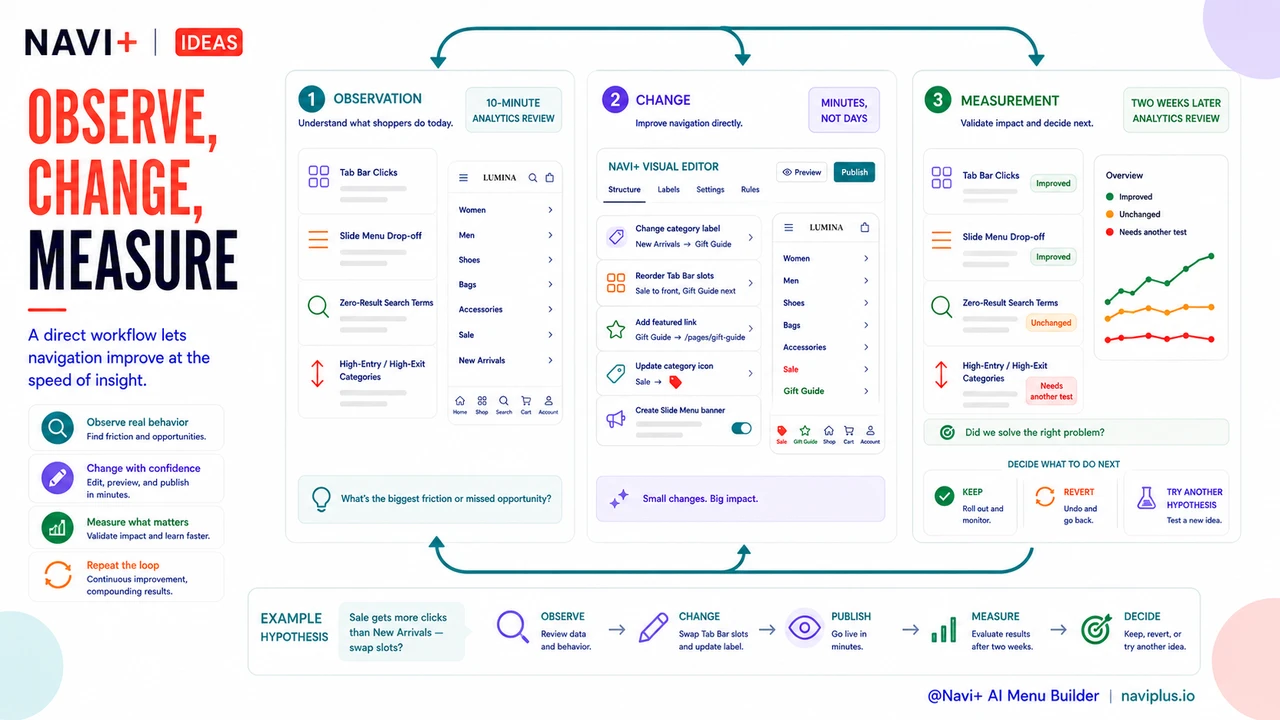
A direct navigation workflow — where the store owner can make changes without development dependencies — enables an improvement cadence that matches the speed of insight. The workflow has three components:
Observation: identifying what to change. The observation phase uses analytics to surface navigation problems. Weekly review of navigation analytics — which Tab Bar items are clicked, where visitors drop off in the Slide Menu, which search terms return zero results, which categories have high entry but high exit rates — generates a running list of navigation hypotheses. "Visitors are clicking 'Sale' more than 'New Arrivals' but Sale is in slot 4 and New Arrivals is in slot 2 — should we swap them?" is the kind of insight that emerges from a 10-minute analytics review. The observation phase doesn't require technical skills; it requires a habit of looking.
Change: implementing the hypothesis. With a self-managed navigation tool, the change phase is fast. Renaming a label, reordering Tab Bar slots, adding a featured link, updating a category's icon, creating a promotional banner in the Slide Menu — each takes minutes, not days. The low cost of change means hypotheses can be tested without the overhead of developer coordination, and the change can go live while the insight is fresh rather than after a week-long queue.
Measurement: confirming whether the change worked. The measurement phase closes the loop. Two weeks after a change, reviewing the same analytics metrics that prompted the change reveals whether it moved in the right direction. If yes, keep it; if no, revert or try a different hypothesis. The directness of this feedback loop — change something, measure it, learn from it — is what distinguishes a store whose navigation improves continuously from one that was configured at launch and hasn't changed since.
| Navigation Task | With Developer Dependency | With Self-Managed Navigation |
|---|---|---|
| Rename a category label | Ticket → 3–5 days → deploy | 2 minutes, live immediately |
| Add seasonal promotional link | Ticket → planning → deploy → remove after | Add and schedule removal in the same session |
| Reorder Tab Bar slots | Developer edits theme code | Drag-and-drop in dashboard |
| A/B test two navigation structures | High-cost dev work; rarely done | Switch variants weekly; compare analytics |
The Compounding Returns of Rapid Iteration
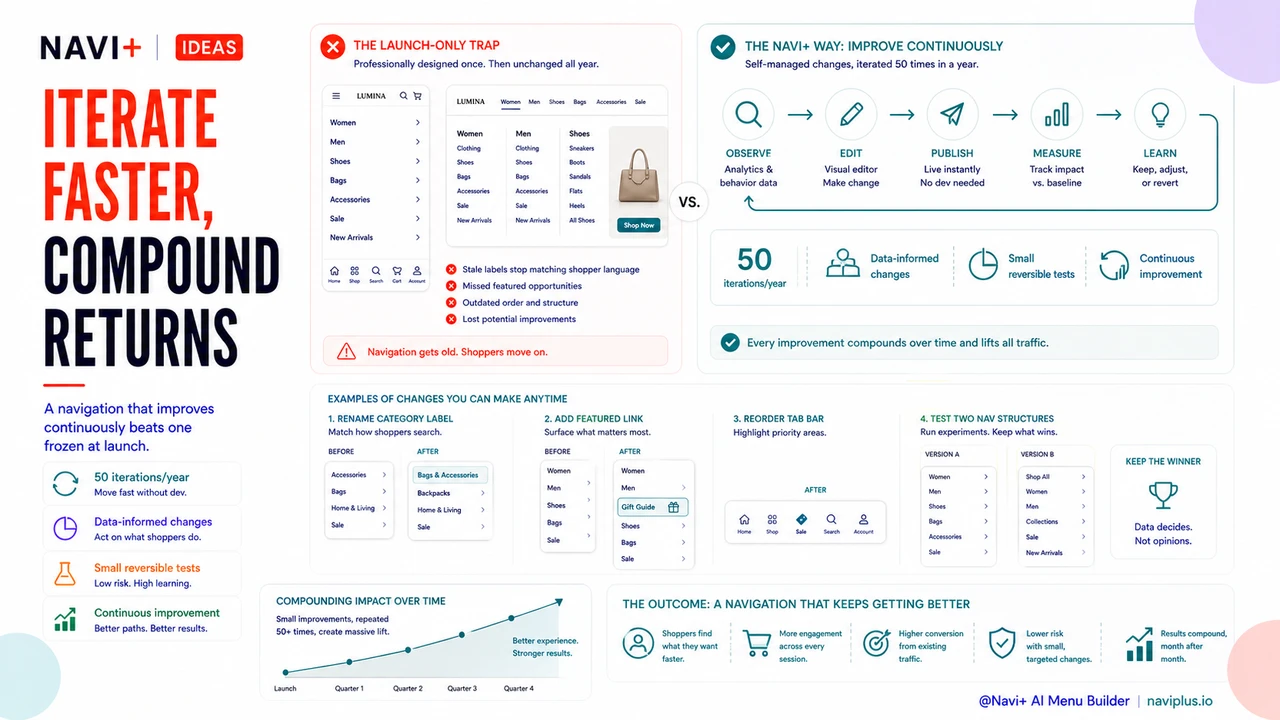
The financial case for a self-managed navigation workflow is not just the cost saved on each individual developer ticket — it's the compounding return from making more improvements, faster. A navigation that's iterated 50 times in a year, with each iteration informed by data, will outperform a navigation that was professionally designed at launch and hasn't changed since. Navigation improvement is not a project with an end state; it's an ongoing process that produces compounding returns as long as the feedback loop operates. A direct workflow is what makes that feedback loop fast enough to be worth running.
Try it free — no code, no developer needed
Install in minutes on Shopify, WordPress, or any website.