Fix your store's navigation. Watch your sales grow.
Practical guides on menus, mobile UX, and the navigation patterns that turn visitors into buyers.
Shopify Themes Architecture & Teardowns
In-depth Core Web Vitals, DOM bloat, INP latency, and mobile ergonomic benchmarks across 60+ top Shopify themes.
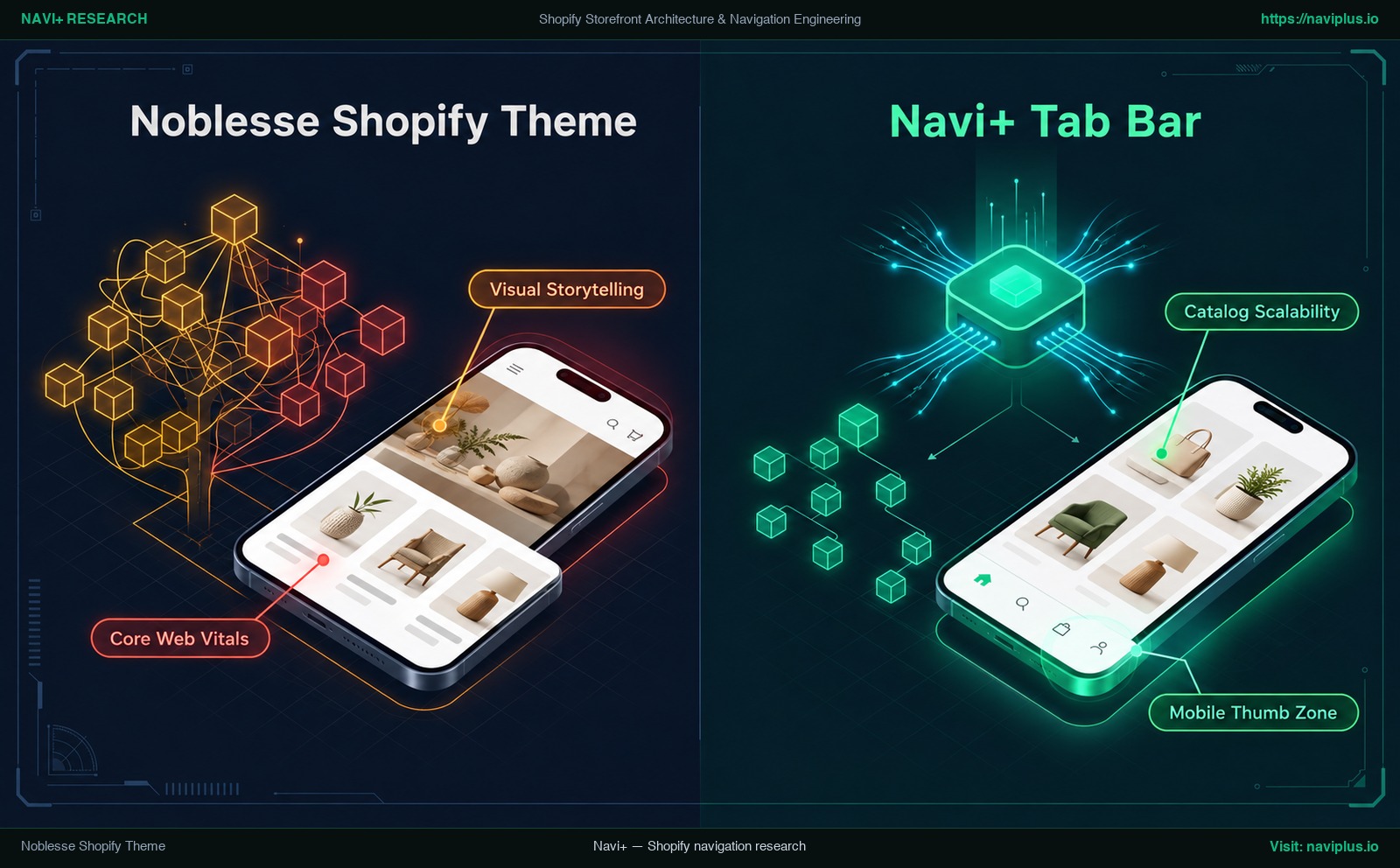
Noblesse Shopify Theme Review 2026: Features, Navigation & Mobile Reachability
Technical review of Shopify Noblesse theme by Vevol Themes ($180). Analysis of visual architecture, navigation hierarchy, and mobile reachability.
Noble Shopify Theme Review 2026: Architecture Teardown, Speed Benchmark & CRO Analysis
In-depth technical review of Shopify Noble theme. Comprehensive analysis of DOM nodes, INP latency, and mobile reachability.
→ 6 min readNexa Shopify Theme Review 2026: Features, Pricing & Mobile Navigation
Fact-checked review of the Nexa Shopify theme by 1o1development ($290): Theme Store features, comparison with Dawn, and mobile navigation tips for gymwear and apparel stores.
→ 19 min readMurmel Shopify Theme Review 2026: Architecture Teardown, Speed Benchmark & CRO Analysis
In-depth technical review of Shopify Murmel theme. Comprehensive analysis of DOM nodes, INP latency, and mobile reachability.
Shopify Canvas & AI
Everything you need to know about Shopify Canvas, Sidekick AI spatial design, limitations, and mobile navigation.

Shopify Canvas Architecture Review: Visual Direct-Manipulation, Theme Blocks, and Storefront Navigation
A comprehensive architectural review of Shopify Canvas. Analyzing direct-manipulation layout engines, JSON block generation, Core Web Vitals impact, and global navigation trade-offs.
How to Use Shopify Canvas & Sidekick AI: Complete Step-by-Step Guide
Master Shopify Canvas and Sidekick AI. Practical walkthrough, exact prompt recipes, responsive editing, inspecting generated code, and safe rollback strategies.
→ 8 min read5 Critical Limitations of Shopify Canvas Nobody Is Talking About
Behind the AI hype lies technical reality. Discover the 5 biggest limitations of Shopify Canvas Early Access, from broken theme updates to missing app blocks.
→ 8 min readShopify Canvas and App Embeds: Why Your Apps Might Break
How does Shopify Canvas interact with your favorite Shopify apps? An architectural analysis of App Blocks, App Embeds, and decoupled CDN scripts.
Increase Conversions
Why are visitors leaving without buying? How can navigation turn browsers into buyers?
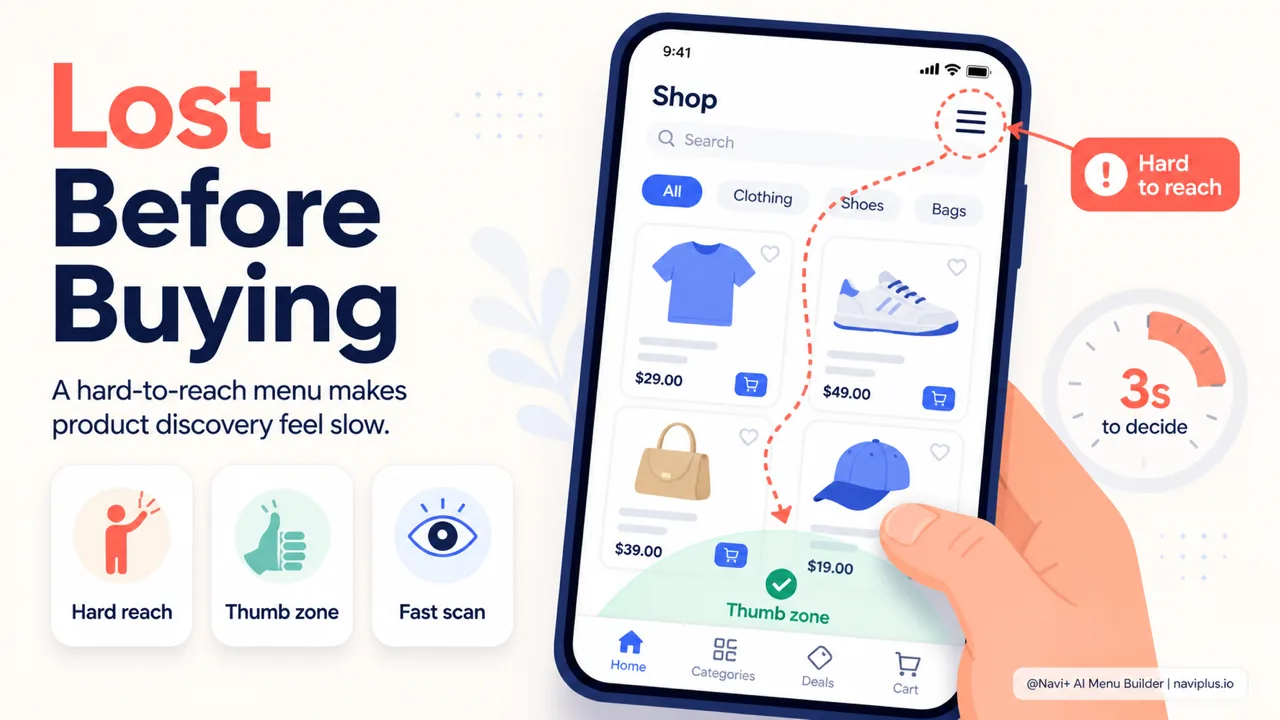
Why Shoppers Visit Your Store But Don't Buy — and How Navigation Plays a Part
Why do shoppers visit your store but never buy? How ecommerce store navigation affects revenue, common Shopify menu mistakes, and the menu types that clear the bottleneck.
Product page navigation: how shoppers move between products
How breadcrumbs, related products, back-to-collection links, and mobile product navigation shape whether shoppers keep browsing or leave your Shopify store.
→ 7 min readWhen shoppers search vs browse: designing for both behaviors
Why some shoppers use the search bar and others browse the menu — how to design ecommerce navigation that serves both intent-driven and exploration-driven visitors.
→ 6 min readNavigation for first-time vs returning visitors: what changes
How navigation needs differ between new visitors who are discovering your store and returning customers who already know what they want — and how to serve both.
Mobile-First Navigation
80% of traffic is mobile — how do I build navigation that works with one thumb?
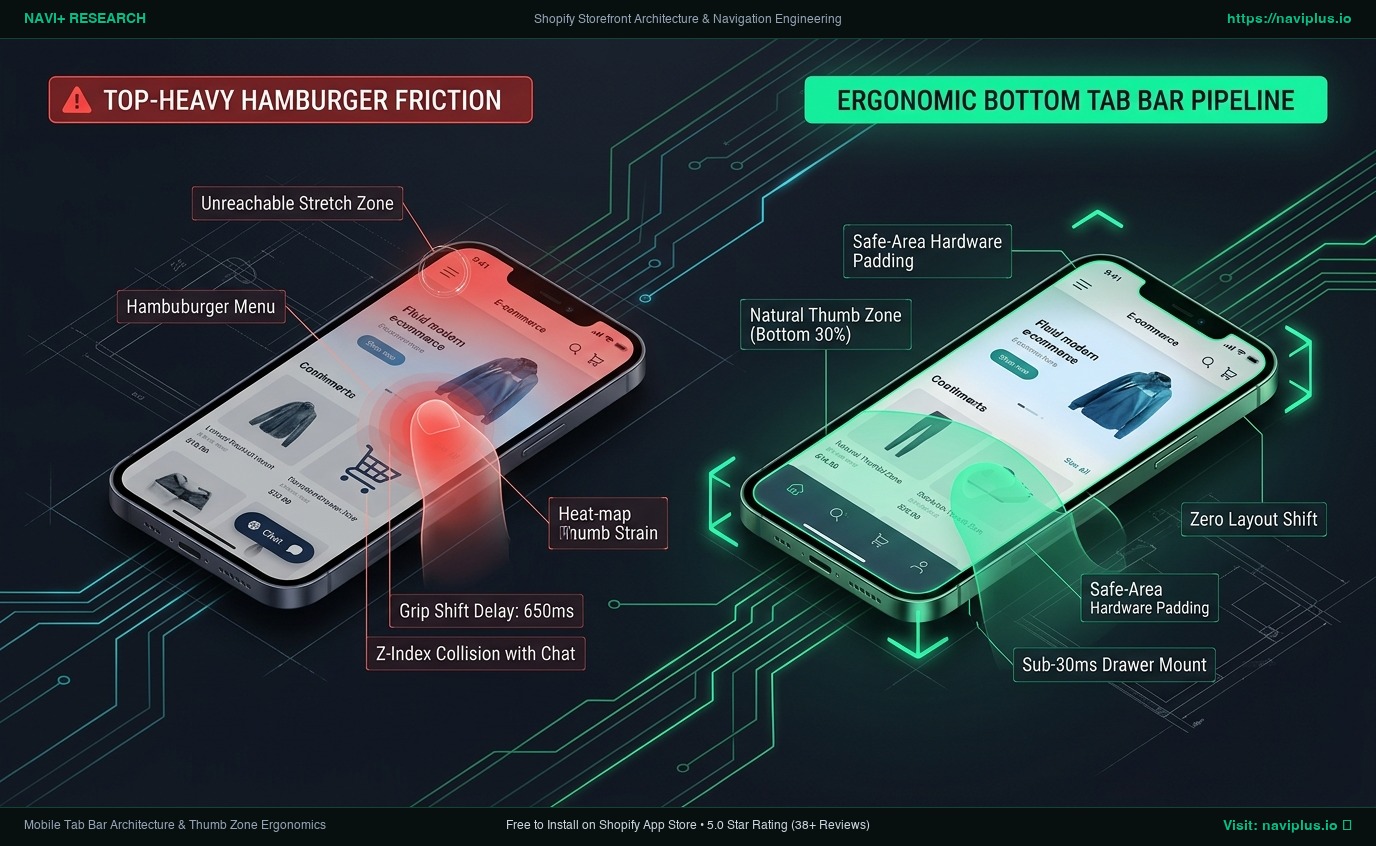
Bottom Navigation & Mobile Tab Bar Architecture: Engineering Native UX for Shopify
Technical guide to Shopify bottom navigation. Learn the biomechanics of the mobile thumb zone, safe-area hardware insets, sticky UI collision avoidance, and decoupled Tab Bar rendering.
Shopify Mobile Navigation Beyond the Hamburger Menu: Ergonomics, Tab Bars, and Hybrid Architecture
Discover why default top-left hamburger menus fail on 6.7-inch mobile screens. Learn the biomechanics of the Thumb Zone, Liquid drawer limitations, and how bottom tab bars drive product discovery.
→ 7 min readBuilding a mobile-first navigation strategy (not mobile-friendly)
Why mobile-first navigation is different from responsive design — thumb-reach zones, mobile-specific patterns, and building navigation around how people actually hold their phones.
→ 6 min readMobile checkout: why navigation matters more on small screens
Mobile checkout barriers, single-thumb checkout flows, and how persistent cart access and simplified navigation reduce the 80% mobile cart abandonment rate.
Choosing the Right Menu
Tab bar, mega menu, or mobile menu — which one fits my store?
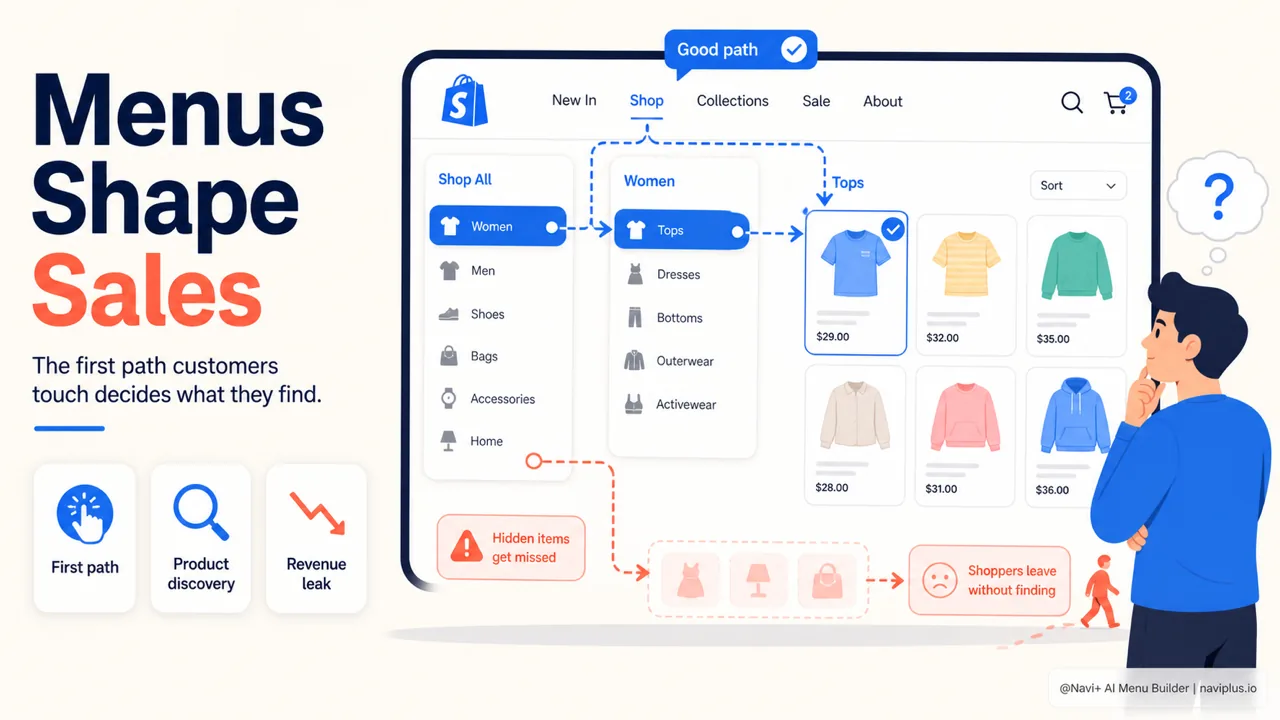
How to choose the right menu type for your Shopify store
A guide to choosing the right Shopify menu type based on product count, mobile share, and how customers shop: comparing Mega Menu, Tab Bar, Mobile Menu, Floating Button, and a decision process.
Shopify Mega Menu Best Practices: Layout, Images, Grouping, and Architecture
Master the information architecture of high-converting Shopify mega menus. Learn the 70/30 text-to-visual rule, column scannability limits, Liquid schema trade-offs, and mobile drawer parity.
→ 13 min readShopify Menu Guide: Architecture, Navigation Patterns, Mobile Ergonomics, and Storefront UX
Shopify menu guide: learn the 3-level menu limit, when to use a dropdown, mega menu, drawer or tab bar, and how to test your menu on mobile.
→ 13 min readShopify Multi-Level Menu Architecture: Nested Taxonomies, Deep Navigation, and Storefront Wayfinding
Plan a Shopify multi-level menu that works: the 3-level limit, mega menus vs flyouts, mobile drill-down vs accordions, DOM size, and an audit checklist.
Speed & Performance
Is my menu slowing down my store? Will it hurt my Google rankings?
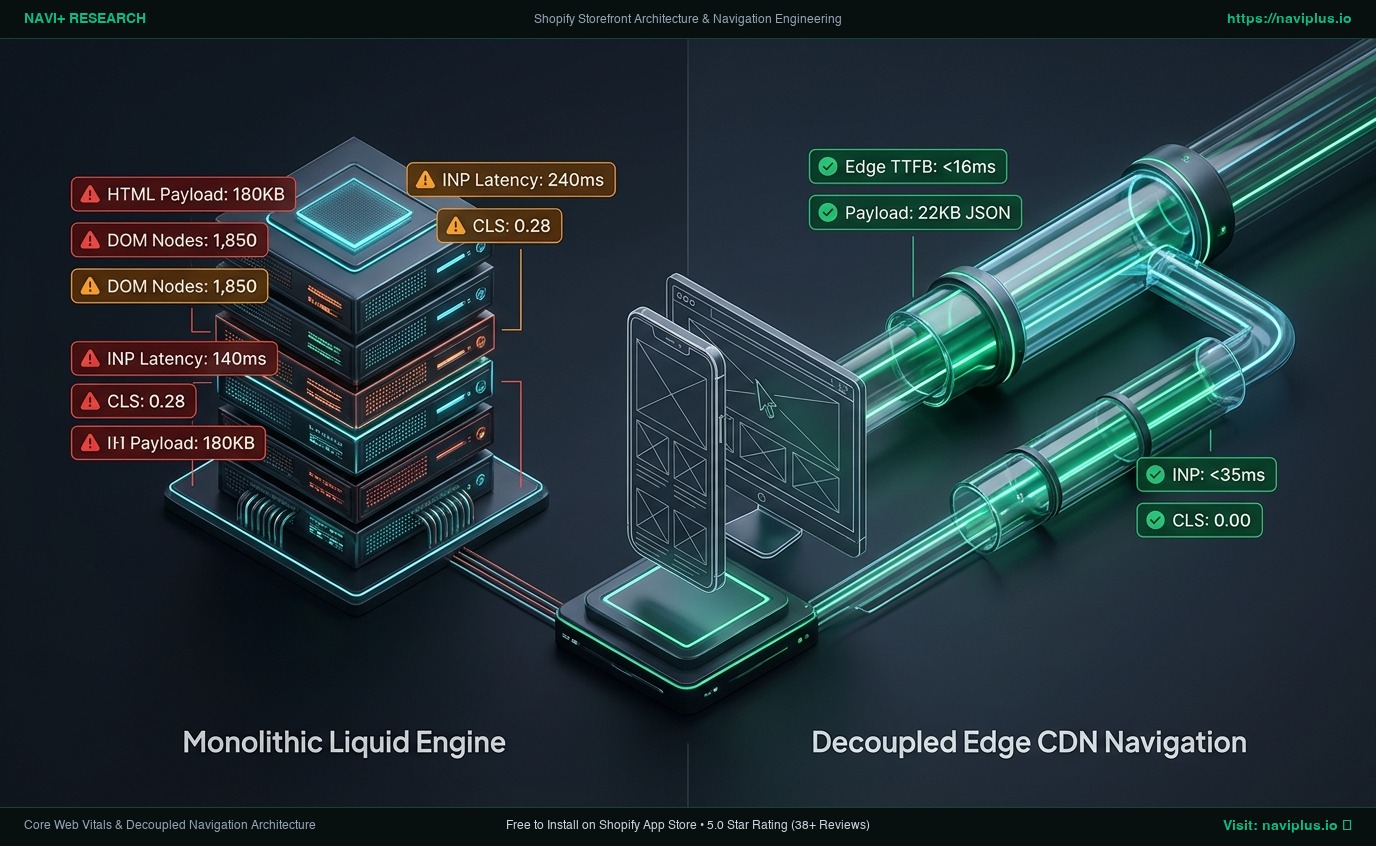
Navigation Architecture and Core Web Vitals: Engineering Sub-300ms Shopify Storefronts
Technical teardown of navigation speed on Shopify. Learn how monolithic Liquid loops bloat DOM and degrade INP, and how decoupled Edge architectures preserve sub-second LCP.
Mobile menu performance: why every millisecond matters
How menu JavaScript and CSS affect mobile page speed — LCP, render blocking, tap delay, and building menus that don't slow down the store.
→ 12 min readMenu and LCP: how navigation blocks your largest contentful paint
Learn how navigation menus block Largest Contentful Paint, why mobile LCP suffers most, and how to audit and fix your Shopify store's menu speed in 10 minutes.
Scaling Your Store
My catalog grew from 50 to 500 products — how should navigation change?
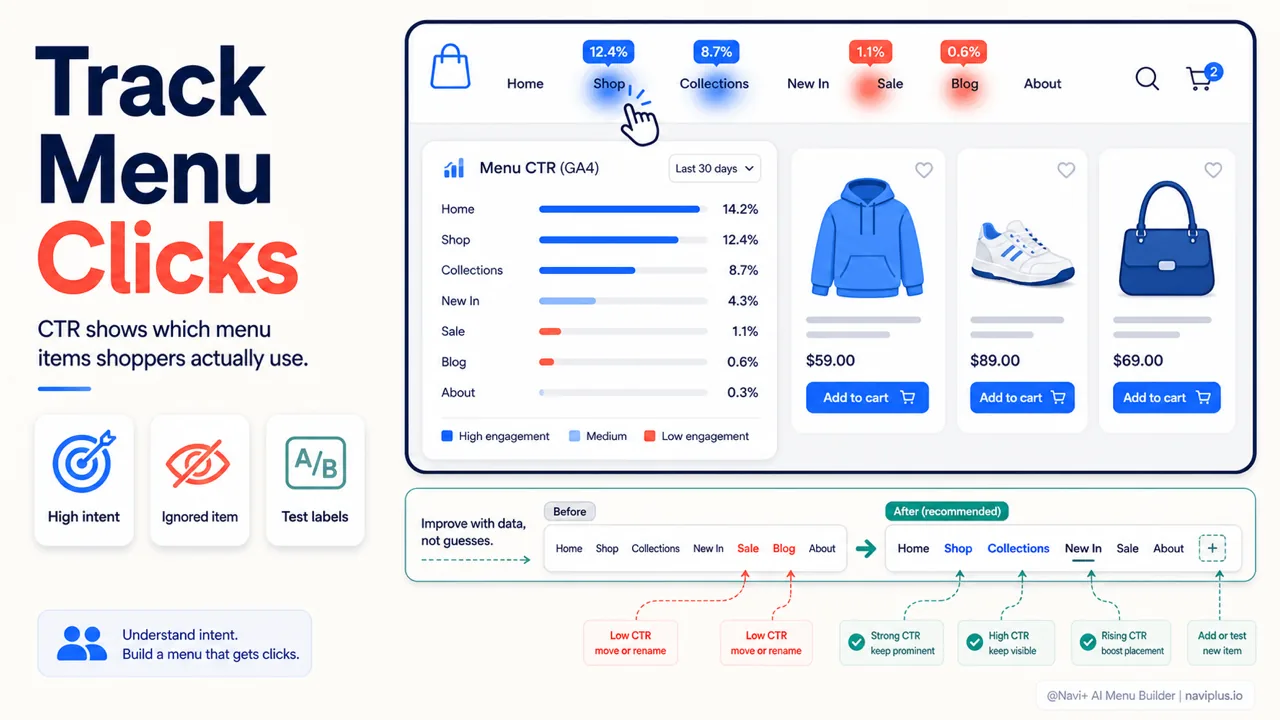
How to Know If Your Menu Is Working — 5 Metrics Worth Tracking
Measure menu performance with 5 practical metrics: CTR, navigation depth, exit rate, mobile behavior, and internal search — all measurable for free with GA4 and Clarity.
Navigation for every stage of your store's growth — from 10 to 10,000 products
Navigation by store stage: the same store needs a different kind of menu as it grows from 10 to 10,000 products. The signs to watch for and what to do at each stage.
→ 6 min readHow navigation needs change as your catalog grows from 100 to 1000+ products
Scaling navigation from a small catalog to a large one — when to add mega menus, how category strategy changes, and why the menu that works at 50 products breaks at 500.
→ 10 min readHow to organize 1,000+ products so shoppers find what they need
Category structure, naming, hierarchy depth, and filter strategies for large Shopify catalogs—so navigation scales with your store.
Design & Branding
How do I make my menu look professional and match my brand?
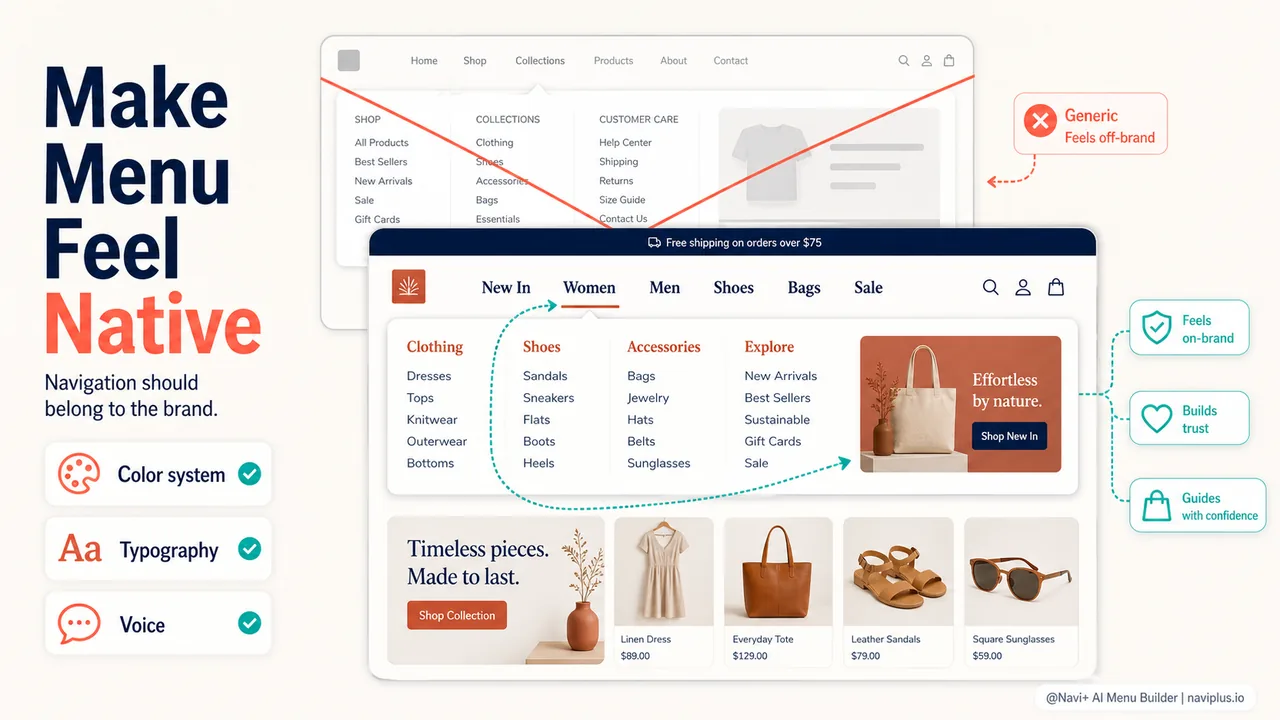
Menu design and brand identity: making navigation feel like your store
Learn how to make your Shopify navigation menu reflect your brand identity—and why brand-aligned menus convert better than generic defaults.
Color psychology in navigation: which colors drive action?
How navigation menu colors influence clicks and conversions. Research-backed strategies for choosing colors that drive action in e-commerce navigation.
→ 11 min readIcons vs text in navigation: when to use which (and when to use both)
Learn when to use icons, text, or both in your store navigation. Research-backed guide with A/B test data and a quick audit.
→ 6 min readIcon menu: when a grid of visual categories beats a text list
A practical guide to icon-grid category navigation — when visual browsing outperforms a text menu, sizing and labeling it correctly, and where it fits alongside your other menus.
International Selling
Multiple countries, languages, currencies — how do I handle navigation?
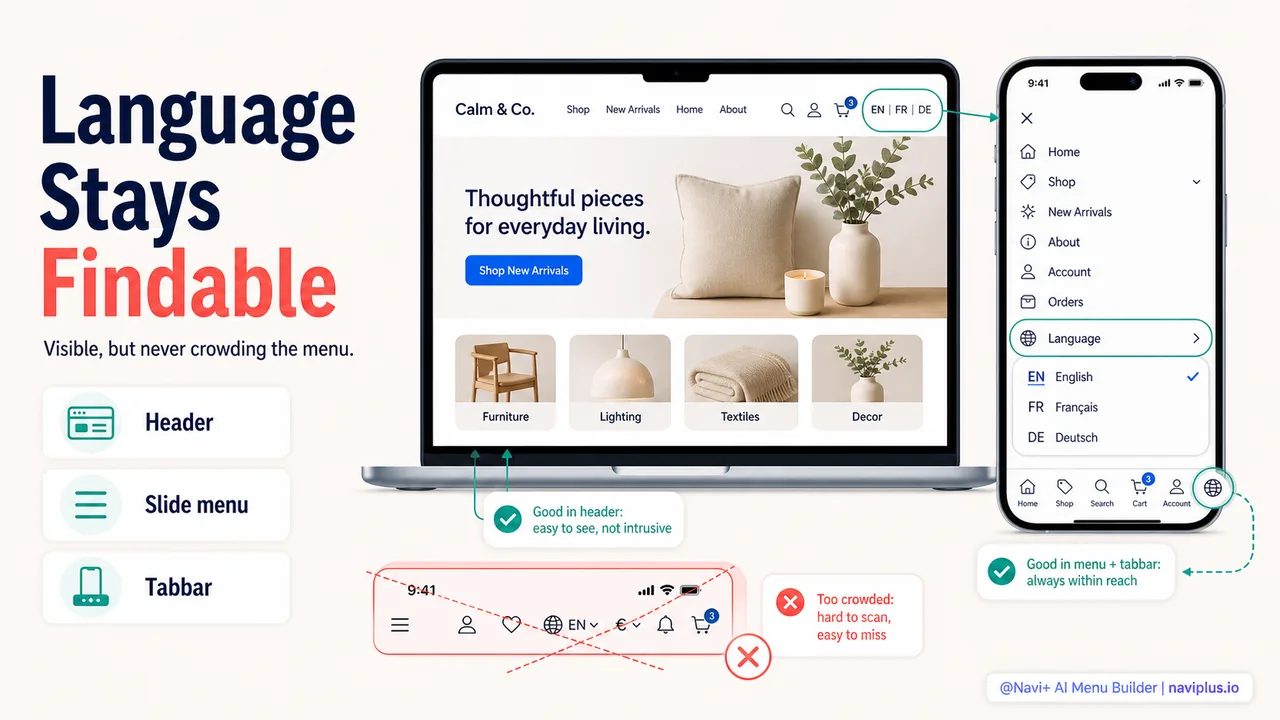
Navigation for international stores: language, currency, and regional catalogs
Multi-language navigation, currency switchers in the menu, regional catalog differences, and designing navigation that works across markets and languages.
Auto-detecting visitor location: when to redirect vs when to ask
Learn when to auto-redirect international visitors vs letting them choose. Data-driven guidance on geolocation for Shopify stores that increases conversion.
→ 11 min readMulti-currency navigation: helping shoppers find their local price
Make international shoppers feel at home: practical strategies for multi-currency navigation that builds trust and increases conversion rates.
Accessibility & SEO
Can everyone use my navigation? Does it help or hurt my SEO?
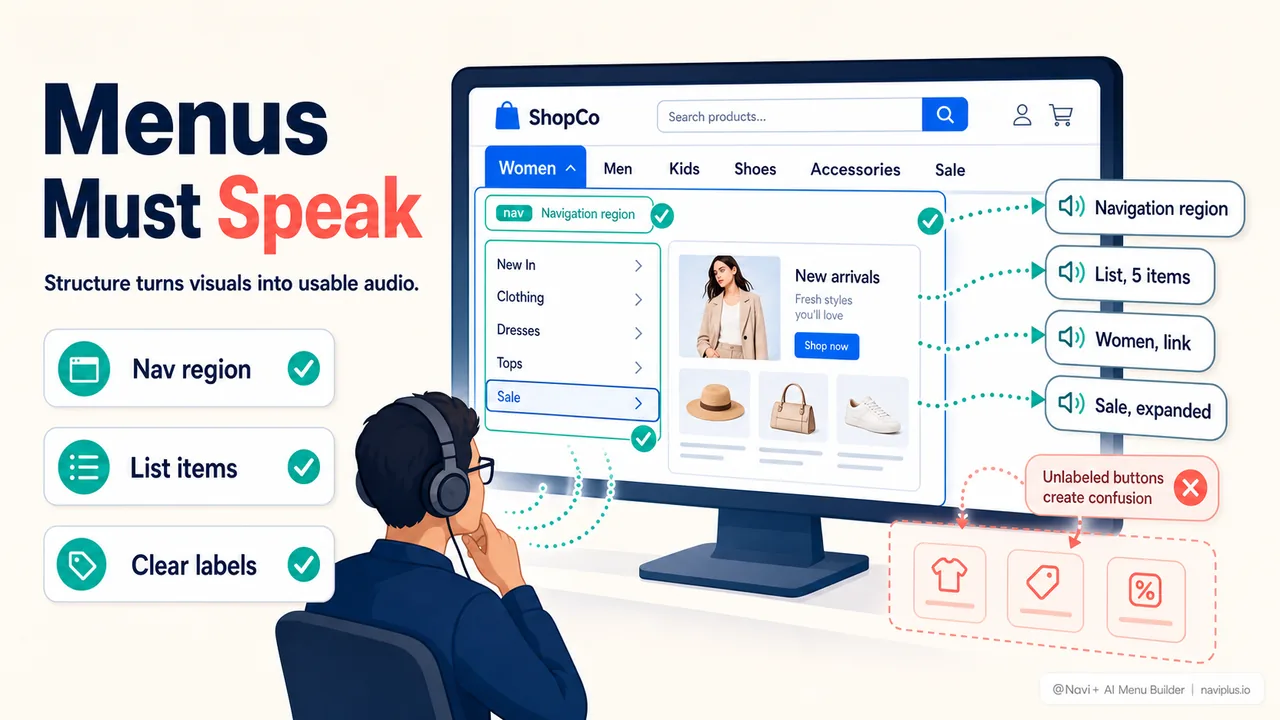
Accessible navigation: building for screen readers and keyboard users
ARIA labels, keyboard navigation, focus management, and accessible menu patterns — making ecommerce navigation work for assistive technology users.
Navigation SEO: making sure Google can crawl your menu structure
How to make your Shopify navigation menu crawlable by Google: real anchor tags, avoiding JavaScript-only menus, and auditing with View Source.
→ 12 min readKeyboard navigation: why it matters beyond accessibility
Keyboard navigation isn't just accessibility—it boosts conversions 15-30%, speeds power users 3.7×, and impacts SEO. Most Shopify stores fail. Here's why it matters.
→ 11 min readNavigation accessibility: why 15% of shoppers can't use your menu
WCAG compliance, keyboard support, screen readers, and color contrast—practical accessibility fixes for Shopify store navigation that also boost conversions.
Checkout Experience
Why do shoppers abandon at checkout? How does navigation affect the final step?
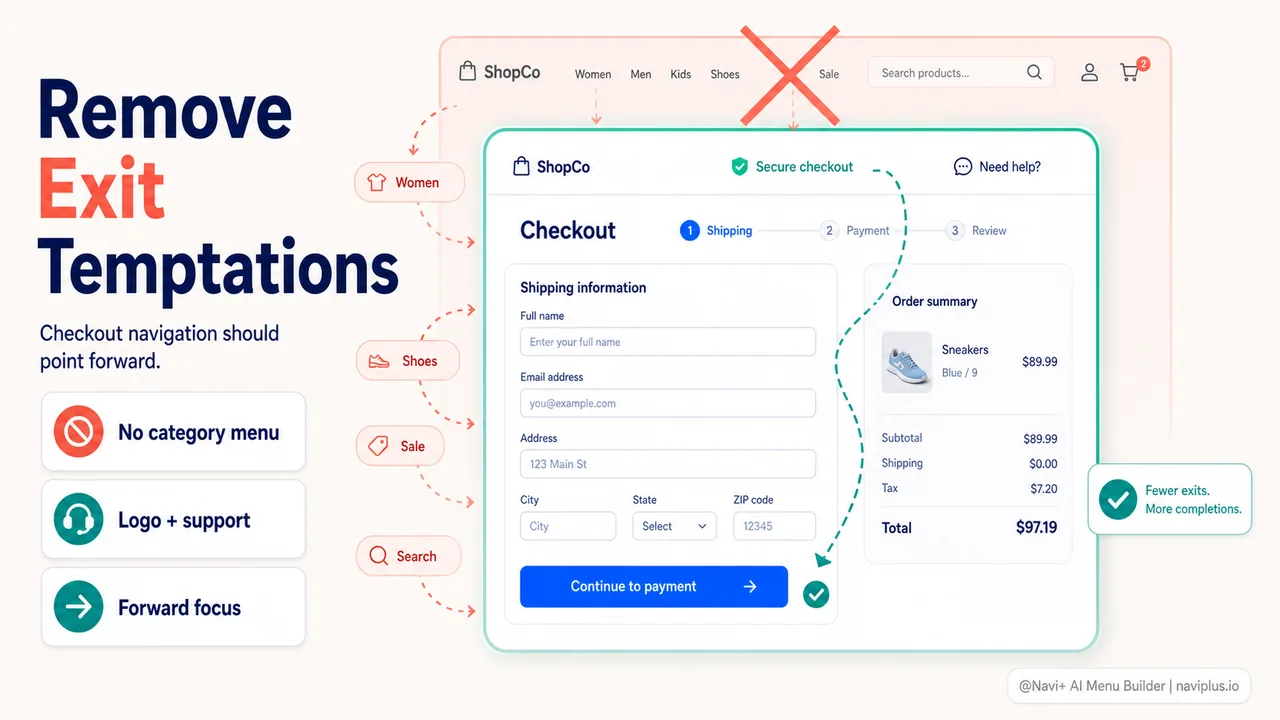
Why shoppers abandon cart at checkout (and how navigation plays a role)
The checkout navigation patterns that interrupt purchases — header menus during checkout, mobile checkout UX, cart persistence, and when less navigation is more.
Checkout Header Navigation Architecture: Designing Distraction-Free Funnels for Shopify
Technical guide to Shopify checkout header design. Learn why enclosed checkouts reduce cart abandonment by 14-26%, how to configure Checkout Extensibility, and optimize return-path physics.
→ 12 min readCart Recovery Navigation Architecture: Preventing E-Commerce Drop-Off Before It Happens
Technical teardown of cart abandonment navigation. Learn why post-exit email traps fail, how broken information foraging triggers checkout bounces, and how to build enclosed recovery funnels.
Getting Started
I'm new to custom navigation — where do I start?
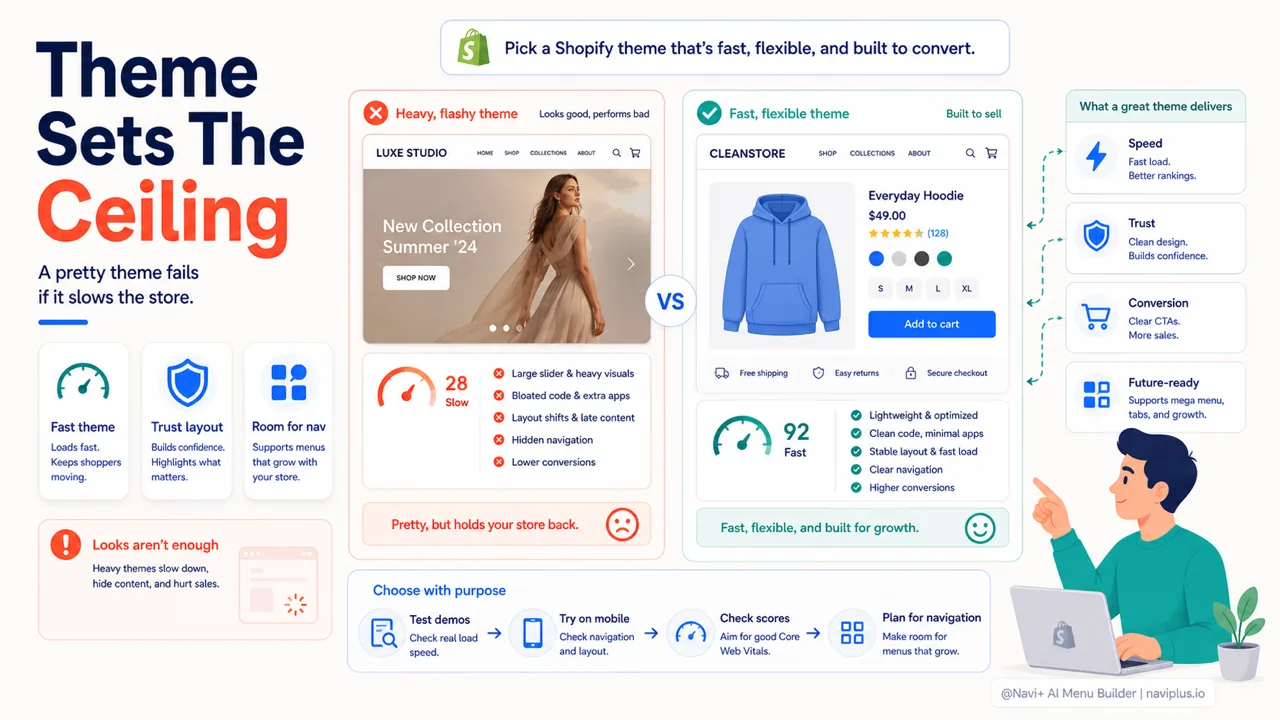
How to sell online effectively with Shopify
A complete, no-fluff playbook for launching and growing a profitable Shopify store — from store setup to navigation, traffic, and conversion.
Navigation basics for your first online store: the 5 essentials
Master the 5 essential navigation elements every new Shopify store needs to increase sales. Practical guide with data-driven advice for first-time store owners.
→ 18 min readShopify Theme Menu Limitations: When to Use a Dedicated Navigation System (2026 Architectural Guide)
An architectural analysis of Shopify theme menu limits: the 3-level depth cap, section block quotas, DOM inflation, and mobile thumb-zone friction. Learn when native menus work and when to decouple.