

The Problem
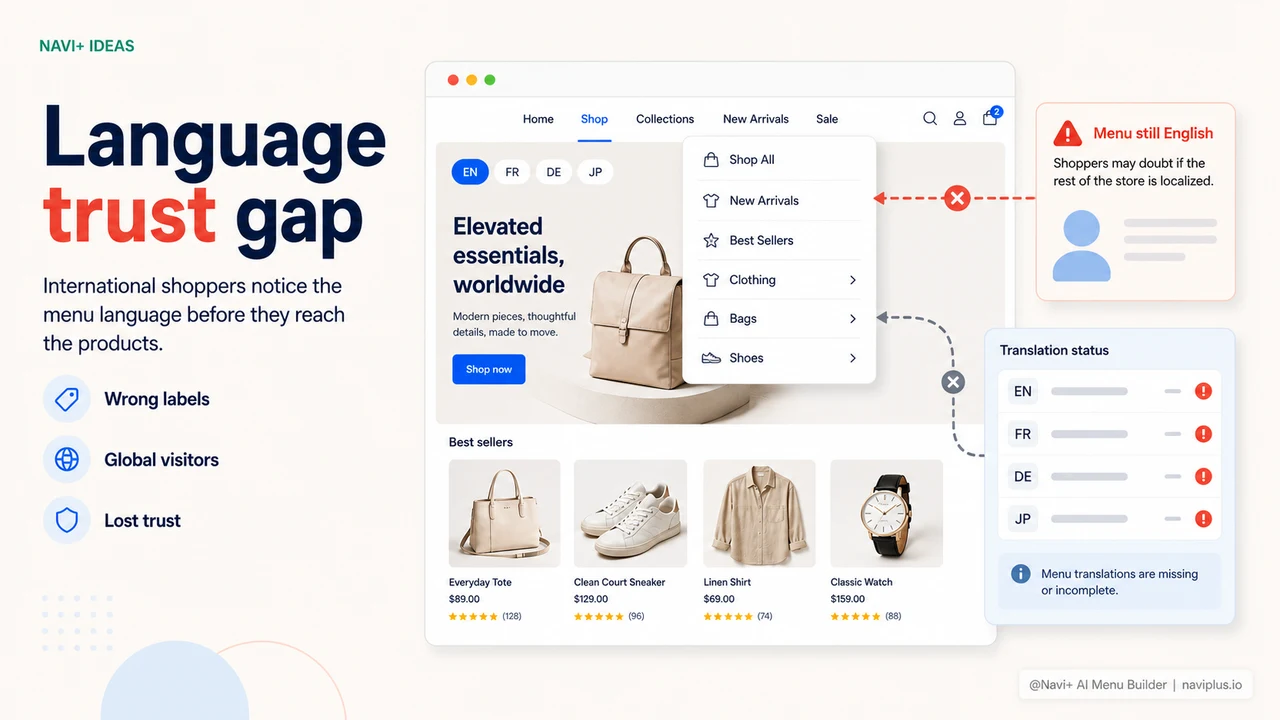
You want to sell in Germany, Japan, Brazil. You've set up market regions, translated your product descriptions, configured currency switching, and localized your checkout. A German visitor lands on your store and sees prices in euros, product names in German, and a checkout flow that matches their expectations. Then they open the menu. It says "Home," "Collections," "Sale," and "About Us" — in English. The navigation that every visitor interacts with first is the one thing you didn't translate.
The contradiction is subtle but immediate. Shoppers are good at pattern recognition, and a localized store with an English menu creates a specific pattern: something is off. This store was built primarily for English speakers. The localization feels incomplete — like a store that tried but didn't quite commit. That feeling doesn't require conscious analysis to trigger. It registers as a slight friction that lowers trust, and lower trust means lower conversion.
The reason this happens consistently is practical: translating a navigation manually is tedious work that falls through the cracks when store owners are focused on product content and operations. Every menu item — category names, badge labels, tab titles, CTA text, section headers — needs to be translated, formatted correctly for the target language, and kept in sync whenever the menu structure changes. Most stores look at that scope and decide the menu translation can wait. It rarely gets done.
The trust signal your navigation sends before anything else
"We had our entire Shopify store translated to French for our Canadian market. Product pages, checkout, email — everything. But we forgot the Navi+ menu. A customer emailed to ask why the navigation was in English when everything else was in French. It was embarrassing. The AI translation in Navi+ fixed the whole thing in about two minutes."
— A Navi+ customer
Why navigation localization matters more than most stores realize
The navigation menu is the first interactive element most visitors use after landing on your store. It's the frame through which they decide whether this store is worth exploring. When that frame is in the wrong language, it signals incompleteness before the visitor has seen a single product. The rest of your localization investment — product translation, currency formatting, regional shipping — is undermined by the one element that appears first.
The specific costs compound across markets:
- First impressions are set at navigation, not product. A visitor who sees an English menu in a store they expected to be localized makes a trust judgment in the first few seconds. Recovering from that judgment later in the session is difficult — and many visitors don't try.
- Category names are not universal. "Women's Clothing" translated literally may not be how a German or Japanese shopper would describe that category. A correct translation requires cultural appropriateness, not just word-for-word conversion.
- Badge and label text carries urgency. "Sale," "New," "Hot," "Limited" — these labels are what drive impulsive clicks. When they're in the wrong language, the urgency doesn't land. A Japanese shopper reading "Sale" understands it, but it doesn't trigger the same automatic response as セール.
- Tab Bar and mobile navigation are even more visible. If you're using a Tab Bar on mobile, those five icon-plus-label tabs are visible before the visitor opens anything. An English Tab Bar on a store targeting non-English markets is the first thing every mobile visitor sees.
- Maintenance scales with the number of markets. A store selling to five language markets with a 20-item navigation menu has 100 translation entries to maintain. Every menu update creates 100 new translation tasks if done manually.
How Navi+ solves this
Navi+ includes AI-powered translation that processes your entire menu structure — every item, label, badge, and section header — into any target language in a single action. In the Navi+ dashboard, you select the language you want to translate into, click translate, and the AI generates translations for all menu content simultaneously. The result appears in an editable preview where you can review every translated item and adjust any translation you want to customize, localize further, or rephrase for your specific audience.
The translation covers the full scope of your navigation: category link labels, mega menu section headers, Tab Bar tab names, badge text like "New" or "Sale," floating action button labels, and mobile menu section titles. Nothing is left in the original language by default. If you've configured a seasonal campaign link with custom badge text, that badge text gets translated alongside everything else.
When your menu changes — a new category added, a badge updated, a promotional link renamed — you translate the updated items in the same way: select the language, translate, review, save. The AI handles the translation in seconds; your review takes as long as you want. Supporting 40+ languages means you can expand to new markets without starting your navigation localization from scratch each time.
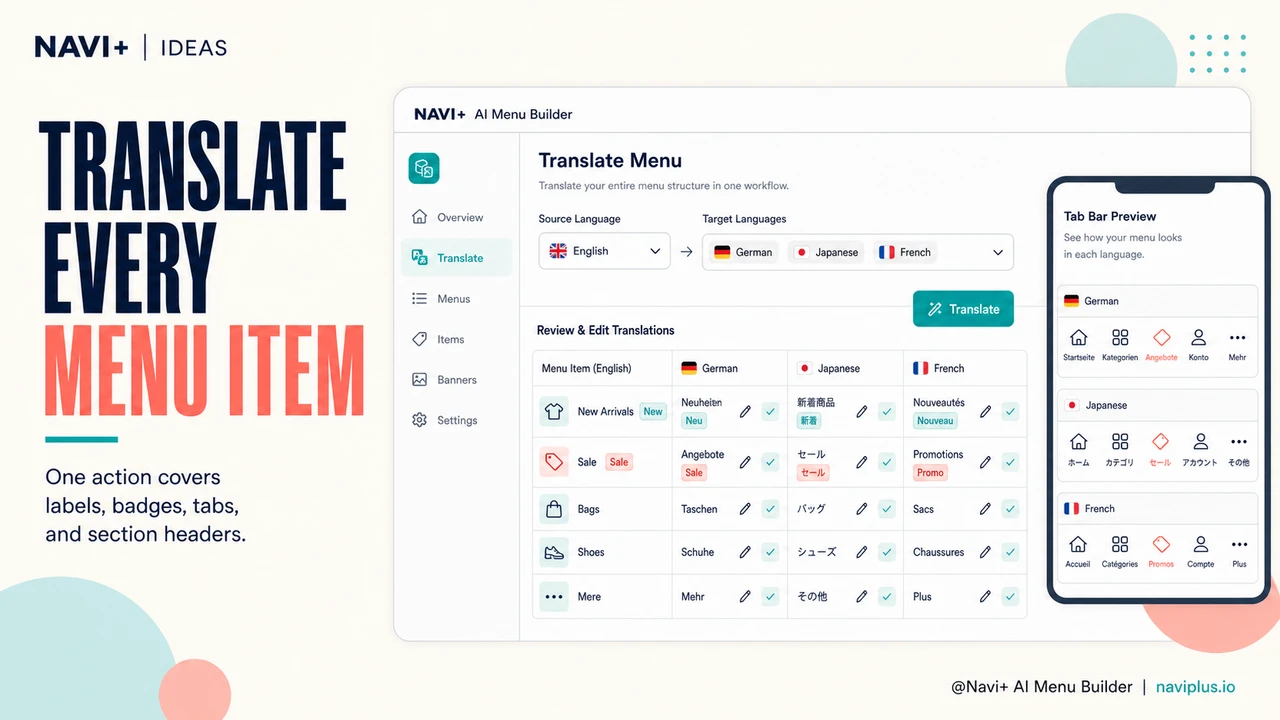
English-only menu vs. AI-translated multilingual navigation
| Feature | Default / Without Navi+ | With Navi+ |
|---|---|---|
| Translate all menu items at once | ✗ Manual entry, item by item | ✓ AI translates entire menu in one click |
| Badge and label text translated | ✗ Often missed in manual translation | ✓ Included automatically |
| Tab Bar labels in local language | ✗ English text visible to all visitors | ✓ Translated with the rest of the menu |
| Manual override per item | ✗ All or nothing with bulk tools | ✓ Edit any translated item individually |
| Languages supported | ✗ Depends on manual effort and budget | ✓ 40+ languages including RTL |
| Time to translate a full menu | ✗ Hours of manual work per language | ✓ Under 5 minutes per language |
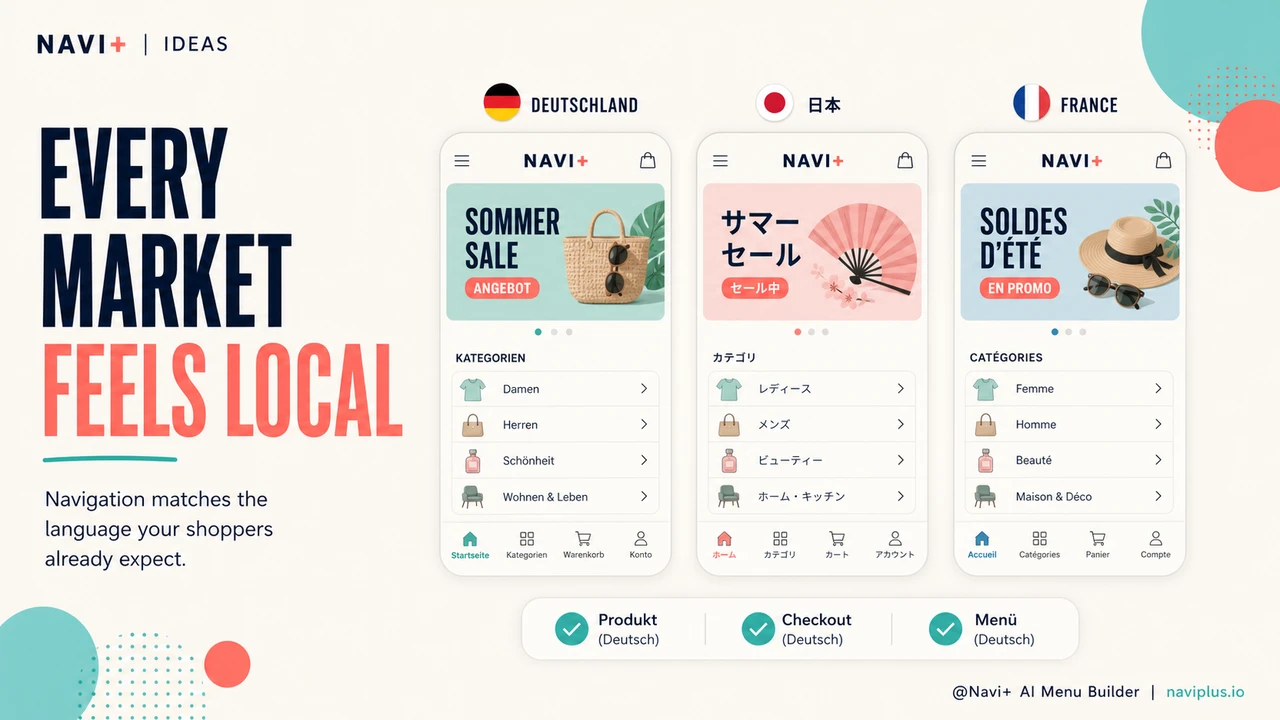
What you get
The immediate result is a navigation that matches the language of every market you serve. Visitors in Germany open the menu and see German category names. Visitors in Japan see Japanese tab labels. The store feels complete — not a half-localized effort where the important content is translated and the navigation was forgotten. That coherence is what turns a first visit into a purchase decision.
A practical setup for stores entering a new market: translate your existing menu into the target language using Navi+'s AI tool, review the output for any category names that need cultural adaptation rather than literal translation, and publish. The Tab Bar and mobile navigation translate alongside the desktop menu — so the first thing mobile visitors see is already in their language. The entire process takes under ten minutes for a typical store navigation.
For stores already operating in multiple markets, the efficiency gain is in maintenance. When your menu changes — a new seasonal category, a campaign link, a structural reorganization — you make the change in English, translate the affected items to each target language, review, and publish. The AI handles the translation work that would otherwise create a backlog of manual tasks across every language version of your store. Navigation stays current across all markets because updating it doesn't require dedicated translation effort each time.
Try it free — no code, no developer needed
Install in minutes on Shopify, WordPress, or any website.