

The Problem
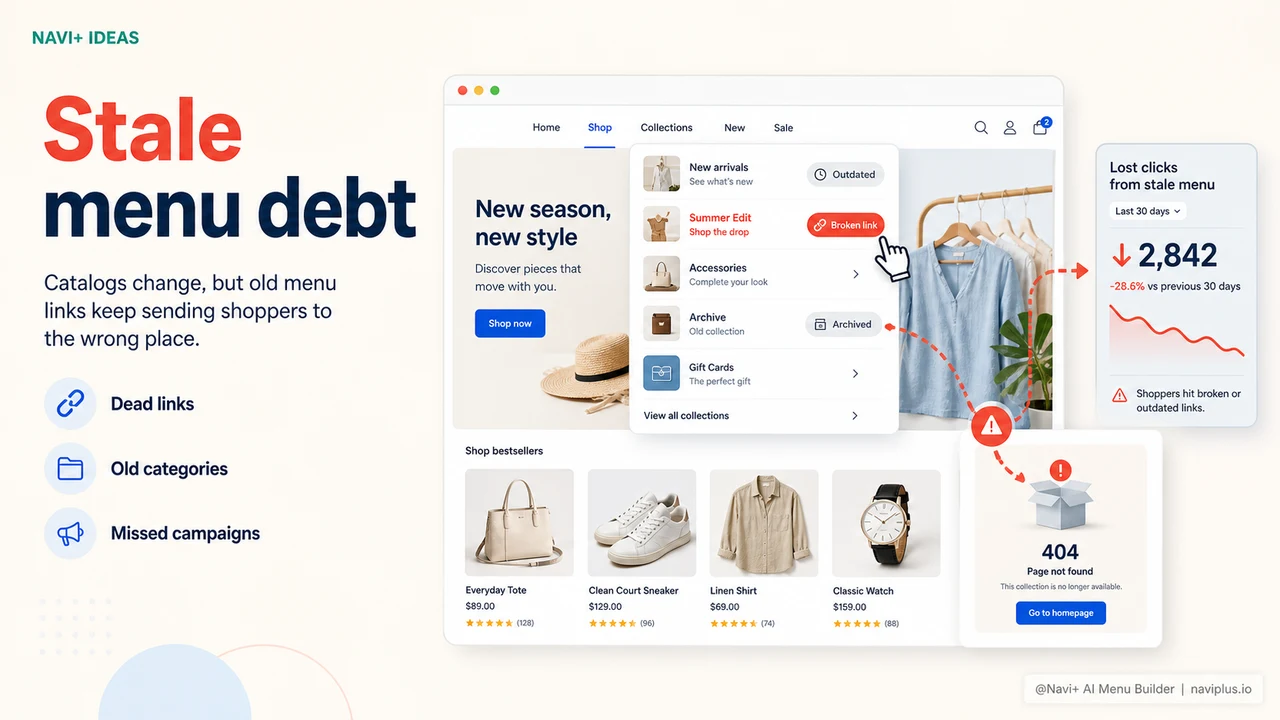
You launched your store with four product categories. Now you have twelve. Two of the original ones no longer exist. You added a seasonal collection three months ago and it's still buried under a parent link that says "New Arrivals" — which is no longer accurate, since the collection is now six months old. Your bestseller is linked from the homepage banner but not from your navigation. And somewhere in the category structure, there are still links pointing to collections you deleted in January.
This is the natural state of a store that treats navigation as infrastructure — something you set up once and return to only when it breaks. But unlike your server or your checkout flow, navigation breaks silently. There's no error log. There's no alert. The dead links and stale categories just sit there, quietly frustrating visitors who are trying to find something and can't. They don't file a support ticket. They leave.
The reason navigation stays stale is almost always the same: updating it requires a developer, a support ticket, a CSS file you're afraid to touch, or some combination of all three. When the barrier to changing your menu is high, you don't change it when you should — you change it when the situation becomes unmistakably broken. By then, weeks of confused visitors have already moved on.
When navigation lags behind the catalog
"We had a category in our menu called 'Summer Edit' that we hadn't updated in eight months. It was linking to a collection we'd archived. We didn't know until a customer emailed us asking why everything on that page said 'sold out.' By the time we fixed it, Google had indexed the dead page and we were sending traffic to a 404 for weeks."
— A Navi+ customer
Navigation debt accumulates faster than most stores realize
Every time your store changes but your navigation doesn't, you accumulate navigation debt. It starts small — a renamed collection here, a discontinued product line there — and compounds over months until visitors routinely encounter menus that don't reflect reality. The costs are real:
- Dead links erode trust immediately. A visitor who clicks a menu link and hits a 404 or an empty collection page doesn't give your store a second chance. Trust, once lost in an e-commerce context, rarely recovers in the same session.
- Stale categories bury new inventory. When your navigation doesn't include your newest collections, visitors who don't already know about them can't find them. They exist in your catalog but don't exist for most of your audience.
- Seasonal opportunities get missed. Running a summer sale requires a "Summer Sale" link in your navigation. If that link requires a developer to add, your sale might go live without the navigation update — or the update arrives three days late.
- SEO crawl budget is wasted. Search engines follow your navigation links. Menus full of duplicate, outdated, or redundant links waste crawl budget that could be spent indexing your current catalog.
- You lose agility at exactly the moments it matters most. Your competitors who can update their menus in five minutes can launch a campaign the same day they decide to run it. If your menu requires a developer, you can't.
How Navi+ solves this
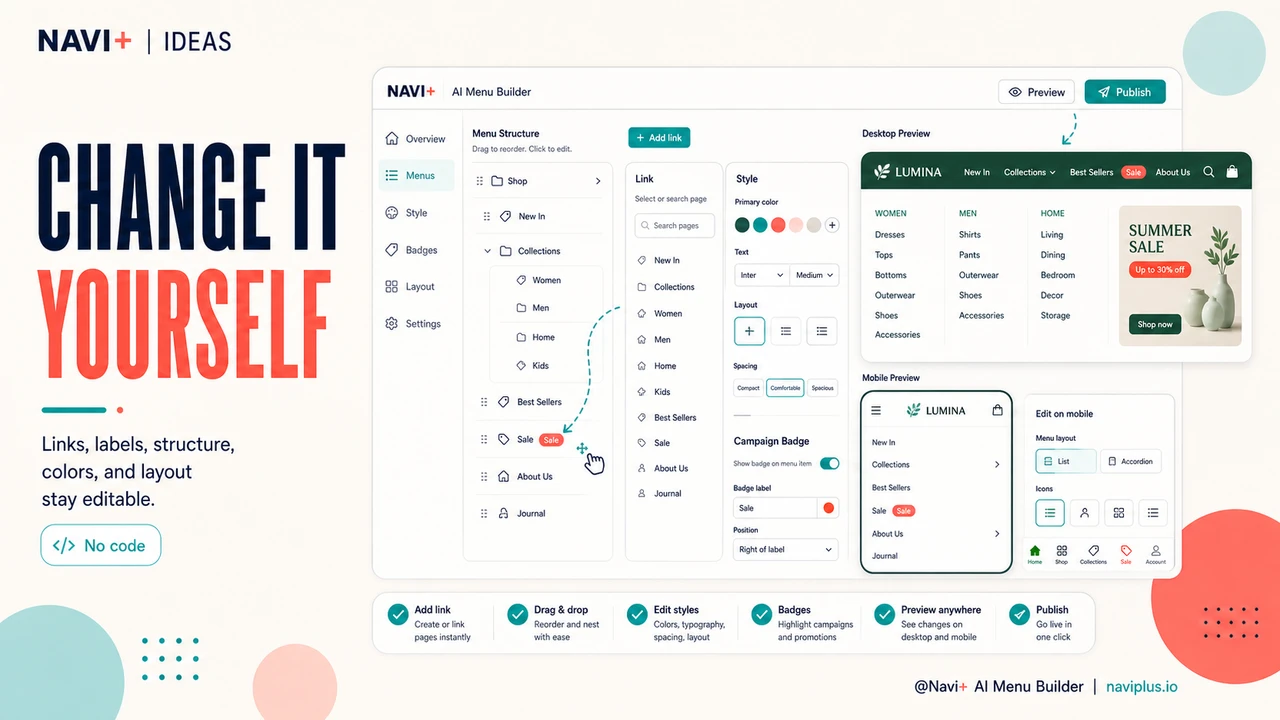
Navi+ replaces your theme's navigation with a fully self-service editor. Every element — links, labels, structure, colors, layout — is editable from your browser, any time, without writing a single line of code. When you need to add a new collection to your menu, you open the editor, drag a new link into the right position, point it to the correct URL, and publish. The entire process takes under three minutes. No support ticket. No developer calendar. No waiting.
The practical difference becomes most visible during seasonal campaigns. Before Navi+, adding a "Black Friday Deals" link to your navigation required planning ahead — submitting the request before the developer's sprint, waiting for delivery, and hoping nothing breaks on a theme update. With Navi+, you make the change yourself the morning the campaign goes live, style the link with a badge or distinct color to make it stand out, and remove it when the sale ends. The menu reflects reality, in real time.
Navi+ also works independently from your theme, so theme updates don't overwrite your navigation configuration. Your menu structure is stored separately and applied on top of whatever theme you're running. You can switch themes, update your theme, or try a new one — your navigation stays exactly as you configured it.
Static navigation vs. self-service navigation
| Feature | Default / Without Navi+ | With Navi+ |
|---|---|---|
| Add a new category link | ✗ Developer task or theme edit | ✓ Self-service, under 2 minutes |
| Rename or reorganize navigation | ✗ Requires code access | ✓ Drag-and-drop reordering |
| Seasonal campaign link with styling | ✗ Requires developer + CSS | ✓ Add, style, remove in one session |
| Navigation survives theme update | ✗ Custom theme code can break | ✓ Stored independently from theme |
| Remove a deleted collection from menu | ✗ Often forgotten, stays as dead link | ✓ Visible in editor, remove in seconds |
| Update frequency | ✗ Once a quarter if you're lucky | ✓ Any time, as often as needed |
What you get
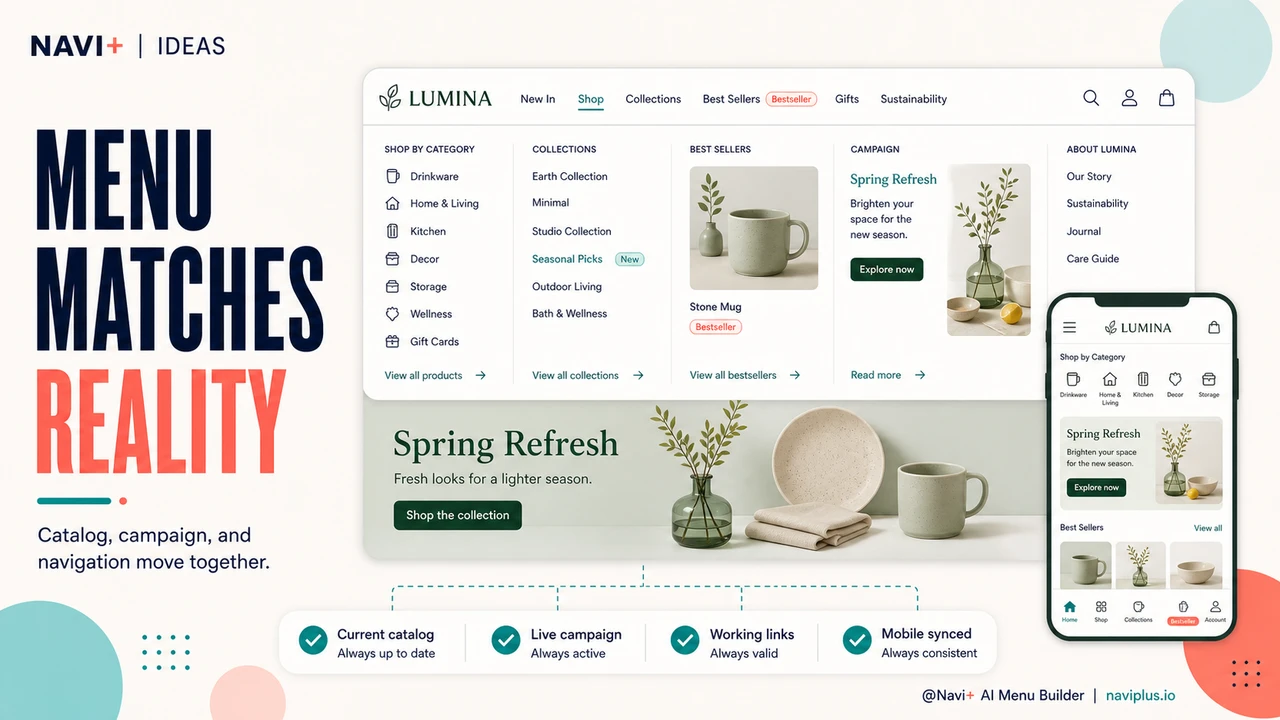
The most immediate change is operational: your navigation stops being a bottleneck. When you launch a new collection, the menu reflects it the same day. When a product line ends, you remove it before it creates dead ends. When you want to test a different navigation structure, you can try it, see how it performs, and revert in minutes if it doesn't work — all without touching code.
The second change is behavioral. Visitors find what they're looking for more consistently, because your menu reflects your actual catalog rather than a historical snapshot of it. Categories they expect to exist, exist. Links they click go somewhere. The experience of navigating your store starts to feel intentional rather than inherited.
For stores that run seasonal campaigns, the compounding effect is significant. Each campaign gets its own navigation treatment — the right link, the right label, the right styling — rather than relying on a homepage banner that only some visitors see. Over a year, the difference between a store that can update its navigation in real time and one that can't becomes the difference between a store that maximizes each campaign and one that consistently leaves reach on the table.
Try it free — no code, no developer needed
Install in minutes on Shopify, WordPress, or any website.