

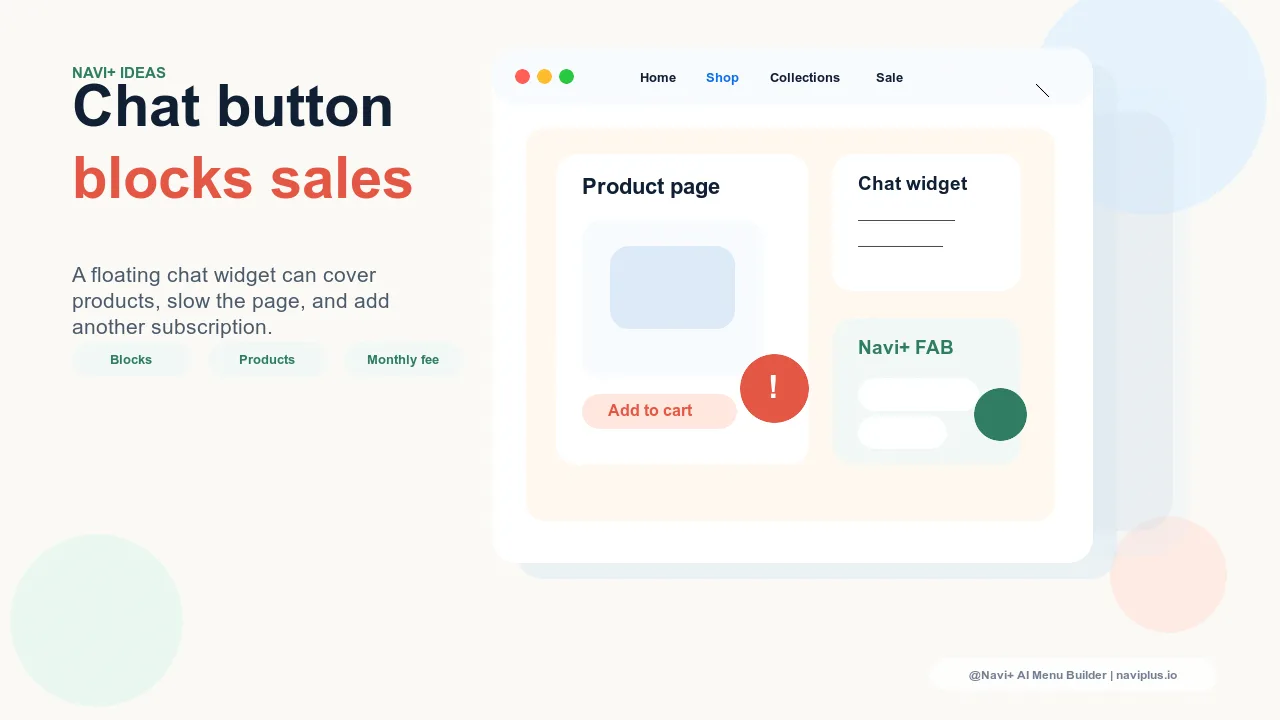
The Problem
Walk through your own store on a phone. Find a product you'd want to buy. Now look at what's in the bottom-right corner. In most cases there's a floating button — the chat widget — sitting right where customers need to tap "Add to Cart." Sometimes it covers the price. On smaller screens it obscures product images entirely. You installed it to make your store more helpful, but it's actively competing with the actions that generate revenue.
The second problem is invisible: page speed. Chat button apps load their own JavaScript, often from an external CDN, on every single page load — whether or not the customer ever opens the widget. On mobile, where connections are slower and Google pays close attention, that script adds 80–250ms to your Time to Interactive. It's not catastrophic on its own, but combined with everything else loading on a typical Shopify or WooCommerce storefront, it pushes you further into the red on PageSpeed.
The third problem is the subscription. Most standalone floating chat or WhatsApp button apps charge $10–30 per month for a feature that is, at its core, a single link in a small circle. You're paying a recurring fee for something that could be replaced by a more capable tool you're already using — or should be using — at no extra cost.
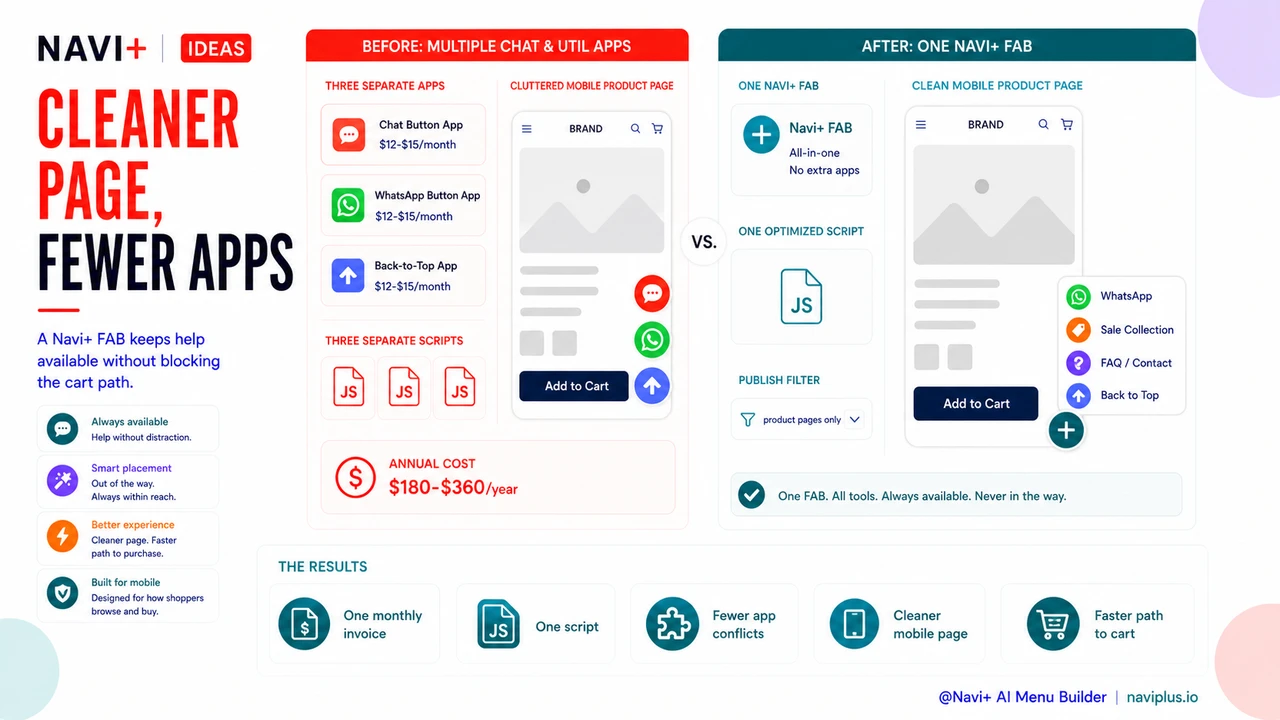
"I had three separate apps: one for chat, one for a WhatsApp button, one for a sticky back-to-top button. Each was $12–15 a month. A customer told me the chat bubble was blocking the 'Buy Now' button on her phone. I switched everything to one FAB in Navi+ and cancelled all three apps the same week."
— A Navi+ customer
One button covering one link costs more than you think
The math on standalone chat button apps doesn't hold up when you examine it closely. Consider what you're actually paying for:
- $15–30/month — a typical subscription for a floating WhatsApp or live chat button app on Shopify or WordPress
- Obscured CTAs — on screens under 390px wide, a 56px floating button in the corner can overlap your "Add to Cart" button, your sticky buy bar, or your product image gallery dots — every one of those tap targets is a lost conversion
- JavaScript on every page load — even when 90% of visitors never open the widget, the script still runs and delays the page rendering for all of them
- Single purpose — a chat-only button can only open a chat. If you want to add a WhatsApp link, a contact form, and a link to your sale collection, you'd need additional apps or upgrades
- No design control — most chat button apps give you a color and a position, nothing else. You can't match your brand, add labels, or change the icon set
Multiply that monthly cost over a year and you've paid $180–360 for a button that also hurts your UX. That's the actual cost of not having a proper FAB menu.
How Navi+ solves this
Navi+ includes a FAB menu type — a Floating Action Button that opens a small panel of links when tapped. It serves exactly the same purpose as a standalone chat button app, but with meaningful differences: it's configurable, multi-link, and included in your Navi+ plan at no additional cost.
In the Navi+ dashboard, creating a FAB menu takes about five minutes. You open the editor, select "FAB" as the menu type, add your links — WhatsApp, a contact page, a sale collection, your bestsellers, a back-to-top anchor, anything — and style the button to match your brand. You control the color, icon, size, and position. You can set it to appear only on mobile, or only on specific pages, using the Publish filters. No code required.
Because Navi+ loads its scripts deferred and only renders the menu panel when the customer interacts with it, the performance impact is minimal compared to a dedicated chat button app running its own separate JavaScript bundle. One app, one script, multiple menu types — including your FAB.
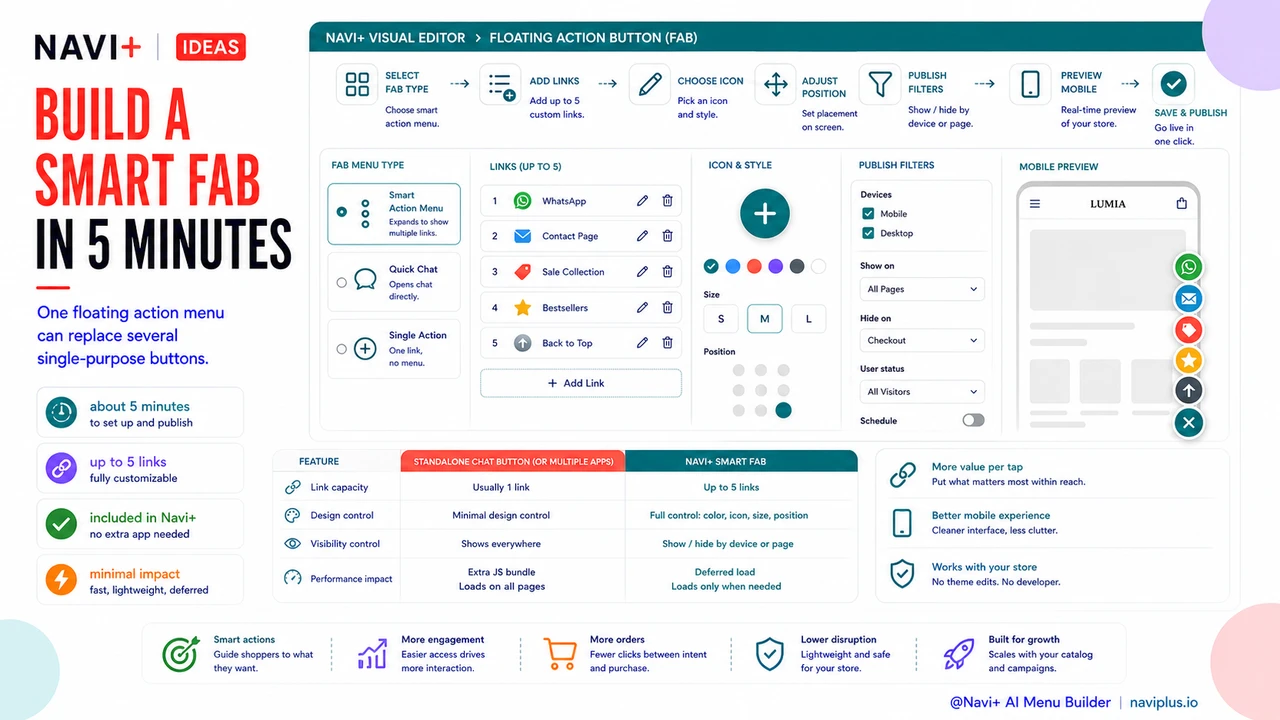
| Feature | Default / Without Navi+ | With Navi+ |
|---|---|---|
| Floating button on every page | Separate app, $15–30/month | ✓ Included — no extra subscription |
| Number of links in the FAB | Usually 1 (chat only) | ✓ Up to 5 fully customizable links |
| Design control (color, icon, size) | Minimal — color and position only | ✓ Full control in drag-and-drop editor |
| Show/hide by device or page | ✗ Shows everywhere, no filters | ✓ Publish filters: device, URL, date range |
| Page speed impact | Extra JS bundle on every page load | ✓ Deferred load, minimal impact |
| Covers product CTAs on mobile | Frequently — fixed position, no control | ✓ Configurable position to avoid overlap |
What you get after switching
After replacing your standalone chat button app with a FAB menu in Navi+, the immediate changes are practical: one fewer app in your admin, one fewer monthly invoice, and one fewer third-party script loading on every page.
The FAB itself becomes more useful because you're not limited to one link. A common setup: the first link opens WhatsApp for direct customer support, the second links to your current sale collection, and the third links to your FAQ or contact page. Customers who tap the button now have three relevant options instead of one. The button is no longer just a support channel — it's a small persistent navigation panel.
A practical tip: use Navi+'s Publish filter to show the FAB only on product pages. On the home page and collection pages, customers are still browsing — they don't need quick support links. On product pages, where purchase decisions are made and where support questions are most likely, the FAB is genuinely useful without competing with your primary navigation.
If you're currently running multiple single-purpose floating button apps — one for WhatsApp, one for a back-to-top button, one for a chat widget — the consolidation impact is larger. Each app you remove means one fewer monthly charge and one fewer script running on your storefront. Navi+'s FAB handles all of them in one menu.
Try it free — no code, no developer needed
Install in minutes on Shopify, WordPress, or any website.