As Shopify officially crowns Horizon as the new default flagship theme for 2026, millions of merchants running on Dawn face a critical dilemma: Should you upgrade now, and how do you transition without breaking storefront layouts or risking checkout drop-offs?
Horizon introduces powerful improvements with its Web Components framework and 8-level nested blocks architecture. However, moving between two structurally distinct theme generations is fraught with technical friction. In practice, navigation menus and mobile shortcuts are the components most frequently damaged or entirely reset during theme swaps.
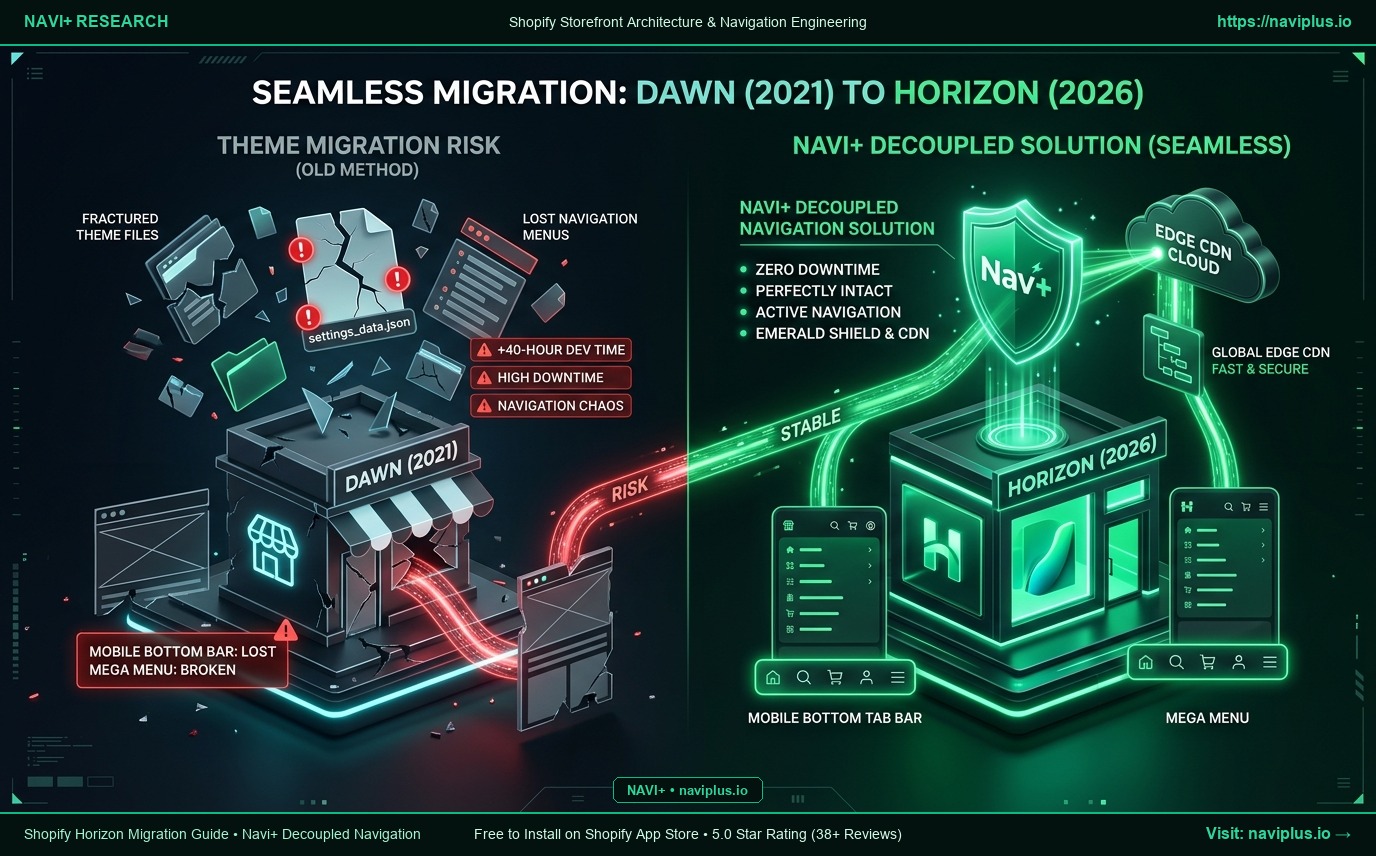
In this technical guide, we break down the exact migration path from Dawn to Horizon, expose the hidden traps of default theme menus, and demonstrate how Navi+’s Decoupled Navigation Architecture enables a zero-downtime, stress-free transition.
- The Core Risk: Horizon uses a completely redesigned block schema. Dawn's
settings_data.jsoncannot be automatically mapped to Horizon, wiping out your custom navigation layouts, dropdowns, and mega menus back to blank defaults. - The Hidden Cost: Agencies estimate manual migration takes 40 to 80 developer hours to rebuild sections, reconfigure nested blocks, and perform mobile responsiveness testing.
- The Navi+ Decoupled Advantage: Decoupling your navigation layer from the theme code preserves 100% of your menus on global Edge CDN (<16ms). Moving to Horizon requires just a single App Embed toggle—zero menu data loss, zero mobile conversion drop.
1. Shopify’s Vision: Why Merchants Are Moving from Dawn to Horizon
Shopify engineered Horizon as the natural evolutionary leap after five years of Dawn’s dominance. Key architectural drivers pushing merchants toward Horizon include:
1. Flexible 8-Level Nested Blocks
Dawn only supported flat, single-tier blocks inside sections. Building multi-column layouts required custom Liquid snippets or third-party page builders. Horizon unlocks up to 8 levels of block nesting (Section -> Container -> Grid -> Column -> Card -> Header -> Text -> Button), allowing marketing teams to design editorial-style layouts directly inside the standard Shopify Theme Editor.
2. Native W3C Web Components
Horizon replaces bulky monolithic JavaScript with native Web Components (<product-form>, <cart-drawer>, <header-drawer>). This standardizes hydration lifecycle, cuts script overhead, and prevents app code collision.
3. Native Integration with AI Sidekick & Canvas
Horizon was designed from the ground up to empower Shopify’s AI Sidekick and spatial Canvas builder. The nested block schema allows AI agents to manipulate layout nodes without generating orphaned Liquid spaghetti code.
However, a structural architectural shift cannot be handled by a simple “Update” button.
2. 5 Fatal Risks for Default Navigation During Theme Upgrades
Navigation menus are the nervous system guiding shoppers to product pages. Upgrading from Dawn to Horizon with default theme menus exposes stores to 5 severe risks:
1. Incompatible Theme Schema & Erased Menu Layouts
Dawn stores its theme settings inside config/settings_data.json based on legacy section definitions. When Horizon is initialized, it cannot parse these legacy structures. Custom headers, mega menu alignments, category highlights, and promotional banners configured on Dawn are completely erased and reset to Horizon defaults.
2. Header & Drawer DOM Divergence
Dawn relies on standard HTML <details-disclosure> elements for dropdowns and mobile drawers. Horizon pivots to custom <header-drawer> Web Components. Any custom CSS, JavaScript overrides, or micro-animations created for Dawn’s header will break instantly on Horizon.
3. Lost Conversion Tracking & Broken Analytics
Rebuilding headers from scratch disrupts CSS classes, element IDs, and DOM hierarchies. Google Tag Manager tags, Meta Pixel events, and GA4 click listeners bound to menu selectors stop firing, blinding your analytics and attribution models during a critical transition period.
4. The Persistent Mobile Hamburger Trap
Despite the architectural overhaul, Horizon’s default navigation keeps the mobile menu buried behind an unreachable top-left hamburger button. You still lack a Sticky Mobile Bottom Tab Bar—the conversion-critical ergonomic standard proven by Amazon and leading mobile commerce apps.
5. Massive Developer Hours and Revenue Risk
Manually rebuilding a comprehensive multi-tier menu across Horizon’s nested block editor consumes 20 to 40 hours of manual work. Doing this during peak trading windows invites link breakage, 404 errors, and measurable revenue leaks.
3. What Agencies & Shopify Plus Architects Warn About
“Never hit ‘Publish’ on a new Horizon theme without an independent, fail-safe navigation architecture. Over 70% of shoppers arrive on smartphones; if your new theme breaks their intuitive navigation flow for even two seconds, they will bounce straight to a competitor.”
— Marcus Vance, Principal Storefront Architect at London Commerce Studio.
Conversion Rate Optimization (CRO) specialists universally advise: You can redesign page body aesthetics to refresh your brand, but your navigation muscle memory must remain rock-solid and lightning-fast.
4. The Navi+ Solution: Decoupled Navigation for Zero-Risk Upgrades
Navi+ was engineered around the Decoupled Navigation Architecture philosophy. Instead of burying menu structures inside theme Liquid templates, Navi+ runs as an independent high-performance storefront layer:
| Comparison Metric | Default Horizon / Dawn Menu | Navi+ Decoupled Engine |
|---|---|---|
| Data Storage | Bound to theme settings_data.json |
Hosted on Cloudflare R2 & Global Edge CDN |
| Theme Migration | Wipes settings, requires 100% manual rebuild | 100% preserved, instant switch in 0 seconds |
| Response Latency | Dependent on server-side Liquid execution | <16ms TTFB from nearest global Edge node |
| Mobile Ergonomics | Top-left hamburger button (high friction) | Sticky Mobile Bottom Tab Bar in natural thumb zone |
| Mega Menu Builder | Complex nested blocks, risks DOM bloat | Visual Drag-and-Drop Builder at silky 60fps |
| Shopify Markets | Tucked away in footer dropdowns | 1-tap currency/country selector directly in navigation |
How Navi+ Protects Your Store When Switching to Horizon:
- Absolute Data Independence: Your menus, promotional banners, custom icons, collection badges, and layout configurations are securely stored on Navi+’s CDN infrastructure. Even if you test 10 draft versions of Horizon, your navigation remains untouched.
- One-Click Activation via App Embed: When ready to activate Horizon, simply open the Horizon Theme Editor and enable the Navi+ App Embed switch. Your Mobile Bottom Tab Bar and Mega Menu instantly latch onto the new storefront.
- Zero Liquid Pollution: Navi+ injects zero bloat into your theme files. If you need to switch themes back and forth for A/B testing, your theme code stays completely pristine.
5. Step-by-Step Checklist: Safe Migration from Dawn to Horizon
If you are planning your store’s upgrade to Horizon in 2026, follow this battle-tested migration protocol:
[Phase 1] Install Horizon as an Unpublished Draft Theme
          ↓
[Phase 2] Secure your Navigation Layer with Navi+ (Tab Bar & Mega Menu)
          ↓
[Phase 3] Migrate Core Body Sections (Hero, Product Grids, Media Galleries)
          ↓
[Phase 4] Perform Thumb-Zone Ergonomic Testing on Real Mobile Devices
          ↓
[Phase 5] Enable Navi+ App Embed on Horizon and Publish with Confidence
- Step 1: Keep Dawn live and undisturbed. Download Horizon as an unpublished draft theme in your Shopify admin. Never modify your production theme directly.
- Step 2: Decouple your navigation with Navi+. Install Navi+ from the Shopify App Store. Configure your Mobile Bottom Tab Bar and Visual Mega Menu. Verify display within the draft Horizon theme preview.
- Step 3: Rebuild storefront sections using Horizon blocks. Take full advantage of Horizon’s 8-tier nested blocks to assemble modern, editorial product and collection pages without worrying about menu Liquid files.
- Step 4: Audit Core Web Vitals and Mobile Ergonomics. Measure LCP, CLS, and INP on physical iOS and Android devices. Because Navi+ serves cached JSON payloads from Edge CDN (<16ms), your mobile speed scores stay in the green.
- Step 5: Hit Publish with zero downtime. Activate the Horizon theme and hide redundant theme header links. Your storefront gains 2026-era design capabilities while preserving conversion momentum.
The Architectural Rule:
“Themes change from Dawn to Horizon. Navi+ keeps your conversion engine permanent.”