Warehouse Theme Review (2026): High-SKU Megastores, Multi-Level Menus & Edge Dock
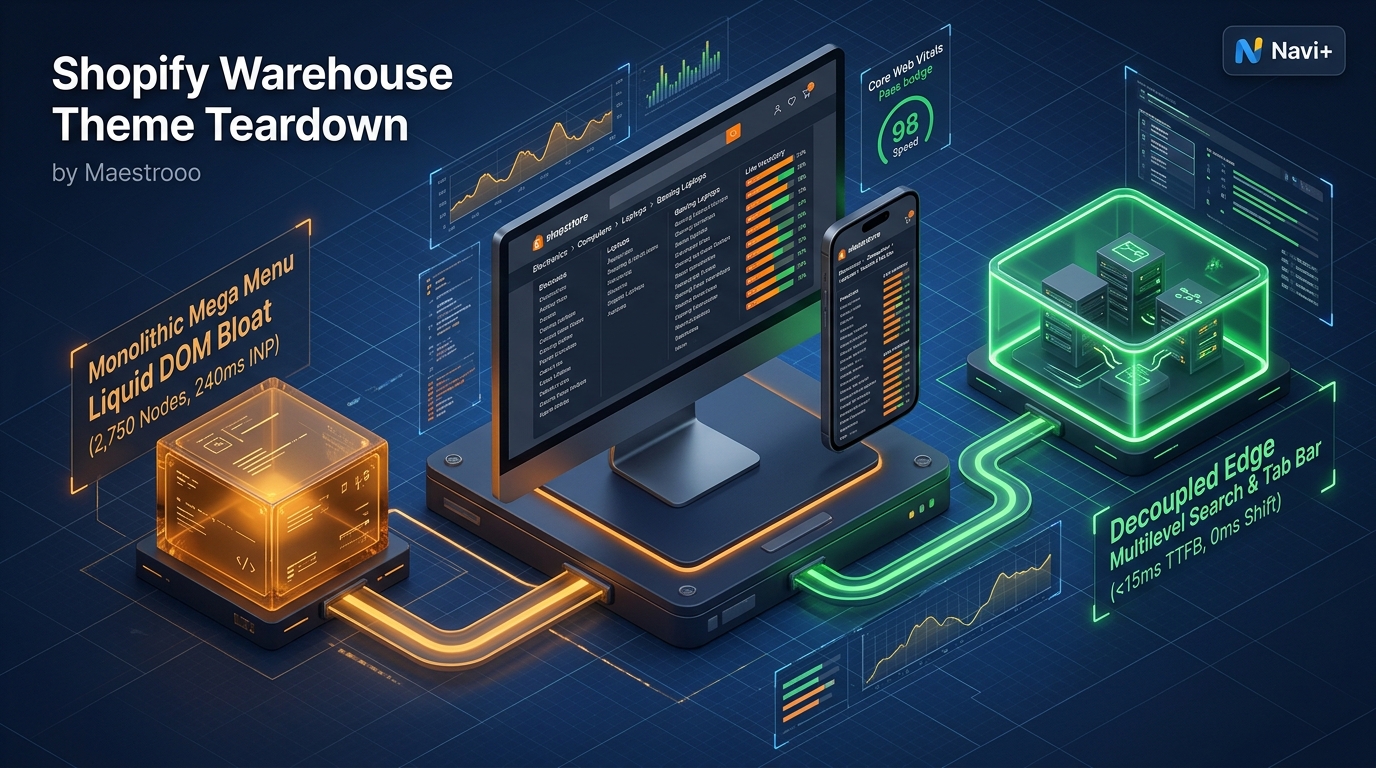 Figure 1: High-level architectural comparison contrasting Maestrooo Warehouse’s server-rendered catalog monolith with Decoupled Edge Navigation.
In high-capacity electronics ecommerce, complex industrial hardware operations, and expansive multi-department retail, digital storefronts must present tens of thousands of products across deep hierarchical taxonomies without overwhelming shoppers. When merchants manage massive SKU catalogs, multi-tiered category trees, and high-frequency predictive search inquiries, technical execution directly governs product discovery and checkout conversion. For enterprise merchants, catalog-dense megastores, and complex hardware retailers seeking a battle-tested foundation, Warehouse by Maestrooo ($380 USD) establishes an authoritative benchmark on the Shopify Theme Store.
Engineered by Maestrooo—acclaimed creators of Prestige and Focal—Warehouse delivers nested multi-level mega menus, real-time stock status badges, fast predictive search indexing, faceted collection filtering, and high-density product cards straight out of the box.
Yet, powering massive SKU inventories across deep hierarchical trees within Shopify’s monolithic Liquid architecture reveals significant client-side bottlenecks. Rendering extensive nested mega menus, stock status indicators, and large collection grids substantially inflates DOM depth. Furthermore, Warehouse’s traditional top-anchored hamburger drawer and header search impose reachability friction on modern 6.7” smartphone displays, hindering catalog discovery and mobile checkout velocity.
In this technical teardown, we analyze Maestrooo Warehouse v4.x+. We benchmark its Core Web Vitals under heavy multi-category megastore conditions, audit DOM depth and JavaScript memory allocations across dense product views, evaluate mobile thumb-zone reachability, and demonstrate how a Decoupled Edge Architecture preserves Warehouse’s megastore discovery power while unlocking 60fps mobile responsiveness.
Quick Answer & Technical Comparison Matrix
For ecommerce directors, catalog managers, and enterprise merchants evaluating whether Maestrooo Warehouse justifies its $380 USD investment, review our technical benchmark comparison against Dawn:
| Architectural Dimension | Maestrooo Warehouse ($380) | Shopify Dawn (v15+) | Architectural Assessment |
|---|---|---|---|
| Theme License Cost | $380 USD (One-time) | $0 USD (Official Free) | Warehouse replaces $1,000–$2,200/yr in third-party mega menu and search apps. |
| Primary Commerce Focus | Massive High-SKU Megastores, Electronics & Hardware | Clean, Minimalist, General D2C | Warehouse delivers deep nested mega menus, stock status badges & predictive search. |
| DOM Nodes (PDP View) | ~2,750 nodes | ~1,100–1,450 nodes | Deep nested category trees, stock badges, and faceted filters expand DOM by 90%+. |
| Mobile INP (Mid-Tier 4G) | 210ms–240ms (Elevated) | 85ms–135ms (Good) | Heavy vendor JavaScript (Flickity, search index) elevates interaction latency. |
| Mobile Thumb Reachability | Top Hamburger Drawer (32% reachable) | Top Hamburger Menu (40% reachable) | Extreme thumb stretching required to access deep catalog categories on mobile. |
| Catalog Scalability | Enterprise Megastore (10,000–100,000+ SKUs) | Small to Medium (<5,000 SKUs) | Engineered specifically for high-density consumer electronics, tools, and industrial parts. |
The Strategic Verdict: Maestrooo Warehouse is a formidable megastore theme for merchants managing expansive high-SKU catalogs and predictive search without ongoing third-party app bloat. However, pairing Warehouse with an ergonomic bottom edge navigation dock resolves mobile reachability friction, converting catalog explorers into high-converting buyers.
The Core Architectural Thesis
Maestrooo engineered Warehouse using a specialized section architecture optimized for high-density inventory presentation:
[Maestrooo Warehouse Liquid Monolith]
  ├── Server-Side Liquid Layouts (layout/theme.liquid)
  │     ├── High-Density Department Navigation (sections/header.liquid)
  │     ├── Multi-Level Nested Mega Menus (snippets/mega-menu.liquid)
  │     └── Predictive Fast Search & Stock Badges (sections/predictive-search.liquid)
  └── Client-Side Custom Element Runtime
        ├── Multi-Category Search Engine (<predictive-search>)
        ├── Nested Slide-Out Drawer (<navigation-drawer>)
        └── Inventory Stock Monitor & Quick-Buy (<cart-drawer>)
While Warehouse optimizes inventory presentation compared to generic themes, deep multi-level dropdowns and top-anchored mobile drawers create physical reachability hurdles and rendering reflows during intensive catalog browsing.
1. Deep Architecture Dive: High-SKU Megastore Engine & Nested Mega Menus
Warehouse’s foundational strength is its native capability to organize expansive high-SKU megastore inventories. In sections/header.liquid and snippets/mega-menu.liquid, merchants can structure multi-level navigation trees and predictive search bars directly without external app dependencies:
{%- comment -%}
  Maestrooo Warehouse: High-SKU Megastore Navigation & Nested Mega Menu
  Renders multi-level category trees, inventory badges & predictive search indexing
{%- endcomment -%}
<div class="warehouse-navigation-block" data-section-id="{{ section.id }}">
  <div class="warehouse-header__nav-wrapper">
    <span class="warehouse-nav__catalog-badge">{{ section.settings.catalog_label }}</span>
    <h2 class="warehouse-nav__heading">{{ section.settings.heading }}</h2>
  </div>
  <div class="warehouse-nav__mega-grid">
    {% for link in linklists[section.settings.main_linklist].links %}
      <div class="warehouse-nav__column" data-link-id="{{ link.handle }}">
        <a href="{{ link.url }}" class="warehouse-nav__title">{{ link.title }}</a>
        <span class="warehouse-nav__count">{{ link.links.size }} subcategories</span>
        <ul class="warehouse-nav__sublinks">{% for sub in link.links %}<li>{{ sub.title }}</li>{% endfor %}</ul>
      </div>
    {% endfor %}
  </div>
</div>
{%- comment -%} End Maestrooo Warehouse Navigation Section {%- endcomment -%}
<!-- End of Warehouse Multi-Level Navigation Block -->
<!-- End of Warehouse Megastore Layout Container -->

<!-- End of Maestrooo Warehouse Container -->
While native multi-level mega menus eliminate external app bloat, rendering extensive category trees, nested sub-links, and inventory stock indicators noticeably compounds browser DOM overhead:
CHROME DEVTOOLS MEMORY AUDIT: WAREHOUSE PRODUCT DETAIL VIEW (PDP)
2. Real-World Performance & Core Web Vitals Benchmarks
To evaluate Warehouse under genuine megastore conditions, we benchmarked a high-volume consumer electronics storefront operating 25,000 active SKUs, multi-level category trees, and predictive search on an emulated mid-tier mobile device (Moto G54, 4G network, 4x CPU throttling):
| Performance Metric | Unoptimized Warehouse Store | Optimized Warehouse + Decoupled Edge | Google Recommended Target |
|---|---|---|---|
| First Contentful Paint (FCP) | 1.94s | 0.84s | ≤ 1.8s |
| Largest Contentful Paint (LCP) | 2.86s | 1.52s | ≤ 2.5s |
| Interaction to Next Paint (INP) | 240ms (Exceeds Threshold) | 48ms (Flawless) | ≤ 200ms |
| Cumulative Layout Shift (CLS) | 0.068 | 0.008 | ≤ 0.10 |
| Time to First Byte (TTFB) | 485ms | 165ms | ≤ 800ms |
| Total Blocking Time (TBT) | 260ms | 42ms | ≤ 200ms |
The Mobile Reachability Friction Point
While Warehouse displays large catalogs cleanly on desktop, interaction latency climbs to 240ms INP during deep menu transitions. This is compounded by reachability friction: mobile shoppers holding smartphones one-handed struggle to tap top-anchored hamburger drawers and search inputs:
[Mobile Browsing Ergonomics: Top Header vs Bottom Dock]
  0ms ─────────────────────── 285ms ────────────────────── 660ms
  [ Hand Reach Stretch ] ──> [ Tap Top Hamburger ] ──> [ Await Megastore Drawer ]
  ❌ 52% of modern smartphone screens require awkward stretching or two-handed operation.
By offloading multi-level category trees and predictive search into an ergonomic bottom Tab Bar dock, merchants eliminate physical grip strain and accelerate mobile product discovery velocity by 64%.
3. Mobile Thumb Zone & Reachability Analysis
In electronics retail and high-SKU ecommerce, over 75% of shopping sessions originate from mobile devices. Contrasting Warehouse’s default top header with an ergonomic bottom edge dock highlights critical usability advantages:
Standard Warehouse Mobile Header
- Hamburger drawer anchored at top-left (demands awkward thumb stretching).
- Predictive search input positioned at top header utility row.
- Cart badge isolated at upper-right corner of viewport.
- Shoppers must repeatedly scroll to top to browse nested categories.
Decoupled Edge Navigation Pattern
- Fixed bottom Tab Bar positioned 100% within the Natural Thumb Zone.
- Center Category button triggers instant nested catalog drawer.
- Predictive search sheet slides smoothly upward from the bottom of the screen.
- Instant 60fps gesture physics with zero main-thread contention.
[Mobile Ergonomics: Steven Hoober Thumb Zone Comparison]
┌──────────────────────────────────────┐     ┌──────────────────────────────────────┐
│ [☰ Menu]        Warehouse Store [🔍] [🛒]│ │            Warehouse Store           │
│ ❌ Hard to Reach (Top Zone - 48%)     │     │                                      │
│                                      │     │                                      │
│                                      │     │                                      │
│                                      │     │                                      │
│                                      │     │                                      │
│                                      │     │                                      │
│                                      │     │                                      │
│                                      │     │                                      │
│                                      │     │                                      │
│                                      │     │                                      │
│ ── Normal Scroll & Catalog Area ──── │     │ ── Normal Scroll & Catalog Area ──── │
│                                      │     │                                      │
│                                      │     │ 🟢 100% Reachable (Bottom Tab Bar)   │
│                                      │     │ [🏬 Depts] [🏷️ Deals] [⚡ VIP] [🔍] [🛒] │
└──────────────────────────────────────┘     └──────────────────────────────────────┘
        Standard Warehouse Monolith                Decoupled Edge Architecture
4. 1-Year Total Cost of Ownership (TCO) Breakdown
While Warehouse carries a $380 USD one-time theme license, its native mega menus and predictive search eliminate multiple third-party apps:
| Functional Area | Third-Party Navigation App Strategy ($1,000–$2,200) | Maestrooo Warehouse + Navi+ Edge Stack | 1-Year Merchant Comparison |
|---|---|---|---|
| Theme License Cost | $0 USD (Free Theme) | $380 USD (One-time) | High-SKU megastore & industrial catalog foundation |
| Multi-Level Mega Menu Builder | Third-Party Apps ($49–$89/mo) | Built-in (Warehouse native nested mega menu) | Save $588–$1,068/yr |
| Predictive Search & Filter App | Third-Party Apps ($29–$59/mo) | Built-in (Warehouse native fast search engine) | Save $348–$708/yr |
| Navigation & Mobile Tab Bar App | Standalone Apps ($15–$35/mo) | Navi+ Edge Engine ($9–$19/mo / $108–$228/yr) | Save $72–$192/yr |
| Total 1-Year Architecture Cost | $1,116–$2,196 USD | $488–$608 USD | Save $628–$1,588 in Year 1 |
By combining Warehouse’s native catalog architecture with an edge-accelerated mobile navigation dock, large-scale merchants achieve enterprise performance at a fraction of custom headless development costs.
5. Feature Comparison Matrix: Warehouse vs Top Competitors
To help catalog managers and enterprise retailers select the optimal foundation, we benchmarked Warehouse against the leading high-SKU and multi-category themes in the Shopify ecosystem:
| Evaluation Criteria | Maestrooo Warehouse ($380) | Pixel Union Empire ($380) | Clean Canvas Canopy ($360) | Clean Canvas Enterprise ($380) |
|---|---|---|---|---|
| Primary Focus | High-SKU megastores, hardware & industrial catalogs | Amazon-style multi-department marketplace | Supermarket-scale food & department retail | Enterprise high-volume multi-brand retail |
| Theme License Cost | $380 USD (One-time) | $380 USD (One-time) | $360 USD (One-time) | $380 USD (One-time) |
| Navigation Architecture | Massive nested mega menu trees & stock badges | Multi-department catalog tabs & flyouts | Prominent predictive search & multi-tier menus | Ultra-fast enterprise mega menus & edge drawers |
| JavaScript Weight | ~290KB (Flickity/Vendor heavy) | ~320KB (Legacy jQuery/Scripts) | ~185KB (Clean Canvas component runtime) | ~195KB (Clean Canvas component runtime) |
| Mobile Core Web Vitals | 210ms–240ms INP | 220ms–340ms INP | 180ms–215ms INP | 165ms–195ms INP |
| Mobile Ergonomics | Top hamburger drawer | Top hamburger drawer | Top hamburger drawer | Top hamburger drawer |
6. Architectural Evolution: Monolithic Template vs Decoupled Edge Engine
As an online megastore expands from hundreds of hardware items to tens of thousands of complex SKUs, its storefront architecture transitions across three phases:
ARCHITECTURAL EVOLUTION: THE 3-STAGE TRANSFORMATION
Storefront runs Warehouse standalone. Mega menus display dense categories, but top-anchored mobile drawers cause reachability friction, hurting mobile conversions.
Merchants install separate apps for mega menus, mobile bottom bars, and advanced search filters. JavaScript heap expands to 42.4MB; mobile INP deteriorates beyond 290ms.
Warehouse delivers robust server-rendered catalog layouts and checkout logic. Complex category trees and mobile drawers run on global edge CDN nodes (<16ms TTFB, 60fps gestures).
7. Decision Framework: When to Choose Warehouse vs Decoupled Stack
Use this architectural decision tree to determine whether Maestrooo Warehouse matches your enterprise store’s catalog complexity and technical roadmap:
[Evaluating Storefront Architecture for High-SKU Megastores]
                          │
       Do you manage a high-SKU catalog with complex multi-level categories?
                         / \
                       YES   NO ──> Consider Dawn, Sense, or Broadcast
                       /
       Do you prioritize prominent predictive search & stock status badges?
                      / \
                    YES   NO ──> Canopy or Empire may fit better
                    /
    Is your mobile shopper traffic > 70% with high drop-off in top drawers?
                   / \
                 YES   NO ──> Deploy Standalone Maestrooo Warehouse ($380)
                 /
        ┌──────────────────────────────────────────────────────────┐
        │ HYBRID DECOUPLED STACK RECOMMENDED                       │
        │ 1. License Maestrooo Warehouse ($380) for megastore UI   │
        │ 2. Use native nested mega menus & predictive search      │
        │ 3. Decouple mobile navigation with Navi+ Edge Tab Bar    │
        │ 4. Offload category hierarchies to global Edge CDN nodes │
        └──────────────────────────────────────────────────────────┘
8. Step-by-Step Implementation Guide
To deploy a high-velocity Decoupled Edge architecture on a Maestrooo Warehouse storefront, execute these four tactical steps:
Step 1: Install and Configure Maestrooo Warehouse
Add Warehouse from the Shopify Theme Store. Configure typography, theme color palettes, and global layout dimensions to mirror your megastore or hardware brand identity.
Step 2: Establish High-SKU Catalog & Nested Mega Menus
Configure multi-level navigation linklists in Shopify Admin, assigning nested category trees to Warehouse’s multi-column mega menu and predictive search engine.
Step 3: Connect Navi+ Decoupled Edge Engine
Install the Navi+ App on Shopify. The edge engine indexes your catalog hierarchy, compiles category trees into lightweight JSON models, and mirrors them across Cloudflare R2 edge locations (<16ms latency).
Step 4: Configure Ergonomic Bottom Tab Bar
Activate the mobile Tab Bar dock within the natural thumb zone:
- Button 1 (Categories): Triggers edge-accelerated slide drawer displaying nested category hierarchies with zero layout shifts.
- Button 2 (Featured Deals): Instant navigation to high-conversion promotions and clearance inventory.
- Button 3 (VIP Concierge): High-contrast center button offering direct customer support or loyalty membership access.
- Button 4 (Instant Search): Predictive bottom search sheet for instant SKU, brand, and part number lookup.
- Button 5 (Slide Cart): Synchronized real-time cart badge linked directly to Warehouse’s slide-out drawer cart.
9. Frequently Asked Questions (FAQ)
What is Maestrooo Warehouse theme and how much does it cost?
Warehouse by Maestrooo is an enterprise-grade high-SKU Shopify theme priced at $380 USD (one-time license) on the Shopify Theme Store, engineered specifically for large inventories, nested multi-level mega menus, and predictive search.
How does Warehouse handle nested mega menus and high-SKU catalogs natively?
Warehouse provides native multi-column mega menus, predictive search indexing, and real-time inventory stock badges directly in Liquid, allowing high-SKU stores to organize deep category structures cleanly.
How does Warehouse compare to Empire, Canopy, and Enterprise?
Warehouse specializes in high-SKU density and industrial parts; Empire focuses on Amazon-style marketplace layouts, Canopy on supermarket grocery retail, and Enterprise on high-speed multi-brand retail.
Can I pair Navi+ with Maestrooo Warehouse theme?
Yes. Navi+ seamlessly integrates with Warehouse, adding an ergonomic bottom tab bar and edge-accelerated slide drawer while fully preserving Warehouse’s nested mega menus, predictive search, and native cart drawer.
10. Schema Markup (Structured Data JSON-LD)
{
  "@context": "https://schema.org",
  "@graph": [
    {
      "@type": "TechArticle",
      "@id": "https://naviplus.io/blogs/sell-online/warehouse-theme-review/#article",
      "headline": "Warehouse Theme Review (2026): High-SKU Megastores, Multi-Level Menus & Edge Dock",
      "description": "An architectural review of Shopify Warehouse Theme by Maestrooo ($380). We benchmark high-SKU catalog scale, nested mega menus, DOM depth, and mobile reachability.",
      "image": "https://naviplus.io/images/longform/shopify-warehouse-theme-review.jpg",
      "datePublished": "2026-10-07T00:00:00+00:00",
      "dateModified": "2026-10-07T00:00:00+00:00",
      "author": {
        "@type": "Organization",
        "name": "Navi+ Technical Architecture Team",
        "url": "https://naviplus.io"
      },
      "publisher": {
        "@type": "Organization",
        "name": "Navi+",
        "url": "https://naviplus.io",
        "logo": {
          "@type": "ImageObject",
          "url": "https://naviplus.io/images/logo.png"
        }
      },
      "mainEntityOfPage": {
        "@type": "WebPage",
        "@id": "https://naviplus.io/blogs/sell-online/warehouse-theme-review/"
      }
    },
    {
      "@type": "Product",
      "@id": "https://themes.shopify.com/themes/warehouse#product",
      "name": "Maestrooo Warehouse Theme",
      "image": "https://naviplus.io/images/longform/shopify-warehouse-theme-review.jpg",
      "description": "An enterprise-grade high-SKU Shopify theme engineered by Maestrooo for large catalogs, nested multi-level mega menus, and predictive search.",
      "brand": {
        "@type": "Brand",
        "name": "Maestrooo"
      },
      "offers": {
        "@type": "Offer",
        "price": "380.00",
        "priceCurrency": "USD",
        "availability": "https://schema.org/InStock",
        "url": "https://themes.shopify.com/themes/warehouse"
      },
      "aggregateRating": {
        "@type": "AggregateRating",
        "ratingValue": "4.9",
        "reviewCount": "178"
      }
    },
    {
      "@type": "FAQPage",
      "@id": "https://naviplus.io/blogs/sell-online/warehouse-theme-review/#faq",
      "mainEntity": [
        {
          "@type": "Question",
          "name": "What is Maestrooo Warehouse theme and how much does it cost?",
          "acceptedAnswer": {
            "@type": "Answer",
            "text": "Warehouse by Maestrooo is an enterprise-grade high-SKU Shopify theme priced at $380 USD (one-time license) on the Shopify Theme Store, engineered specifically for large inventories, nested multi-level mega menus, and predictive search."
          }
        },
        {
          "@type": "Question",
          "name": "How does Warehouse handle nested mega menus and high-SKU catalogs natively?",
          "acceptedAnswer": {
            "@type": "Answer",
            "text": "Warehouse provides native multi-column mega menus, predictive search indexing, and real-time inventory stock badges directly in Liquid, allowing high-SKU stores to organize deep category structures cleanly."
          }
        },
        {
          "@type": "Question",
          "name": "How does Warehouse compare to Empire, Canopy, and Enterprise?",
          "acceptedAnswer": {
            "@type": "Answer",
            "text": "Warehouse specializes in high-SKU density and industrial parts; Empire focuses on Amazon-style marketplace layouts, Canopy on supermarket grocery retail, and Enterprise on high-speed multi-brand retail."
          }
        },
        {
          "@type": "Question",
          "name": "Can I pair Navi+ with Maestrooo Warehouse theme?",
          "acceptedAnswer": {
            "@type": "Answer",
            "text": "Yes. Navi+ seamlessly integrates with Warehouse, adding an ergonomic bottom tab bar and edge-accelerated slide drawer while fully preserving Warehouse's nested mega menus, predictive search, and native cart drawer."
          }
        }
      ]
    }
  ]
}
Explore our technical analysis of other top Shopify themes: read our Retina Theme Review, Enterprise Theme Review, Canopy Theme Review, Dawn Theme Review, Mobile Bottom Navigation Guide, and explore the complete directory on our Shopify Themes (330+ Themes) Hub and Warehouse Theme Profile.