

The Problem
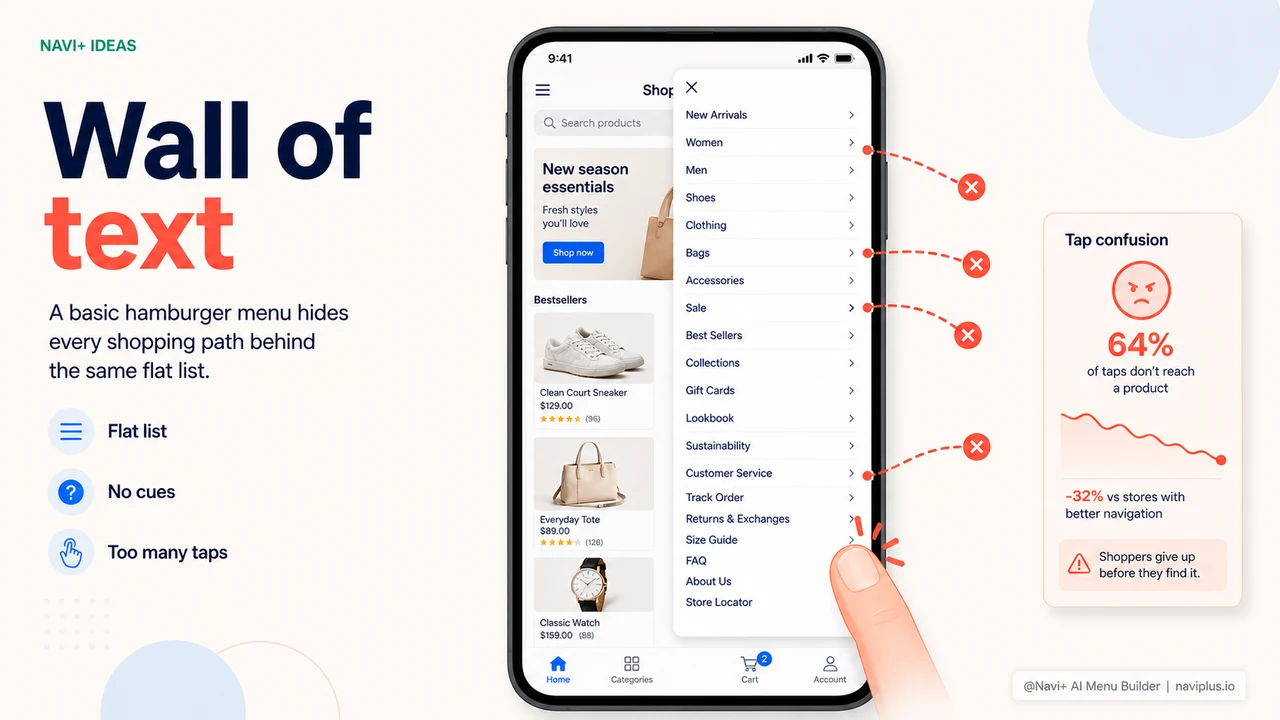
The default hamburger menu on most e-commerce platforms shows a flat list — all items stacked one after another with no sub-menus, no category images, and no quick filters.
For stores with fewer than 8 categories, that's just about acceptable. But when you have 20, 30, or 50+ items, customers open the menu, see a wall of text, close it, and leave. Bounce rate climbs. Revenue stays below its potential.
"I organized my categories really clearly — but customers kept messaging me asking where to find products. Turns out they never even knew there was a menu to open."
— A Navi+ customer
Why you can't fix it yourself
The default menu is designed to work for every store — which means it's optimized for none. If you try to improve it, you'll quickly run into these limitations:
- Only one menu level — sub-menus either don't exist, or the UX is terrible: customers have to tap through multiple screens just to reach a subcategory
- No images — text only, so customers can't recognize categories at a glance, especially in fashion, furniture, or beauty
- No smooth animations — the menu snaps open and shut with no sense of a polished app
- No UI customization — changing colors, fonts, or layout requires editing theme source code, which breaks on every update
- No integrated search — customers have to close the menu to search for a product
The DIY route (hiring a developer to modify your theme) is time-consuming, expensive, and usually gets wiped out the next time you switch themes or upgrade your platform. It's not a sustainable solution.
How Navi+ handles this
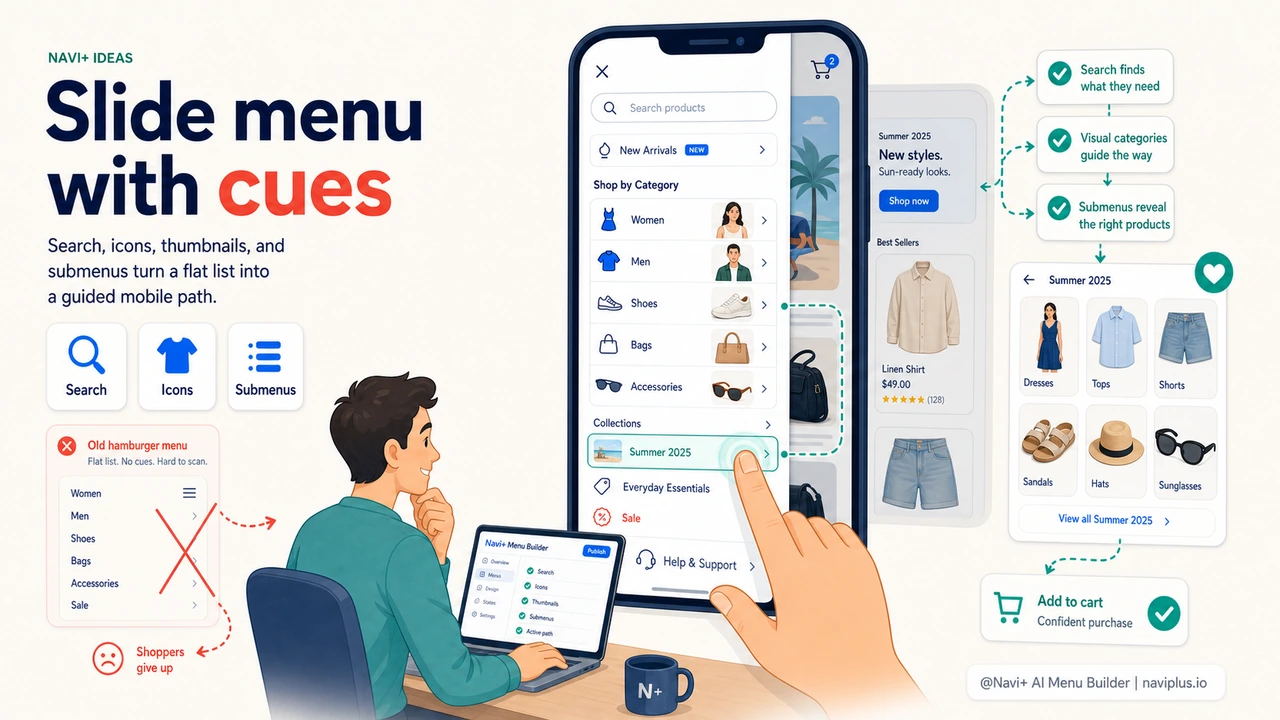
Navi+ completely replaces the default hamburger menu with a Slide Menu — a panel that glides smoothly in from the edge of the screen, supporting unlimited levels of nesting. Most importantly, Navi+ runs entirely independently and never touches your theme or source code.
| Feature | Default menu | Navi+ Slide Menu |
|---|---|---|
| Multi-level sub-menus on mobile | ✗ | ✓ horizontal slide with breadcrumb |
| Thumbnail images for categories | ✗ | ✓ |
| Search integrated inside menu | ✗ | ✓ |
| Cart / account icons | ✗ | ✓ in the panel header |
| Customize colors & fonts | Requires code edits | ✓ drag & drop, no code |
| Survives a theme switch | ✗ lost entirely | ✓ config stored separately |
Getting started
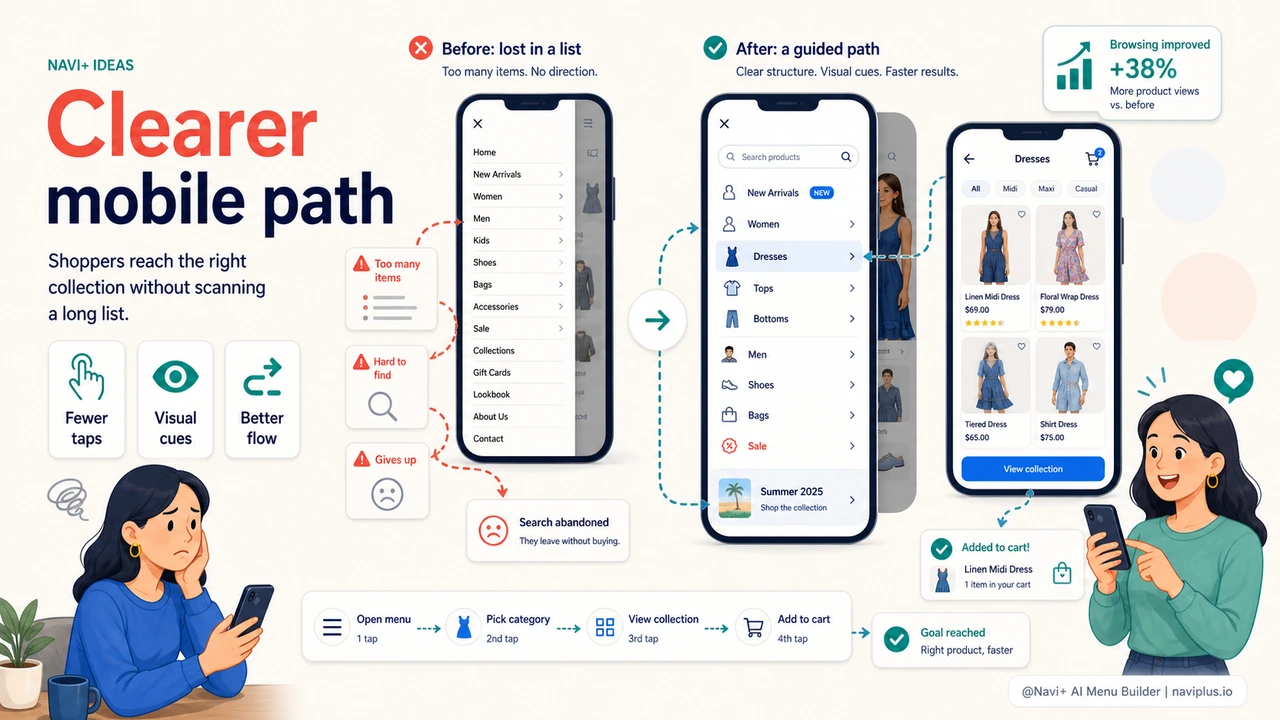
After installing Navi+, go to your dashboard → Create new menu → Slide Menu. Import your existing menu so all items are added automatically, then customize the colors and layout to match your brand. The whole process takes about 10–15 minutes, and you won't touch a single line of code.
Because Navi+ runs independently of your theme, you can switch themes at any time without worrying about losing your menu configuration.
Try it free — no code, no developer needed
Install in minutes on Shopify, WordPress, or any website.