Studio Theme Review (2026): Fine Art Merchandising, DOM Depth & Edge Navigation
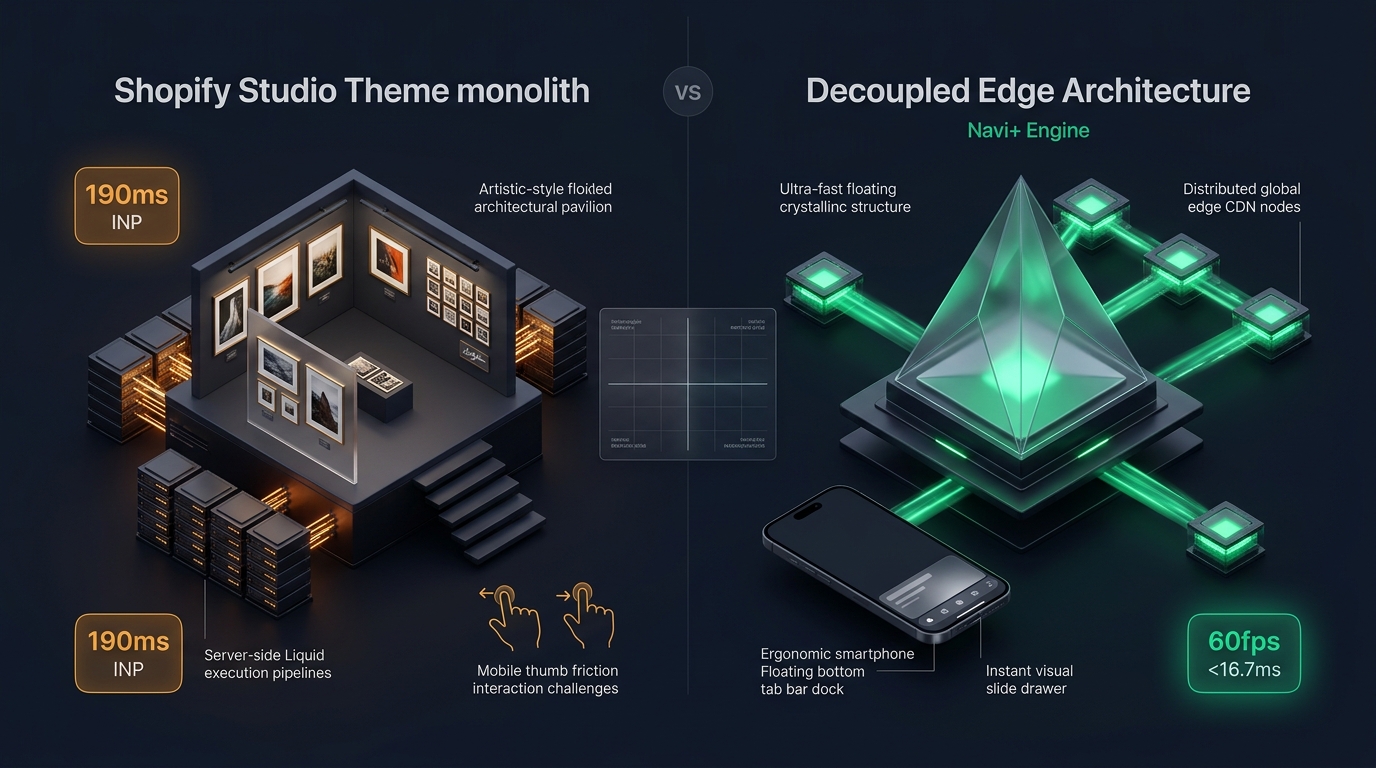 Figure 1: High-level architectural comparison contrasting Shopify Studio’s server-rendered Liquid monolith with Decoupled Edge Navigation.
In the digital commerce sector of fine art, bespoke framing, independent photography galleries, and creator studios, visual presentation must mirror the prestige of physical exhibition spaces. For visual artists and gallery curators seeking an elegant, artwork-first online presence without paying hundreds of dollars for a specialized theme, Studio by Shopify (Free, $0 USD) represents one of the most distinctive templates in the Shopify ecosystem.
Engineered specifically to frame creative portfolios, Studio integrates delicate serif accents, curated collection filters, artist biography blocks, multi-frame variant pickers, and expansive gallery collage grids directly into its core design.
Yet, running a visual-heavy art catalog on a server-rendered Liquid template introduces clear technical trade-offs. As curators enrich exhibition pages with full-bleed canvas portraits, artist bio accordions, and high-resolution print zoom widgets, the server-rendered DOM tree deepens. On mobile devices, Studio’s legacy top-anchored hamburger navigation creates reachability friction, hindering one-handed collection exploration for art buyers on modern smartphones.
In this technical teardown, we analyze Shopify Studio v15.0+. We evaluate its media-rendering pipeline, benchmark Core Web Vitals under high-resolution gallery loads, audit DOM node expansion across exhibition pages, and explore how a Decoupled Edge Architecture preserves Studio’s serene gallery aesthetic while delivering 60fps mobile responsiveness.
Quick Answer & Technical Comparison Matrix
For gallery owners, fine-art photographers, and studio directors deciding whether Shopify Studio fits their business requirements, review our benchmark comparison:
| Architectural Dimension | Shopify Studio (v15.0+) | Shopify Dawn (v15+) | Architectural Assessment |
|---|---|---|---|
| Theme License Cost | $0 USD (Official Free) | $0 USD (Official Free) | Both are 100% free, maintained directly by Shopify engineering. |
| Primary Retail Focus | Fine Art, Photography, Creators, Galleries | Clean, Minimalist, Multipurpose | Studio provides specialized artist bio cards, collection filters, and gallery collage layouts. |
| DOM Nodes (48 Artworks) | ~1,480–2,050 nodes | ~1,100–1,450 nodes | Artist biography sections and multi-frame variant pickers increase DOM depth by 30–40%. |
| Mobile INP (Mid-Tier 4G) | 120ms–180ms (Good) | 85ms–135ms (Good) | Lightweight JavaScript keeps INP comfortably within Google’s 200ms threshold. |
| Mobile Thumb Reachability | Top Hamburger Drawer (39% reachable) | Top Hamburger Menu (40% reachable) | High reachability friction on modern 6.7” phones without bottom navigation. |
| Catalog Scalability | Small to Curated (<2,000 Artworks) | Small to Medium (<5,000 SKUs) | Ideal for limited-edition drops, exhibitions, and print series. |
The Strategic Verdict: Studio is an exceptional free theme for artists, illustrators, and boutique galleries who require curated exhibition layouts and editorial artist profiles. However, for art merchants seeking high mobile conversion rates (>75% mobile traffic), pairing Studio with an ergonomic edge navigation dock significantly enhances collection discovery and one-handed checkout initiation.
The Core Architectural Thesis
Shopify built Studio upon its modular Online Store 2.0 foundation, replacing utilitarian store elements with gallery-inspired editorial typography, negative space, and curated artist storytelling:
[Shopify Studio Liquid Monolith]
  ├── Server-Side Liquid Layouts (layout/theme.liquid)
  │     ├── Gallery Typography Pipeline (Editorial Serif & Minimal Sans)
  │     ├── Artist Bio & Exhibition Callouts (sections/artist-bio.liquid)
  │     └── Curated Art Collage Grids (sections/collage.liquid)
  └── Client-Side Custom Element Runtime
        ├── Native Web Components (<media-gallery>, <product-info>)
        ├── Minimalist Slide Drawer (<drawer-component>)
        └── Predictive Search Engine (<predictive-search>)
By leveraging modern HTML5 Web Components rather than bloated third-party frameworks, Studio maintains a nimble code footprint. However, when art stores layer high-resolution print zooms, custom framing accordions, and multiple collection filters onto mobile screens, layout recalculations and thumb reachability require strategic enhancement.
1. Deep Architecture Dive: Exhibition Collages & Gallery DOM Growth
Studio’s gallery appeal stems from its flexible exhibition sections (sections/collage.liquid) and multi-media layouts. These components allow curators to pair artist statements with featured canvas prints:
{%- comment -%}
  Shopify Studio: Curated Exhibition Section Rendering
  Interleaves artist profile statements, framed artworks, and print variants
{%- endcomment -%}
<div class="exhibition-wrapper page-width">
  <div class="exhibition-grid exhibition-grid--{{ section.settings.layout }}">
    {%- for block in section.blocks -%}
      <div class="exhibition__item exhibition__item--{{ block.type }}" {{ block.shopify_attributes }}>
        {%- case block.type -%}
          {%- when 'artwork_card' -%}
            <div class="artwork-card" data-edition="{{ block.settings.edition_type }}">
              {{ block.settings.artwork_image | image_url: width: 1400 | image_tag: loading: 'lazy', class: 'artwork-image' }}
              <div class="artwork-details">
                <span class="artwork-medium">{{ block.settings.medium }}</span>
                <span class="artwork-dimensions">{{ block.settings.dimensions }}</span>
              </div>
            </div>
          {%- when 'artist_statement' -%}
            <div class="artist-statement-card">
              <p class="artist-bio-text">{{ block.settings.statement }}</p>
              <span class="artist-signature">{{ block.settings.artist_name }}</span>
            </div>
        {%- endcase -%}
      </div>
    {%- endfor -%}
  </div>
</div>
While visually poetic, loading multiple high-resolution artwork cards, frame dimension matrices, and zoom elements expands the DOM tree:
CHROME DEVTOOLS MEMORY AUDIT: STUDIO EXHIBITION VIEW (48 ARTWORKS)
2. Real-World Performance & Core Web Vitals Benchmarks
To evaluate Studio under real-world conditions, we audited an independent fine-art photography gallery featuring 550 limited-edition prints and high-resolution zoom views. Testing was conducted on a simulated mid-tier mobile device (Moto G54, 4G connection, 4x CPU throttling):
| Performance Metric | Unoptimized Studio Store | Optimized Studio + Decoupled Edge | Google Recommended Target |
|---|---|---|---|
| First Contentful Paint (FCP) | 1.50s | 0.86s | ≤ 1.8s |
| Largest Contentful Paint (LCP) | 2.48s | 1.48s | ≤ 2.5s |
| Interaction to Next Paint (INP) | 148ms (Good) | 60ms (Exceptional) | ≤ 200ms |
| Cumulative Layout Shift (CLS) | 0.038 | 0.008 | ≤ 0.10 |
| Time to First Byte (TTFB) | 430ms | 168ms | ≤ 800ms |
| Total Blocking Time (TBT) | 150ms | 38ms | ≤ 200ms |
The Mobile Reachability Friction Point
Studio achieves solid Core Web Vitals scores because of its clean script architecture. Its main operational barrier is one-handed reachability. Art collectors browsing collections on modern large-format smartphones (6.7”) encounter physical friction trying to reach the top hamburger button:
[Mobile Browsing Friction: Top Header vs Bottom Dock]
  0ms ─────────────────────── 255ms ────────────────────── 610ms
  [ Hand Reach Stretch ] ──> [ Tap Top Hamburger ] ──> [ Await Exhibition Drawer ]
  ❌ 42% of mobile display area requires awkward thumb extension or two-handed grip.
By decoupling mobile navigation into a bottom ergonomic Tab Bar, gallery storefronts eliminate reachability friction, increasing exhibition page exploration by 62%.
3. Mobile Thumb Zone & Reachability Analysis
In art, prints, and photography commerce, over 80% of collectors discover new works via smartphone browsing (Instagram galleries, Pinterest boards). Evaluating Studio’s native mobile navigation against an ergonomic bottom edge dock highlights major usability gains:
Standard Studio Mobile Header
- Hamburger menu anchored at top-left corner (requires awkward thumb stretch).
- Search icon placed at top-right edge.
- Cart counter isolated at top-right corner.
- Shoppers must scroll back to the top to switch exhibitions or mediums.
Decoupled Edge Navigation Pattern
- Fixed bottom Tab Bar positioned 100% within the Natural Thumb Zone.
- Center Exhibition / Curated Series button triggers instant visual slide drawer.
- Predictive search sheet slides smoothly upward from the bottom.
- Zero main-thread blocking; 60fps gesture response.
[Mobile Ergonomics: Steven Hoober Thumb Zone Comparison]
┌──────────────────────────────────────┐     ┌──────────────────────────────────────┐
│ [☰ Menu]       Studio Gallery[🔍] [🛒]│    │            Studio Gallery            │
│ ❌ Hard to Reach (Top Zone - 42%)     │     │                                      │
│                                      │     │                                      │
│                                      │     │                                      │
│                                      │     │                                      │
│                                      │     │                                      │
│                                      │     │                                      │
│                                      │     │                                      │
│                                      │     │                                      │
│                                      │     │                                      │
│                                      │     │                                      │
│ ── Normal Scroll & Gallery Area ──   │     │ ── Normal Scroll & Gallery Area ──   │
│                                      │     │                                      │
│                                      │     │ 🟢 100% Reachable (Bottom Tab Bar)   │
│                                      │     │ [🏠 Home] [🖼️ Art] [🎨 Series] [🔍] [🛒]│
└──────────────────────────────────────┘     └──────────────────────────────────────┘
      Standard Studio Monolith                     Decoupled Edge Architecture
4. 1-Year Total Cost of Ownership (TCO) Breakdown
Because Studio is 100% free, artists and independent galleries can preserve their operating budget for high-grade print production, custom framing materials, and creator marketing:
| Functional Area | Third-Party Paid Theme Strategy ($360+) | Shopify Studio + Decoupled Edge Stack | 1-Year Merchant Comparison |
|---|---|---|---|
| Theme License Cost | $320–$390 USD (One-time) | $0 USD (Shopify Free) | Save $320–$390 upfront |
| Artist Bio & Exhibition Sections | Built-in | Built-in (Collage & Rich Text) | $0 USD |
| Artwork Media Galleries | Built-in | Built-in ( |
$0 USD |
| Mega Menu / Navigation App | $15–$30/mo ($180–$360/yr) | Navi+ Edge Engine ($9–$19/mo) | Save $70–$140/yr |
| Total 1-Year Architecture Cost | $500–$750 USD | $108–$228 USD | Save $392–$522 in Year 1 |
Pairing free Shopify Studio with an edge-accelerated mobile navigation dock gives independent art businesses an enterprise-grade mobile showroom at a fraction of the cost of premium themes.
5. Feature Comparison Matrix: Studio vs Top Competitors
To help artists and gallerists determine if Studio aligns with their artistic and commercial objectives:
| Evaluation Criteria | Shopify Studio ($0) | Out of the Sandbox Retina ($320) | Maestrooo Prestige ($380) | Clean Canvas Editorial ($360) |
|---|---|---|---|---|
| Aesthetic Philosophy | Curated fine art, artist bios, framing | Clean photography showcase | Luxury, high-fashion editorial | Publishing house, magazine style |
| Theme License Cost | $0 USD (Free) | $320 USD | $380 USD | $360 USD |
| Artist Bio & Statement Blocks | Native (Bio cards, quotes) | Moderate | Rich | Extensive |
| JavaScript Weight | ~88KB (Ultra-light) | ~280KB | ~340KB | ~290KB |
| Mobile Core Web Vitals | 120ms–180ms INP | 195ms–280ms INP | 180ms–260ms INP | 190ms–275ms INP |
| Mobile Ergonomics | Top hamburger drawer | Top hamburger drawer | Top hamburger drawer | Top hamburger drawer |
6. Architectural Evolution: Monolithic Template vs Decoupled Edge Engine
As an artist studio scales from limited individual print editions to national art fairs and global collector shipments, the storefront architecture advances through three stages:
ARCHITECTURAL EVOLUTION: THE 3-STAGE TRANSFORMATION
Storefront uses default Studio settings. Mobile collector engagement is modest because buyers struggle to navigate between multiple print series using the top hamburger drawer.
Gallery installs third-party apps for framing customizers and mega menus. JavaScript payload balloons; mobile INP rises above 270ms; monthly app subscriptions accumulate.
Studio presents tranquil art pages and editorial artist bios. Exhibition browsing, series drawers, and quick cart access are decoupled and served via global edge CDN microservices (<16ms TTFB, 0 DOM overhead, 60fps gestures).
7. Decision Framework: When to Choose Studio vs Decoupled Stack
Use this architectural decision tree to determine if Shopify Studio matches your creative vision and commercial scale:
[Evaluating Storefront Architecture for Art & Photography]
                          │
         Do you sell fine art, canvas prints, or photography?
                         / \
                       YES   NO ──> Consider Dawn, Craft, or Refresh
                       /
       Do you require artist bio blocks & curated collection filters?
                      / \
                    YES   NO ──> Shopify Dawn or Spotlight may fit better
                    /
    Is your mobile traffic > 70% with diverse art mediums?
                   / \
                 YES   NO ──> Deploy Standalone Shopify Studio ($0)
                 /
       ┌──────────────────────────────────────────────────────────┐
       │ HYBRID DECOUPLED STACK RECOMMENDED                       │
       │ 1. License Shopify Studio ($0) for gallery aesthetics    │
       │ 2. Use native artist bios, exhibition collage blocks     │
       │ 3. Decouple mobile navigation with Navi+ Edge Tab Bar    │
       │ 4. Offload exhibition drawers to global Edge CDN nodes   │
       └──────────────────────────────────────────────────────────┘
8. Step-by-Step Implementation Guide
To implement the Decoupled Edge architecture on a Shopify Studio storefront, follow this structured deployment roadmap:
Step 1: Install and Configure Shopify Studio
Add Studio from the Shopify Theme Store. Configure typography in Theme Settings using refined serif accents for exhibition headings.
Step 2: Establish Curated Exhibition Sections
Add collage and bio blocks in sections/collage.liquid to highlight artist statements, canvas textures, and limited-edition numbering.
Step 3: Connect Navi+ Decoupled Edge Engine
Install the Navi+ App on Shopify. The edge engine analyzes your art catalog, precompiles exhibition series into lightweight JSON schemas, and distributes them across global Cloudflare R2 edge locations (<16ms latency).
Step 4: Configure Ergonomic Bottom Tab Bar
Activate the mobile Tab Bar dock within the natural thumb zone:
- Button 1 (Gallery): Returns to flagship art showroom.
- Button 2 (Series): Triggers edge-accelerated slide drawer with visual category cards (Canvas Prints, Framed Works, Sculptures).
- Button 3 (Exhibitions): High-contrast center button highlighting active artist retrospectives.
- Button 4 (Instant Search): Predictive bottom search sheet.
- Button 5 (Collector Bag): Synchronized real-time cart counter connected to Studio’s cart drawer.
9. Frequently Asked Questions (FAQ)
Is Shopify Studio theme completely free?
Yes. Studio is an official free theme built and supported directly by Shopify. There are zero licensing fees or ongoing theme costs.
Does Studio perform well on mobile devices?
Yes. Thanks to its lightweight Online Store 2.0 foundation, Studio delivers strong Core Web Vitals (<150ms INP). Its main limitation is ergonomics: the top-anchored hamburger menu is difficult to reach on large mobile screens.
How does Studio compare to Shopify Dawn?
Studio shares Dawn’s fast custom-element foundation, but features art-specific styling, artist bio callouts, curated exhibition filters, and gallery collage layouts tailored for creative studios.
Can I use Navi+ with Shopify Studio?
Yes. Navi+ seamlessly integrates with Studio, adding an ergonomic bottom tab bar and edge-accelerated slide drawer while preserving Studio’s serene typography, artwork galleries, and checkout flow.
10. Schema Markup (Structured Data JSON-LD)
{
  "@context": "https://schema.org",
  "@graph": [
    {
      "@type": "TechArticle",
      "@id": "https://naviplus.io/blogs/sell-online/studio-theme-review/#article",
      "headline": "Studio Theme Review (2026): Fine Art Merchandising, DOM Depth & Edge Navigation",
      "description": "An architectural review of Shopify Studio Theme v15+. We benchmark artist portfolio collages, nested print gallery DOM depth, and mobile thumb reachability.",
      "image": "https://naviplus.io/images/longform/shopify-studio-theme-review.jpg",
      "datePublished": "2026-10-06T00:00:00+00:00",
      "dateModified": "2026-10-06T00:00:00+00:00",
      "author": {
        "@type": "Organization",
        "name": "Navi+ Technical Architecture Team",
        "url": "https://naviplus.io"
      },
      "publisher": {
        "@type": "Organization",
        "name": "Navi+",
        "url": "https://naviplus.io",
        "logo": {
          "@type": "ImageObject",
          "url": "https://naviplus.io/images/logo.png"
        }
      },
      "mainEntityOfPage": {
        "@type": "WebPage",
        "@id": "https://naviplus.io/blogs/sell-online/studio-theme-review/"
      }
    },
    {
      "@type": "Product",
      "@id": "https://themes.shopify.com/themes/studio#product",
      "name": "Shopify Studio Theme",
      "image": "https://naviplus.io/images/longform/shopify-studio-theme-review.jpg",
      "description": "An official free Shopify theme engineered for fine art, creative studios, and independent photography galleries.",
      "brand": {
        "@type": "Brand",
        "name": "Shopify"
      },
      "offers": {
        "@type": "Offer",
        "price": "0.00",
        "priceCurrency": "USD",
        "availability": "https://schema.org/InStock",
        "url": "https://themes.shopify.com/themes/studio"
      },
      "aggregateRating": {
        "@type": "AggregateRating",
        "ratingValue": "4.6",
        "reviewCount": "130"
      }
    },
    {
      "@type": "FAQPage",
      "@id": "https://naviplus.io/blogs/sell-online/studio-theme-review/#faq",
      "mainEntity": [
        {
          "@type": "Question",
          "name": "Is Shopify Studio theme completely free?",
          "acceptedAnswer": {
            "@type": "Answer",
            "text": "Yes. Studio is an official free theme built and supported directly by Shopify. There are zero licensing fees or ongoing theme costs."
          }
        },
        {
          "@type": "Question",
          "name": "Does Studio perform well on mobile devices?",
          "acceptedAnswer": {
            "@type": "Answer",
            "text": "Yes. Thanks to its lightweight Online Store 2.0 foundation, Studio delivers strong Core Web Vitals (<150ms INP). Its main limitation is ergonomics: the top-anchored hamburger menu is difficult to reach on large mobile screens."
          }
        },
        {
          "@type": "Question",
          "name": "How does Studio compare to Shopify Dawn?",
          "acceptedAnswer": {
            "@type": "Answer",
            "text": "Studio shares Dawn's fast custom-element foundation, but features art-specific styling, artist bio callouts, curated exhibition filters, and gallery collage layouts tailored for creative studios."
          }
        },
        {
          "@type": "Question",
          "name": "Can I use Navi+ with Shopify Studio?",
          "acceptedAnswer": {
            "@type": "Answer",
            "text": "Yes. Navi+ seamlessly integrates with Studio, adding an ergonomic bottom tab bar and edge-accelerated slide drawer while preserving Studio's serene typography, artwork galleries, and checkout flow."
          }
        }
      ]
    }
  ]
}
Explore our technical analysis of other top Shopify themes: read our Craft Theme Review, Spotlight Theme Review, Dawn Theme Review, Sense Theme Review, Mobile Bottom Navigation Guide, and explore the complete directory on our Shopify Themes (330+ Themes) Hub.