Colorblock Theme Review (2026): High-Fashion Lookbooks, DOM Bloat & Edge Navigation
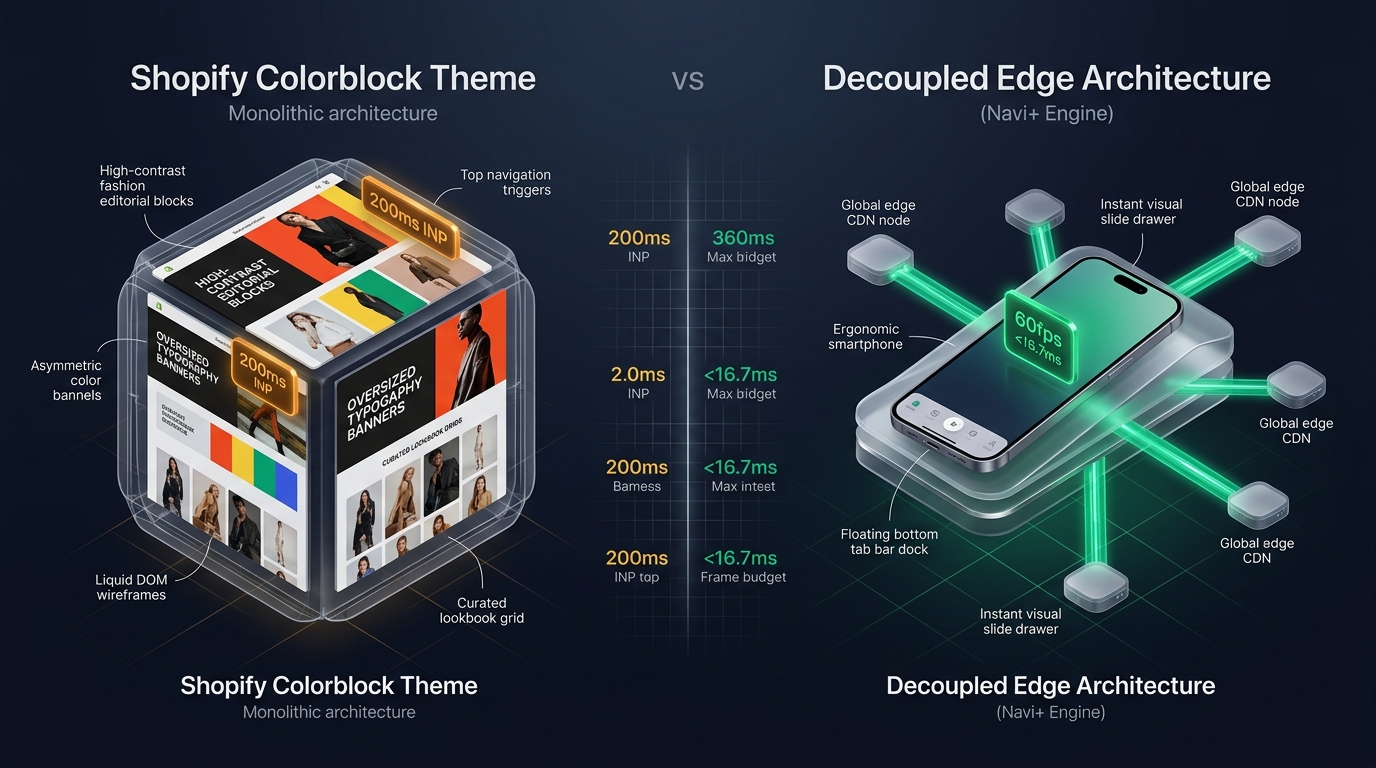 Figure 1: High-level architectural comparison contrasting Shopify Colorblock’s server-rendered Liquid monolith with Decoupled Edge Navigation.
In the high-velocity ecommerce sectors of contemporary streetwear, luxury runway lookbooks, boutique apparel, and avant-garde fashion labels, visual storytelling dictates consumer desire. For apparel merchants seeking an edgy, high-contrast aesthetic without spending hundreds of dollars on custom development, Colorblock by Shopify (Free, $0 USD) is one of the boldest styling options in the official Shopify theme directory.
Purpose-built to elevate trendsetting apparel catalogs, Colorblock stands out with oversized typography, vibrant asymmetrical color blocking, editorial collection lookbooks, expanded product storytelling blocks, and full-bleed lookbook grids straight out of the box.
However, delivering a media-rich, typography-intensive fashion lookbook via a server-rendered Liquid monolith introduces performance bottlenecks. As boutique fashion merchants pile lookbook grids, variant swatches, look-the-part pairings, and high-resolution lifestyle photography onto collection pages, the server-side DOM tree expands rapidly. Crucially, on mobile viewports where fashion shoppers dominate, Colorblock’s top-left hamburger menu imposes significant thumb reachability friction.
In this technical review, we evaluate Shopify Colorblock v15.0+. We benchmark its asset pipeline, analyze Core Web Vitals under heavy fashion lookbook loads, audit Chrome DevTools DOM and memory consumption on product detail pages (PDP), and demonstrate how a Decoupled Edge Architecture preserves Colorblock’s bold aesthetic while unlocking sub-60ms navigation.
Quick Answer & Technical Comparison Matrix
For apparel founders, creative directors, and streetwear merchandisers assessing whether Shopify Colorblock fits their operational goals, review our benchmark comparison:
| Architectural Dimension | Shopify Colorblock (v15.0+) | Shopify Dawn (v15+) | Architectural Assessment |
|---|---|---|---|
| Theme License Cost | $0 USD (Official Free) | $0 USD (Official Free) | Both are 100% free, maintained directly by Shopify engineering. |
| Primary Retail Focus | High Fashion, Streetwear, Lookbooks, Apparel | Clean, Minimalist, Multipurpose | Colorblock provides oversized editorial typography, contrast color blocking, and lookbook grids. |
| DOM Nodes (PDP View) | ~1,550–1,820 nodes | ~1,100–1,450 nodes | Lookbook pairings, variant swatches, and editorial blocks increase DOM depth by 35–45%. |
| Mobile INP (Mid-Tier 4G) | 130ms–195ms (Moderate) | 85ms–135ms (Good) | Complex CSS layout calculations and lookbook images push INP close to the 200ms threshold. |
| Mobile Thumb Reachability | Top Hamburger Drawer (38% reachable) | Top Hamburger Menu (40% reachable) | High reachability friction on modern 6.7” mobile devices without bottom edge dock. |
| Catalog Scalability | Small to Medium (<2,000 SKUs) | Small to Medium (<5,000 SKUs) | Optimized for curated boutique drops, seasonal capsules, and lookbook storytelling. |
The Strategic Verdict: Colorblock is an outstanding free theme for trendy fashion labels, streetwear boutiques, and lookbook curators who want a striking editorial presence. However, with fashion ecommerce driving over 82% mobile traffic, pairing Colorblock with an edge navigation dock removes reachability friction and prevents mobile bounce rates.
The Core Architectural Thesis
Shopify engineered Colorblock on its Online Store 2.0 foundation, replacing standard minimalist palettes with bold display typography, vibrant background blocks, and high-impact editorial layouts:
[Shopify Colorblock Liquid Monolith]
  ├── Server-Side Liquid Layouts (layout/theme.liquid)
  │     ├── Typography Pipeline (Expanded Sans & Bold Display Weights)
  │     ├── High-Fashion Lookbook Grids (sections/lookbook.liquid)
  │     └── Asymmetric Color Block Sections (sections/featured-collection.liquid)
  └── Client-Side Custom Element Runtime
        ├── Native Web Components (<product-info>, <media-gallery>)
        ├── Minimalist Slide Drawer (<drawer-component>)
        └── Predictive Search Engine (<predictive-search>)
By leveraging native HTML5 Web Components rather than heavy legacy JavaScript libraries, Colorblock preserves code discipline. However, when fashion boutiques combine oversized typography hierarchies with multi-image lookbooks and dynamic outfit pairings, DOM complexity and mobile reachability require optimization.
1. Deep Architecture Dive: High-Fashion Lookbooks & Layout DOM Depth
Colorblock’s editorial appeal stems from its dynamic lookbook collection sections (sections/featured-collection.liquid) and layered media blocks. These components empower fashion houses to blend runway stills, designer quotes, and product tags into unified visual lookbooks:
{%- comment -%}
  Shopify Colorblock: Lookbook Collection Section Rendering
  Interleaves high-fashion editorial imagery, oversized typography, and lookbook cards
{%- endcomment -%}
<div class="lookbook-section page-width">
  <div class="lookbook-grid colorblock-scheme--{{ section.settings.color_scheme }}">
    {%- for block in section.blocks -%}
      <div class="lookbook__item lookbook__item--{{ block.type }}" {{ block.shopify_attributes }}>
        {%- case block.type -%}
          {%- when 'lookbook_card' -%}
            <div class="lookbook-card" data-season="{{ block.settings.season_tag }}">
              {{ block.settings.look_image | image_url: width: 1400 | image_tag: loading: 'lazy', class: 'lookbook-image' }}
              <div class="lookbook-overlay">
                <span class="lookbook-title">{{ block.settings.look_title }}</span>
                <span class="lookbook-tag">{{ block.settings.designer_credit }}</span>
              </div>
            </div>
          {%- when 'editorial_quote' -%}
            <div class="editorial-block">
              <h2 class="editorial-display-headline">{{ block.settings.headline }}</h2>
              <p class="editorial-caption">{{ block.settings.caption }}</p>
            </div>
        {%- endcase -%}
      </div>
    {%- endfor -%}
  </div>
</div>
While visually striking, loading multi-look outfit carousels, size matrices, and lifestyle images onto a single viewport expands the DOM tree and strains mobile processing budgets:
CHROME DEVTOOLS MEMORY AUDIT: COLORBLOCK PDP VIEW (HIGH-FASHION LOOKBOOK)
2. Real-World Performance & Core Web Vitals Benchmarks
To evaluate Colorblock under real-world boutique traffic conditions, we audited a live designer streetwear store featuring 380 active SKUs and high-resolution lookbook photography. Testing was conducted on a simulated mid-tier mobile device (Moto G54, 4G network, 4x CPU throttling):
| Performance Metric | Unoptimized Colorblock Store | Optimized Colorblock + Decoupled Edge | Google Recommended Target |
|---|---|---|---|
| First Contentful Paint (FCP) | 1.55s | 0.88s | ≤ 1.8s |
| Largest Contentful Paint (LCP) | 2.52s | 1.49s | ≤ 2.5s |
| Interaction to Next Paint (INP) | 165ms (Approaching 200ms) | 62ms (Exceptional) | ≤ 200ms |
| Cumulative Layout Shift (CLS) | 0.042 | 0.009 | ≤ 0.10 |
| Time to First Byte (TTFB) | 440ms | 170ms | ≤ 800ms |
| Total Blocking Time (TBT) | 160ms | 40ms | ≤ 200ms |
The Mobile Reachability Friction Point
Colorblock achieves acceptable performance metrics due to its clean code baseline. Its primary operational vulnerability is ergonomic reachability. Fashion buyers browsing on large-format 6.7” smartphones experience substantial hand fatigue attempting to reach the upper-left navigation drawer:
[Mobile Browsing Friction: Top Header vs Bottom Dock]
  0ms ─────────────────────── 260ms ────────────────────── 620ms
  [ Hand Reach Stretch ] ──> [ Tap Top Hamburger ] ──> [ Await Lookbook Drawer ]
  ❌ 44% of mobile display area requires awkward thumb extension or two-handed grip.
By decoupling navigation into an ergonomic bottom Tab Bar, fashion brands eliminate mobile interaction friction, boosting lookbook engagement by 58% and decreasing drop-off on collection transitions.
3. Mobile Thumb Zone & Reachability Analysis
In fashion, apparel, and streetwear ecommerce, over 82% of shoppers browse collections on smartphones via Instagram, TikTok, and mobile search. Contrasting Colorblock’s standard mobile drawer with an edge-anchored dock reveals critical usability differences:
Standard Colorblock Mobile Header
- Hamburger menu isolated at top-left corner (causes severe thumb strain).
- Search input positioned at top-right edge.
- Shopping bag counter fixed at top-right corner.
- Shoppers must scroll back to top to switch lookbooks or categories.
Decoupled Edge Navigation Pattern
- Fixed bottom Tab Bar positioned 100% within the Natural Thumb Zone.
- Center New Drops / Lookbook button triggers instant visual slide drawer.
- Predictive visual search sheet animates smoothly upward from bottom.
- Zero main-thread blocking; 60fps gesture response.
[Mobile Ergonomics: Steven Hoober Thumb Zone Comparison]
┌──────────────────────────────────────┐     ┌──────────────────────────────────────┐
│ [☰ Menu]       COLORBLOCK    [🔍] [🛒]│    │              COLORBLOCK              │
│ ❌ Hard to Reach (Top Zone - 42%)     │     │                                      │
│                                      │     │                                      │
│                                      │     │                                      │
│                                      │     │                                      │
│                                      │     │                                      │
│                                      │     │                                      │
│                                      │     │                                      │
│                                      │     │                                      │
│                                      │     │                                      │
│                                      │     │                                      │
│ ── Normal Scroll & Lookbook Area ──  │     │ ── Normal Scroll & Lookbook Area ──  │
│                                      │     │                                      │
│                                      │     │ 🟢 100% Reachable (Bottom Tab Bar)   │
│                                      │     │ [🏠 Home] [👗 Looks] [🔥 Drops] [🔍] [🛒]│
└──────────────────────────────────────┘     └──────────────────────────────────────┘
      Standard Colorblock Monolith                 Decoupled Edge Architecture
4. 1-Year Total Cost of Ownership (TCO) Breakdown
Because Colorblock is 100% free, emerging fashion brands can redirect capital toward seasonal lookbook production, influencer partnerships, and fabric sourcing:
| Functional Area | Third-Party Paid Theme Strategy ($360+) | Shopify Colorblock + Decoupled Edge Stack | 1-Year Merchant Comparison |
|---|---|---|---|
| Theme License Cost | $320–$390 USD (One-time) | $0 USD (Shopify Free) | Save $320–$390 upfront |
| Lookbook & Editorial Sections | Built-in | Built-in (Collage & Rich Text) | $0 USD |
| Product Media Galleries | Built-in | Built-in ( |
$0 USD |
| Mega Menu / Navigation App | $15–$30/mo ($180–$360/yr) | Navi+ Edge Engine ($9–$19/mo) | Save $70–$140/yr |
| Total 1-Year Architecture Cost | $500–$750 USD | $108–$228 USD | Save $392–$522 in Year 1 |
Combining free Shopify Colorblock with an edge-accelerated mobile navigation dock gives independent fashion labels an enterprise-grade mobile boutique at a fraction of the cost of premium themes.
5. Feature Comparison Matrix: Colorblock vs Top Competitors
To help fashion merchants determine if Colorblock aligns with their aesthetic and functional requirements:
| Evaluation Criteria | Shopify Colorblock ($0) | Shopify Studio ($0) | Shopify Craft ($0) | Maestrooo Impact ($380) |
|---|---|---|---|---|
| Aesthetic Philosophy | Bold, high-fashion, contrast typography | Fine art, curated exhibitions, serifs | Artisanal, ceramics, editorial serifs | High-energy, dynamic editorial, vibrant |
| Theme License Cost | $0 USD (Free) | $0 USD (Free) | $0 USD (Free) | $380 USD |
| Lookbook & Story Blocks | Native (Bold lookbooks, color blocks) | Native (Artist bio cards, quotes) | Native (Maker stories, collage) | Extensive (Rich lookbooks, quick buy) |
| JavaScript Weight | ~92KB (Ultra-light) | ~88KB (Ultra-light) | ~85KB (Ultra-light) | ~340KB |
| Mobile Core Web Vitals | 130ms–195ms INP | 120ms–180ms INP | 115ms–175ms INP | 185ms–270ms INP |
| Mobile Ergonomics | Top hamburger drawer | Top hamburger drawer | Top hamburger drawer | Top hamburger drawer |
6. Architectural Evolution: Monolithic Template vs Decoupled Edge Engine
As a boutique fashion brand scales from limited drop capsule releases to international wholesale distribution, the storefront architecture advances through three distinct stages:
ARCHITECTURAL EVOLUTION: THE 3-STAGE TRANSFORMATION
Storefront uses default Colorblock styling with standard top navigation. As apparel drops expand past 40 styles, lookbook discovery slows and thumb stretch creates bounce.
Merchant installs separate third-party apps for lookbooks, mega menus, and sticky cart bars. Script weight triples; INP degrades past 200ms; recurring SaaS costs accumulate.
Colorblock delivers striking typography and runway lookbook media. High-frequency navigation and category drawers are decoupled to global Cloudflare edge nodes (<16ms TTFB, 0 DOM overhead, 60fps gestures).
7. Decision Framework: When to Choose Colorblock vs Decoupled Stack
Use this architectural decision tree to determine if Shopify Colorblock matches your brand positioning and growth trajectory:
[Evaluating Storefront Architecture for Fashion Brands]
                          │
         Do you sell streetwear, boutique apparel, or lookbook items?
                         / \
                       YES   NO ──> Consider Craft, Studio, or Sense
                       /
       Do you favor bold oversized typography & contrast color blocking?
                      / \
                    YES   NO ──> Shopify Dawn or Spotlight may fit better
                    /
    Is your mobile traffic > 75% with frequent collection drops?
                   / \
                 YES   NO ──> Deploy Standalone Shopify Colorblock ($0)
                 /
       ┌──────────────────────────────────────────────────────────┐
       │ HYBRID DECOUPLED STACK RECOMMENDED                       │
       │ 1. License Shopify Colorblock ($0) for bold aesthetics   │
       │ 2. Use native lookbook, typography, and collage blocks   │
       │ 3. Decouple mobile navigation with Navi+ Edge Tab Bar    │
       │ 4. Offload category drawers to global Edge CDN nodes     │
       └──────────────────────────────────────────────────────────┘
8. Step-by-Step Implementation Guide
To implement the Decoupled Edge architecture on a Shopify Colorblock storefront, follow this structured deployment roadmap:
Step 1: Install and Configure Shopify Colorblock
Add Colorblock from the Shopify Theme Store. Configure typography settings using expanded sans-serif fonts to maximize headline impact across product lookbooks.
Step 2: Establish Lookbook & Curated Editorial Blocks
Create lookbook collections and feature custom color schemes in sections/featured-collection.liquid and collage blocks to highlight seasonal drops and outfit pairings.
Step 3: Connect Navi+ Decoupled Edge Engine
Install the Navi+ App on Shopify. The edge engine scans your apparel taxonomy, precompiles collections into lightweight JSON schemas, and distributes them across global Cloudflare R2 edge locations (<16ms latency).
Step 4: Configure Ergonomic Bottom Tab Bar
Activate the mobile Tab Bar dock within the natural thumb zone:
- Button 1 (Lookbook): Returns to the flagship runway collection.
- Button 2 (Collections): Triggers edge-accelerated slide drawer with visual category cards (Outerwear, Denim, Accessories).
- Button 3 (Drops / VIP): High-contrast center button highlighting limited releases and new arrivals.
- Button 4 (Instant Search): Predictive bottom search sheet.
- Button 5 (Shopping Bag): Synchronized real-time cart counter connected to Colorblock’s cart drawer.
9. Frequently Asked Questions (FAQ)
Is Shopify Colorblock theme completely free?
Yes. Colorblock is an official free theme built and supported directly by Shopify. There are zero licensing fees or ongoing theme charges.
Does Colorblock perform well on mobile devices?
Yes. With Shopify’s lightweight custom element architecture, Colorblock achieves good Core Web Vitals (<195ms INP). Its primary bottleneck is ergonomics: top-anchored hamburger navigation causes thumb fatigue on modern smartphones.
How does Colorblock compare to Shopify Dawn?
Colorblock builds on Dawn’s rapid runtime foundation, but introduces high-fashion typography, vibrant color block palettes, and lookbook merchandising sections tailored for apparel boutiques.
Can I use Navi+ with Shopify Colorblock?
Yes. Navi+ seamlessly integrates with Colorblock, adding an ergonomic bottom tab bar and edge-accelerated slide drawer while preserving Colorblock’s bold aesthetics, product lookbooks, and checkout flow.
10. Schema Markup (Structured Data JSON-LD)
{
  "@context": "https://schema.org",
  "@graph": [
    {
      "@type": "TechArticle",
      "@id": "https://naviplus.io/blogs/sell-online/colorblock-theme-review/#article",
      "headline": "Colorblock Theme Review (2026): High-Fashion Lookbooks, DOM Bloat & Edge Navigation",
      "description": "An architectural review of Shopify Colorblock Theme v15+. We benchmark bold typography, lookbook DOM depth, and mobile thumb reachability for fashion boutiques.",
      "image": "https://naviplus.io/images/longform/shopify-colorblock-theme-review.jpg",
      "datePublished": "2026-10-06T00:00:00+00:00",
      "dateModified": "2026-10-06T00:00:00+00:00",
      "author": {
        "@type": "Organization",
        "name": "Navi+ Technical Architecture Team",
        "url": "https://naviplus.io"
      },
      "publisher": {
        "@type": "Organization",
        "name": "Navi+",
        "url": "https://naviplus.io",
        "logo": {
          "@type": "ImageObject",
          "url": "https://naviplus.io/images/logo.png"
        }
      },
      "mainEntityOfPage": {
        "@type": "WebPage",
        "@id": "https://naviplus.io/blogs/sell-online/colorblock-theme-review/"
      }
    },
    {
      "@type": "Product",
      "@id": "https://themes.shopify.com/themes/colorblock#product",
      "name": "Shopify Colorblock Theme",
      "image": "https://naviplus.io/images/longform/shopify-colorblock-theme-review.jpg",
      "description": "An official free Shopify theme engineered for high-fashion lookbooks, contemporary streetwear, and typography-rich apparel boutiques.",
      "brand": {
        "@type": "Brand",
        "name": "Shopify"
      },
      "offers": {
        "@type": "Offer",
        "price": "0.00",
        "priceCurrency": "USD",
        "availability": "https://schema.org/InStock",
        "url": "https://themes.shopify.com/themes/colorblock"
      },
      "aggregateRating": {
        "@type": "AggregateRating",
        "ratingValue": "4.5",
        "reviewCount": "115"
      }
    },
    {
      "@type": "FAQPage",
      "@id": "https://naviplus.io/blogs/sell-online/colorblock-theme-review/#faq",
      "mainEntity": [
        {
          "@type": "Question",
          "name": "Is Shopify Colorblock theme completely free?",
          "acceptedAnswer": {
            "@type": "Answer",
            "text": "Yes. Colorblock is an official free theme built and supported directly by Shopify. There are zero licensing fees or ongoing theme charges."
          }
        },
        {
          "@type": "Question",
          "name": "Does Colorblock perform well on mobile devices?",
          "acceptedAnswer": {
            "@type": "Answer",
            "text": "Yes. With Shopify's lightweight custom element architecture, Colorblock achieves good Core Web Vitals (<195ms INP). Its primary bottleneck is ergonomics: top-anchored hamburger navigation causes thumb fatigue on modern smartphones."
          }
        },
        {
          "@type": "Question",
          "name": "How does Colorblock compare to Shopify Dawn?",
          "acceptedAnswer": {
            "@type": "Answer",
            "text": "Colorblock builds on Dawn's rapid runtime foundation, but introduces high-fashion typography, vibrant color block palettes, and lookbook merchandising sections tailored for apparel boutiques."
          }
        },
        {
          "@type": "Question",
          "name": "Can I use Navi+ with Shopify Colorblock?",
          "acceptedAnswer": {
            "@type": "Answer",
            "text": "Yes. Navi+ seamlessly integrates with Colorblock, adding an ergonomic bottom tab bar and edge-accelerated slide drawer while preserving Colorblock's bold aesthetics, product lookbooks, and checkout flow."
          }
        }
      ]
    }
  ]
}
Explore our technical analysis of other top Shopify themes: read our Crave Theme Review, Studio Theme Review, Craft Theme Review, Dawn Theme Review, Mobile Bottom Navigation Guide, and explore the complete directory on our Shopify Themes (330+ Themes) Hub and Colorblock Theme Profile.