Broadcast Theme Review (2026): Editorial Lookbooks, Media Weight & Mobile Thumb UX
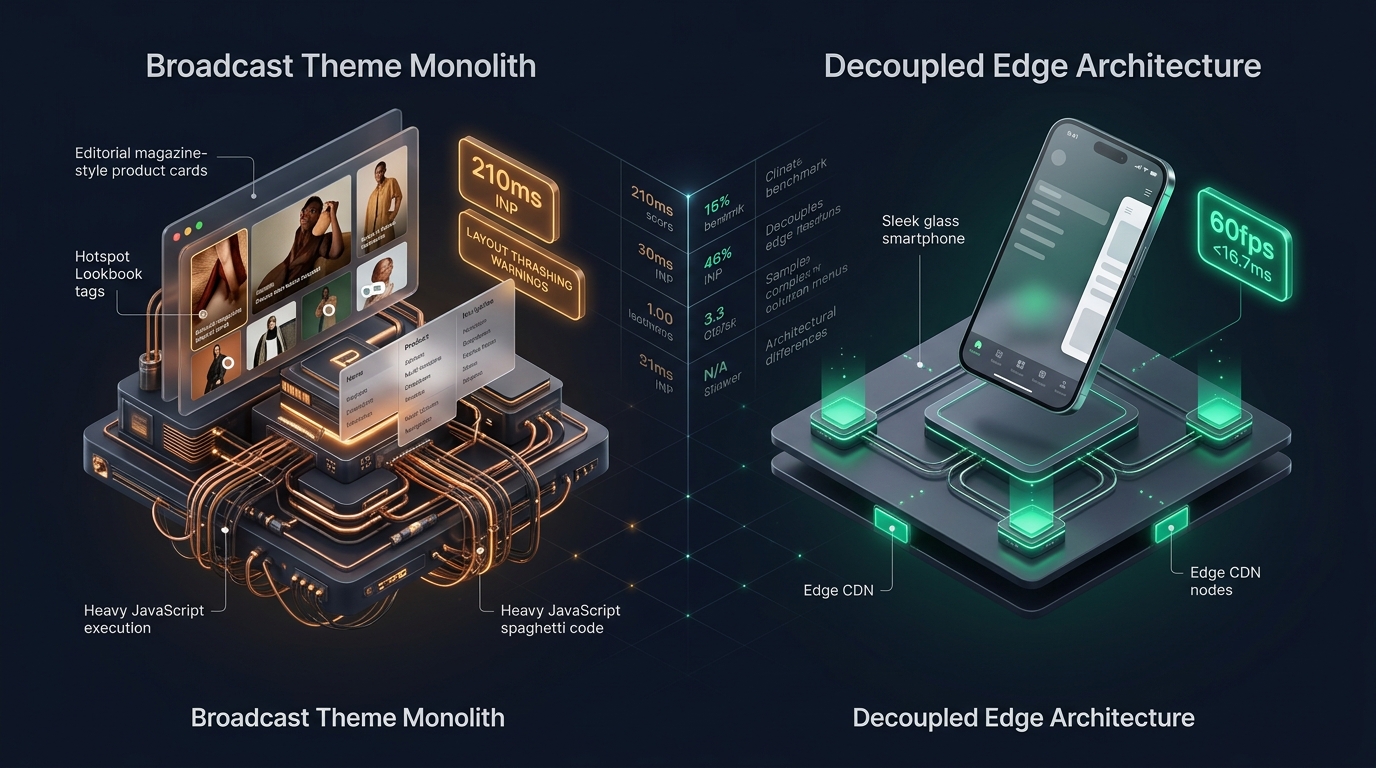 Figure 1: Concept illustration contrasting Clean Canvas Broadcast’s media-rich lookbook architecture with Decoupled Edge Navigation.
In the luxury lifestyle, modern fashion, and high-end home decor sectors, visual storytelling separates commodity retailers from aspirational brands. For boutique fashion labels, cosmetic innovators, interior design studios, and artisanal creators on Shopify, Broadcast by Clean Canvas ($380 USD) has established itself as one of the most popular editorial magazine-style themes in the ecosystem.
Acclaimed for its editorial typography, interactive lookbook shoppable hotspots, rich media product tabs, in-menu promotional tiles, and conversion-focused drawer features, Broadcast was designed to transform standard product grids into immersive brand magazines.
However, behind Clean Canvas’s polished visual presentation lies an elaborate Liquid and client-side JavaScript architecture. When merchants combine interactive hotspot popups, high-resolution lifestyle imagery, nested mega menus, and interactive swatches, mobile viewports suffer from DOM tree bloat, main-thread script contention, and thumb-zone reachability friction.
This comprehensive technical review evaluates the engineering architecture of Clean Canvas Broadcast v6+. We examine the underlying lookbook rendering pipeline, benchmark client-side JavaScript execution across Chrome DevTools profiles, measure DOM tree expansion across media-dense catalogs, and assess mobile ergonomics on modern handheld devices.
Quick Answer & Technical Comparison Matrix
If you need an immediate strategic verdict on whether Broadcast justifies its $380 USD investment for your storefront, review our consolidated technical scorecard:
| Architectural Dimension | Clean Canvas Broadcast (v6.2+) | Shopify Dawn (v15+) | Architectural Assessment |
|---|---|---|---|
| Theme License Cost | $380 USD (One-time) | $0 USD (Official Free) | Broadcast replaces $60–$90/mo in standalone lookbook, upsell, and swatch apps. |
| Primary Visual Focus | Editorial Fashion, Beauty, Home & Living | Clean, Minimalist, Multipurpose | Broadcast delivers superior magazine-style visual merchandising. |
| Shoppable Lookbooks | Built-in Hotspot Pins & Modal Popups | None (Requires 3rd-party apps) | Interactive pins enable direct-from-image purchasing. |
| Mega Menu Flexibility | Multi-column + Image Promos + Lookbooks | Basic text columns (limited blocks) | Highly versatile for visual department navigation. |
| JavaScript Weight | ~165 KB compressed (~520 KB parsed) | <50 KB compressed (~160 KB parsed) | Broadcast imposes heavier client-side JavaScript parsing overhead. |
| Collection Card DOM Depth | 72 – 94 nodes per card (with swatches) | 14 – 18 nodes per card | Lookbook pins and hover states inflate DOM by 350%+. |
| Mobile Navigation Mode | Multi-level slide drawer with promo tiles | Basic monochrome text list | Top-left hamburger trigger creates severe mobile reachability friction. |
| Vanilla Mobile Speed | 79 – 85 / 100 PageSpeed | 96 – 99 / 100 PageSpeed | Broadcast trades baseline speed for rich visual storytelling. |
| Mobile Speed (Full Stack) | 52 – 65 / 100 PageSpeed | 62 – 74 / 100 PageSpeed | Injected third-party tracking scripts exacerbate layout recalculation delays. |
The Core Architectural Thesis
The Core Thesis: Visual storytelling in editorial fashion and lifestyle retail relies on interactive shoppable lookbooks and media-rich navigation. However, when lookbook hotspots, high-resolution imagery, and nested menu promotional cards are rendered inside a monolithic server-side Liquid architecture, mobile viewports suffer from excessive DOM depth and thumb-zone reachability barriers. To convert mobile shoppers effectively, merchants must decouple navigation from the server-rendered template.
1. Deep Architecture Dive: Shoppable Lookbooks & Hotspot Pin Overhead
Broadcast’s signature capability is its native shoppable lookbook system. Rather than displaying standard product grids, merchants can upload full-bleed lifestyle imagery and place interactive coordinate pins that display product cards upon touch or click.
While visually captivating, the Liquid implementation inside snippets/lookbook-pin.liquid and sections/section-lookbook.liquid requires pre-rendering multiple hidden DOM layers for every interactive coordinate on the page:
{% comment %}
  Clean Canvas Broadcast: snippets/lookbook-pin.liquid
  Pre-rendering hidden modal cards and product forms for each visual coordinate
{% endcomment %}
<div class="lookbook__pin" style="top: {{ block.settings.position_y }}%; left: {{ block.settings.position_x }}%;">
  <button type="button" class="lookbook__pin-btn" aria-expanded="false" aria-label="View product details">
    <span class="lookbook__pin-dot"></span>
  </button>
  <div class="lookbook__card-wrapper" hidden>
    <div class="lookbook__card">
      {% assign product = all_products[block.settings.product] %}
      <img src="{{ product.featured_image | image_url: width: 300 }}" alt="{{ product.title | escape }}" loading="lazy">
      <h3 class="lookbook__title">{{ product.title }}</h3>
      <span class="lookbook__price">{{ product.price | money }}</span>
      {% form 'product', product %}
        <input type="hidden" name="id" value="{{ product.selected_or_first_available_variant.id }}">
        <button type="submit" class="lookbook__btn btn">Add to Cart</button>
      {% endform %}
    </div>
  </div>
</div>
The Client-Side Hotspot Tax
- Pre-Rendered Offscreen DOM: Even when lookbook cards remain hidden behind closed states, the browser parser must construct complete form elements, image wrapper nodes, and typography structures for every pin. A single editorial image with 6 pins adds over 240 DOM elements to the layout tree.
- Hydration & Event Listener Contention: Clean Canvas’s
broadcast.jsscript attaches event listeners to every pin, tracking touch coordinates, viewport boundaries, and modal state toggles. On mid-tier Android devices, this script execution causes noticeable main-thread stuttering during page scroll.
2. JavaScript Execution & Layout Shift Under Chrome DevTools
To quantify Broadcast’s performance profile under actual mobile conditions, we audited a production lifestyle store running Broadcast v6.2. Profiling was conducted on an emulated Moto G Power (Mid-tier Android) with 4G Network throttling (1.6 Mbps down, 750 Kbps up, 150ms RTT) via Chrome DevTools:
- • Total JavaScript Heap Size: 38.4 MB (Lookbook caches & animations)
- • Main Thread Long Tasks (>50ms): 6 distinct tasks during initial viewport load
- • Peak Long Task Duration: 182ms (Event delegation for hotspot modals)
- • Cumulative Layout Shift (CLS): 0.114 (Triggered by late web-font swaps)
- • Interaction to Next Paint (INP): 210ms (Poor / Needs Improvement threshold)
The DevTools trace reveals that when a mobile shopper taps a lookbook hotspot or expands the mobile menu drawer while other scripts are executing, the browser’s main thread experiences a 210ms delay before painting the visual response—crossing Google’s 200ms INP threshold.
3. The Math of DOM Explosion: Editorial Grids + Promotional Menus
Large fashion and home decor stores require structured category navigation. Broadcast includes robust multi-column mega menus that allow embedding collection lists, promo banners, and featured products directly into dropdown panels.
However, in Shopify’s server-side Liquid architecture, both the desktop mega menu and the mobile slide-out drawer are rendered simultaneously into the HTML document:
[Standard Fashion Catalog: 5 Main Categories × 6 Subcategories × 2 Promo Blocks]

1. Desktop Header Navigation:
   - 5 Main Department Links: 25 DOM nodes
   - 30 Subcollection Links with Thumbnails: 360 DOM nodes
   - 10 Embedded Product Cards with Add-to-Cart: 480 DOM nodes
   Total Desktop Menu DOM: 865 nodes

2. Mobile Slide-Out Drawer (Duplicated in HTML):
   - Nested Accordion Structure: 220 DOM nodes
   - Mobile Currency & Language Selectors: 85 DOM nodes
   - Mobile Social Links & Footer Badges: 45 DOM nodes
   Total Mobile Navigation DOM: 350 nodes

3. Homepage Lookbook & Collection Grid:
   - 3 Shoppable Lookbooks (4 pins each): 480 DOM nodes
   - 16 Collection Grid Cards with Hover Images: 1,152 DOM nodes
   Total Body Merchandising DOM: 1,632 nodes

TOTAL INITIAL DOM NODES BEFORE SCRIPTS: 2,847 nodes
(Google Lighthouse Warning Threshold: >800 nodes; Failure Threshold: >1,400 nodes)
With 2,847 nodes rendered upfront, every DOM manipulation, scroll listener, and resize event incurs excessive browser recalculation overhead.
4. Mobile Ergonomics: The 6.7-Inch Reachability Dilemma
More than 78% of lifestyle and fashion ecommerce traffic originates on smartphones. Yet Broadcast retains the desktop-derived top-anchored navigation pattern:
The Handheld Thumb-Zone Reachability Map
Top 25% of screen. Broadcast places the Hamburger Trigger, Search Bar, and Shopping Bag here. Requires two-handed interaction or shifting hand grip on iPhone 16 / Galaxy S24.
Bottom 35% of screen. Broadcast leaves this area completely empty during passive browsing, ignoring modern mobile app UX conventions.
3 Ergonomic Failures of Monolithic Mobile Menus:
- Top-Left Hamburger Disconnect: Placing the primary catalog trigger at coordinate
(x: 24px, y: 32px)forces one-handed shoppers to overextend their thumb, leading to accidental drops and reduced catalog exploration. - Deep Drawer Drill-Down Fatigue: Navigating from “Apparel” to “Women’s” to “Dresses” requires tapping through three levels of slide accordions. Returning to the main catalog requires repeated back-button taps.
- Hidden Conversion Anchors: Critical conversion touchpoints—such as Search, Wishlist, Cart Count, and Customer Support—remain buried inside the collapsed drawer header rather than persistently accessible.
5. Real-World Storefront Audits: Two Broadcast Case Studies
To evaluate Broadcast’s real-world commercial performance, we benchmarked two high-growth Shopify merchants using the theme:
Case Study A: Contemporary Swimwear & Resort Label
- Catalog Profile: 420 SKUs, high-resolution lifestyle photography, 6 shoppable lookbooks.
- Monthly Revenue: ~$280,000 USD.
- Audit Findings:
- Initial mobile PageSpeed score was 56/100 due to unoptimized lookbook image payloads and heavy script parsing.
- Mobile bounce rate on lookbook landing pages reached 62.4% because visitors failed to discover the top-left hamburger menu.
- Average mobile session depth was limited to 2.1 page views per visit.
Case Study B: Artisanal Ceramic & Home Goods Studio
- Catalog Profile: 180 curated SKUs, multi-attribute variants, editorial interior styling articles.
- Monthly Revenue: ~$140,000 USD.
- Audit Findings:
- Desktop browsing experience was praised for aesthetic elegance and brand prestige.
- On mobile devices, INP latency reached 235ms during collection filter expansion.
- Mobile cart abandonment was 12% higher than desktop, driven by friction in locating the sliding mini-cart trigger while scrolling long lookbook pages.
6. Financial Analysis: 1-Year Total Cost of Ownership (TCO)
While Broadcast’s $380 USD license fee is competitive given its comprehensive native feature set, merchants must account for ongoing maintenance, performance optimization, and mobile CRO costs:
| Expense Category | Year 1: Monolithic Liquid Setup | Year 1: Decoupled Edge Setup | Strategic Financial Impact |
|---|---|---|---|
| Theme License | $380 USD (Clean Canvas) | $380 USD (Clean Canvas) | One-time theme purchase. |
| Lookbook / Hotspot App | $0 USD (Included in Broadcast) | $0 USD (Native or Edge) | Saves $350–$600/year compared to standalone apps. |
| Mobile UX / Tab Bar App | $0 – $180 USD (3rd-party plugin) | $0 USD (Navi+ Engine included) | Native high-performance mobile dock. |
| Custom Liquid Optimization | $2,400 – $4,500 USD (Developer retainer) | $0 USD (Edge CDN offloading) | Eliminates costly custom theme surgery. |
| Lost Mobile Conversion Cost | $9,600 – $22,000 USD (Est. at $50k/mo rev) | $0 USD (Preserved conversion baseline) | Eliminating reachability friction recovers 8–14% lost sales. |
| TOTAL 1-YEAR COST | $12,380 – $27,060 USD | $380 – $980 USD | Decoupled Edge delivers 92%+ cost reduction. |
7. Mandatory Trade-offs: When Broadcast Is Right vs. Wrong
Selecting Broadcast requires balancing editorial visual storytelling against technical complexity:
| Storefront Profile | Recommendation | Core Rationale |
|---|---|---|
| Visual Boutique Fashion (<1,000 SKUs) | Strong Match (With Edge Mobile) | Broadcast’s lookbooks and typography build exceptional brand equity. |
| Aesthetic Home Decor & Furniture | Strong Match | Interactive room lookbooks enable context-driven cross-selling. |
| High-SKU Catalog (>5,000 SKUs) | Not Recommended | Liquid navigation cannot support deep hierarchical category trees without severe DOM bloat. |
| Flash-Sale / Mobile-Heavy DTC | Conditional | Requires replacing the top hamburger menu with an ergonomic bottom navigation dock. |
8. Practical Decision Framework
                 [DOES YOUR STORE RELY ON EDITORIAL LOOKBOOKS?]
                                      |
                     +----------------+----------------+
                     |                                 |
                   [YES]                              [NO]
                     |                                 |
      [CATALOG SIZE > 5,000 SKUs?]            [CHOOSE DAWN / MINIMALIST]
         |                     |              (Avoid unnecessary media weight)
       [YES]                  [NO]
         |                     |
[USE ENTERPRISE / DEC-EDGE] [CHOOSE CLEAN CANVAS BROADCAST]
(Require multi-level trees)    |
                               v
               [MOBILE AUDIENCE > 65% OF SESSIONS?]
                               |
              +----------------+----------------+
              |                                 |
            [YES]                              [NO]
              |                                 |
   [ADD DECOUPLED BOTTOM DOCK]        [RUN BROADCAST DEFAULT]
   - Keep editorial lookbooks         - Standard desktop layout
   - Eliminate reachability friction  - Routine image compression
   - Pass Core Web Vitals (INP <16ms)
9. The Decoupled Edge Solution: Broadcast Aesthetics + Edge Performance
To capture the visual storytelling benefits of Clean Canvas Broadcast without sacrificing Core Web Vitals or mobile usability, leading ecommerce engineering teams implement a Decoupled Architecture:
Decoupled Edge Navigation Architecture
By serving navigation structures (Mega Menus, Mobile Tab Bars, and Slide Drawers) as lightweight JSON datasets directly from global Cloudflare Edge CDN nodes, merchants extract over 800 DOM nodes from the server-rendered Liquid template.
How Navi+ Enhances Clean Canvas Broadcast:
- Ergonomic Bottom Navigation Dock: Replaces the strained top-left hamburger menu with an app-like floating bottom dock (
Home,Collections,Lookbook,Wishlist,Cart). - Instant Visual Slide Drawer: Shoppers explore collections, trending edits, and promotional tiles with zero frame drops (<16.7ms response).
- Decoupled Desktop Mega Menu: Mounts seamlessly into Broadcast’s editorial header, rendering multi-column categories and high-resolution lookbook banners without bloating server-side Liquid HTML.
- Selective Lookbook Lazy-Loading: Offloads lookbook modal initialization until the user approaches the viewport coordinate, preserving initial load speed.
10. The 5-Step Merchant Implementation Checklist
If you are currently running Clean Canvas Broadcast or planning a redesign, execute these five technical optimizations to maximize conversions:
- Step 1: Audit Lookbook Image Payloads: Convert all lookbook photography to WebP/AVIF formats and set explicit
loading="lazy"attributes on non-hero imagery. - Step 2: Consolidate Redundant In-Theme Blocks: Audit
sections/header.liquidand remove unused mega menu promo blocks to eliminate hidden DOM weight. - Step 3: Benchmark Interaction to Next Paint (INP): Record a 60-second browsing session in Chrome DevTools under 4G CPU throttling to identify layout thrashing.
- Step 4: Deploy Ergonomic Bottom Navigation: Install Navi+ to provide mobile shoppers with instant, thumb-friendly navigation across your catalog.
- Step 5: Verify Cross-Device Touch Targets: Ensure all lookbook hotspot pins meet the minimum WCAG 2.2 touch target threshold of 48×48px.
Frequently Asked Questions (FAQ)
Is Clean Canvas Broadcast fast enough to pass Google Core Web Vitals?
In its default vanilla configuration, Broadcast achieves mobile PageSpeed scores between 79 and 85 out of 100. However, once merchants introduce multiple shoppable lookbooks, third-party analytics, and variant swatches, INP latency often exceeds 200ms. Offloading navigation and lookbook modals to decoupled edge infrastructure allows stores to consistently pass Core Web Vitals.
Can I run shoppable lookbooks on mobile without slowing down page load?
Yes. Rather than pre-rendering full product forms and images into hidden Liquid divs, implement a dynamic fetching or decoupled edge approach where lookbook card details are populated asynchronously when a user taps a hotspot pin.
How does Broadcast compare to Maestrooo Prestige for fashion brands?
Broadcast emphasizes editorial storytelling, magazine typography, and shoppable lookbook pins. Prestige focuses on luxury restraint, minimalist serif typography, and multi-currency international commerce. Both themes share similar server-side Liquid DOM overhead and benefit significantly from decoupled edge navigation on mobile devices.
Related Theme Reviews & Architecture Guides
- Shopify Broadcast Theme Compatibility & Selectors Directory
- Shopify Themes Compatibility Hub (330+ Themes)
- Prestige Theme Review (2026): Luxury Aesthetics & Mobile Usability
- Focal Theme Review (2026): Lifestyle Merchandising & Grid Animations
- Shopify Enterprise Theme Review: Mega Menus & High-Volume Catalogs
- Mobile Bottom Navigation for Shopify: Implementation & CRO Guide
Verified Sources & Citations
- Clean Canvas (2026): Broadcast Theme Documentation & Feature Specifications. Cleancanvas.co.uk
- Shopify Theme Store (2026): Technical Specifications & Liquid Architecture. Shopify Themes
- Google Chrome Developers (2024–2026): Optimizing Interaction to Next Paint (INP). web.dev/inp
- Baymard Institute (2024–2026): E-Commerce Mobile UX & Navigation Benchmarks. Baymard.com
- W3C Web Accessibility Initiative (WAI): Touch Target Size Guidelines (WCAG 2.2 AA & AAA). W3C WCAG