After the October 2026 app hijack, merchants rightly asked a tough question about every app in their stack: if this vendor were attacked, what could reach my customers?
That is the right question. Here is the straightforward answer for Navi+, based on how the app is actually built and configured—including the honest limits no app can promise away.
- Read-only permissions. Navi+ asks Shopify for four read scopes only: themes, products, online store navigation and content. No orders, no customers, no write access to themes.
- No checkout access. Navi+ has no checkout extension and no web pixel. It never runs on checkout pages.
- No theme edits. The storefront menu loads through a Shopify app embed block, not by editing theme files or using ScriptTag.
- Shoppers never talk to our servers. Menus are published as static files on a CDN.
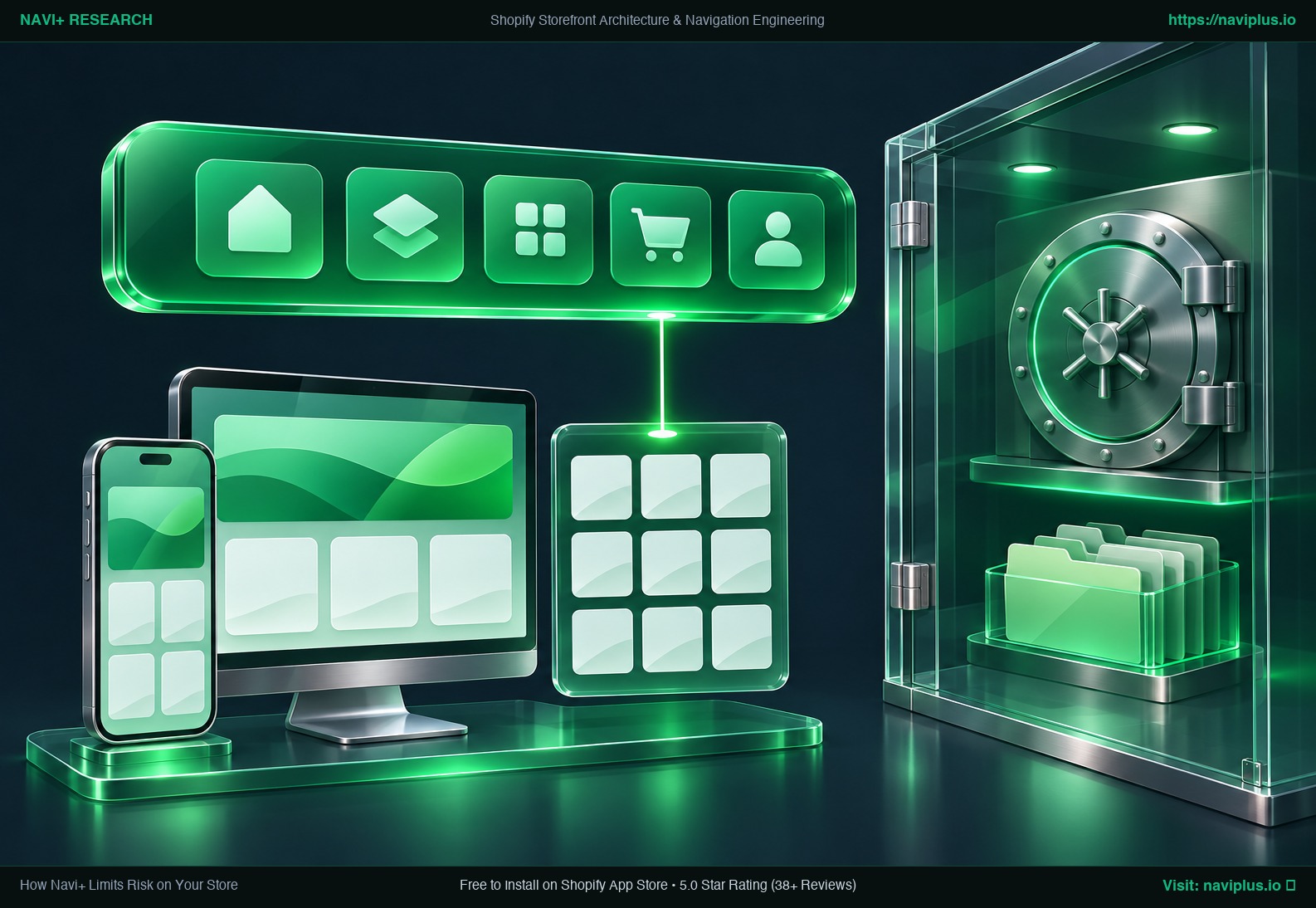 Concept illustration: a navigation layer that reads the store but never reaches checkout or customer data.
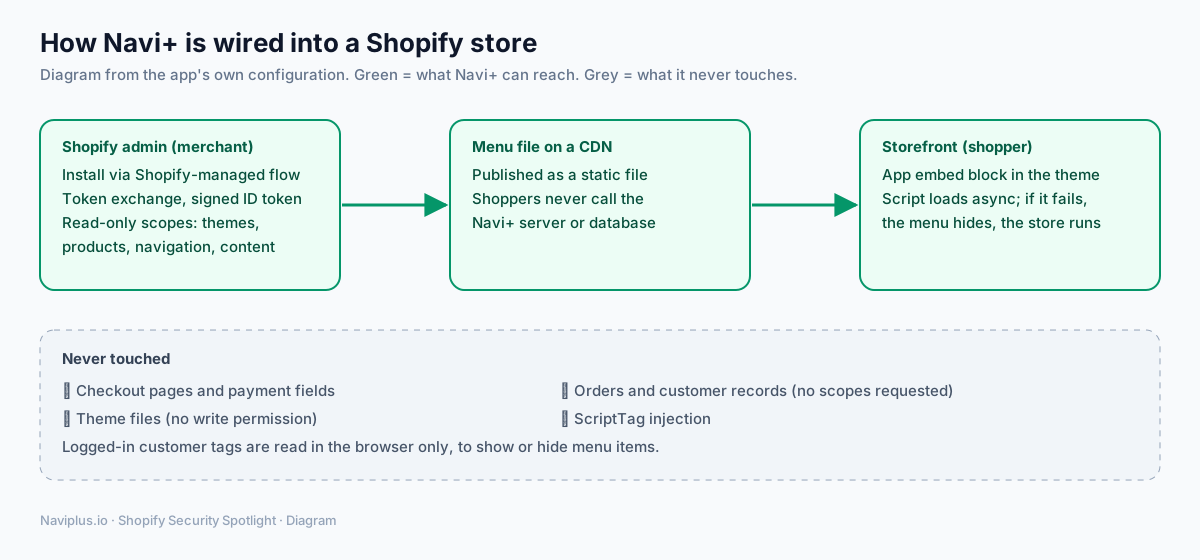 Diagram: what Navi+ can reach (green) and what it never touches (grey).
Part of the Topic HubExplore the Shopify Security Spotlight Hub →
1. Permissions: only what a menu needs
A navigation app needs to know your theme layout, your products, your menus, and your pages. That is all Navi+ requests from Shopify:
read_themesread_productsread_online_store_navigationread_content
There is no write_themes, no write_script_tags, and no scope for orders or customers. Even if an attacker compromised the app’s Shopify access, those permissions do not allow editing your theme files or reading your order history.
2. Install and admin sessions: signed by Shopify
Navi+ handles authentication through Shopify-managed installation and token exchange. When you open Navi+ inside your Shopify admin, Shopify provides a signed ID token. Before exchanging it for an access token, Navi+ verifies four conditions:
- The cryptographic signature is valid.
- The token was issued for Navi+.
- It belongs to your specific
myshopify.comstore. - It has not expired.
The resulting access token is an expiring offline token, never a permanent key.
To prevent clickjacking, the Navi+ admin page also instructs browsers to render only within your store’s admin and Shopify’s admin domain.
Whenever Shopify sends background events to Navi+ (such as uninstall webhooks), the app checks Shopify’s signature and rejects any payload that does not match.
3. Storefront: an app embed, not theme surgery
On your storefront, Navi+ runs entirely as a theme app extension (an app embed block). You turn it on or off with a simple switch in the Shopify theme editor. Because Navi+ never writes into your theme files, our code never blocks your theme updates, and there is no leftover code to scrub from theme.liquid if you ever uninstall.
4. Static menu files: no live calls from shoppers
When you publish a menu, Navi+ compiles it into a static file on a CDN. The storefront script loads asynchronously and reads that file. Shoppers’ browsers never call the Navi+ application server or database. That provides two distinct advantages:
- Performance and resilience. If our application servers slow down or go offline, your published menus keep working.
- Failure containment. The storefront script is safely wrapped. If it fails, the menu does not appear, the error is logged, and your store, cart and checkout keep running. A backup CDN is tried if the main one fails.
5. Shopper data: kept in the browser
Navi+ does not touch checkout and reads only the cart item count for the cart badge. When a customer logs in, the menu can check their customer tags or B2B company to display or hide specific items, such as a wholesale link. That check happens in the shopper’s browser; we found no path that sends these details to Navi+.
Two operational details for your privacy reviews:
- Navi+ includes optional storefront usage analytics (Google Analytics), which merchants can switch off.
- A small performance sample (about 5% of Shopify page views) records load timings with a hashed store name; it stores no IP address, user agent or page URL.
6. The honest limits
No app vendor can promise “unhackable”. Here is what we think a careful merchant should know about Navi+ specifically:
- Menus can contain custom HTML. Navi+ lets merchants add custom HTML blocks and links to menus. That flexibility is powerful, but it also means whoever can edit your Navi+ menus can change what appears on your storefront. Limit Shopify staff permissions accordingly.
- Menu files are served by the vendor. Like the apps in the October incident, Navi+ delivers configuration from its own infrastructure. Our protections are the read-only scopes, the absence of checkout access, and publishing static files rather than running live settings code. They narrow the risk; they do not make it zero.
- We are improving. Security work on the app is ongoing, and we will update this page when it changes.
7. How to check any menu app yourself (including Navi+)
- Open Settings → Apps and sales channels, choose the app, and read its access list.
- In the theme editor, look under App embeds to see which apps run on your storefront.
- Open your store in a private window, open the browser’s developer tools, and check which domains load scripts.
- Click every menu link that leads to checkout or cart and confirm you stay on your own domain.
- Remove menu apps you no longer use; switching off the embed stops their code immediately.
For the bigger picture, read the threats facing Shopify merchants in 2026, what Shopify already does to protect stores and the security technologies worth understanding.
Sources
- Navi+ app configuration (scopes, app embed, storefront loader), reviewed November 4, 2026.
- Shopify.dev, Token exchange: https://shopify.dev/docs/apps/build/authentication-authorization/access-tokens/token-exchange
- Shopify.dev, Set up iframe protection: https://shopify.dev/docs/apps/build/security/set-up-iframe-protection
- Shopify.dev, Privacy law compliance (webhooks): https://shopify.dev/docs/apps/build/privacy-law-compliance
- Roman Zipp, Shopify shops hit with ongoing Checkout Hijack attack: https://romanzipp.com/blog/shopify-hit-with-phishing-attack