“Is Shopify secure?” is the wrong question to ask. The better question is: which parts does Shopify secure for you, and which parts remain your responsibility? Shopify manages the cloud infrastructure, the checkout engine, and the core payment flow. You choose the staff, the apps, and the code running on your storefront. Most security incidents happen in that second group.
This guide breaks down Shopify’s built-in security layers from admin login to final checkout, linking to the official documentation for every feature.
- Checkout is locked down. Shopify retired checkout.liquid and legacy script tags; all checkout customization now runs through sandboxed extensions.
- Apps hold less privilege by default. The platform enforces short-lived tokens, explicit permission scopes, and strict safeguards for customer data.
- Shopify intervenes at the platform level. After the October 2026 app hijack, storefronts began warning shoppers before sending them to suspicious outside sites.
- What Shopify cannot manage for you: vetting app developers, auditing staff permissions, or securing private API tokens you export elsewhere.
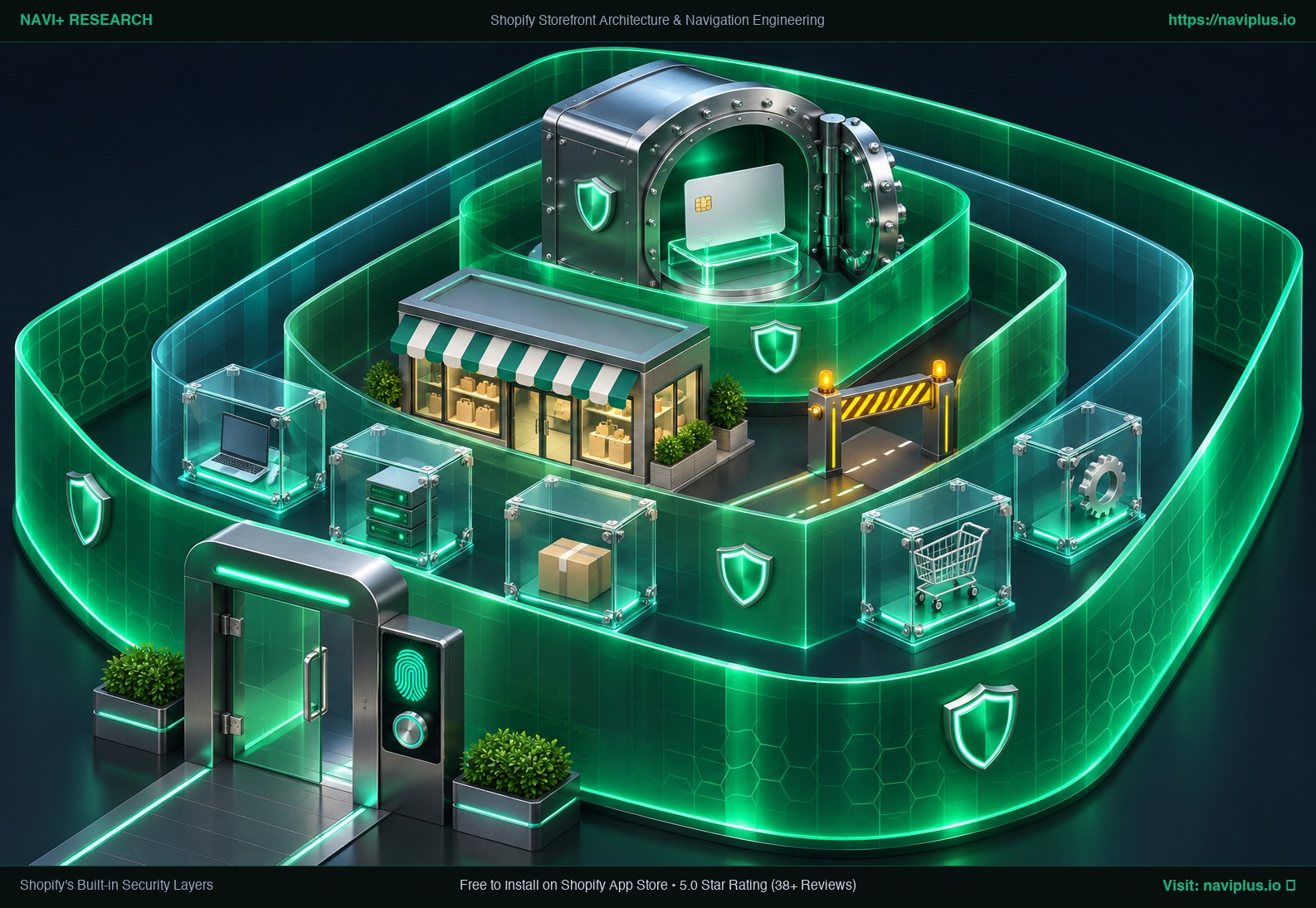 Concept illustration: Shopify’s protective layers around the admin, apps, storefront and checkout.
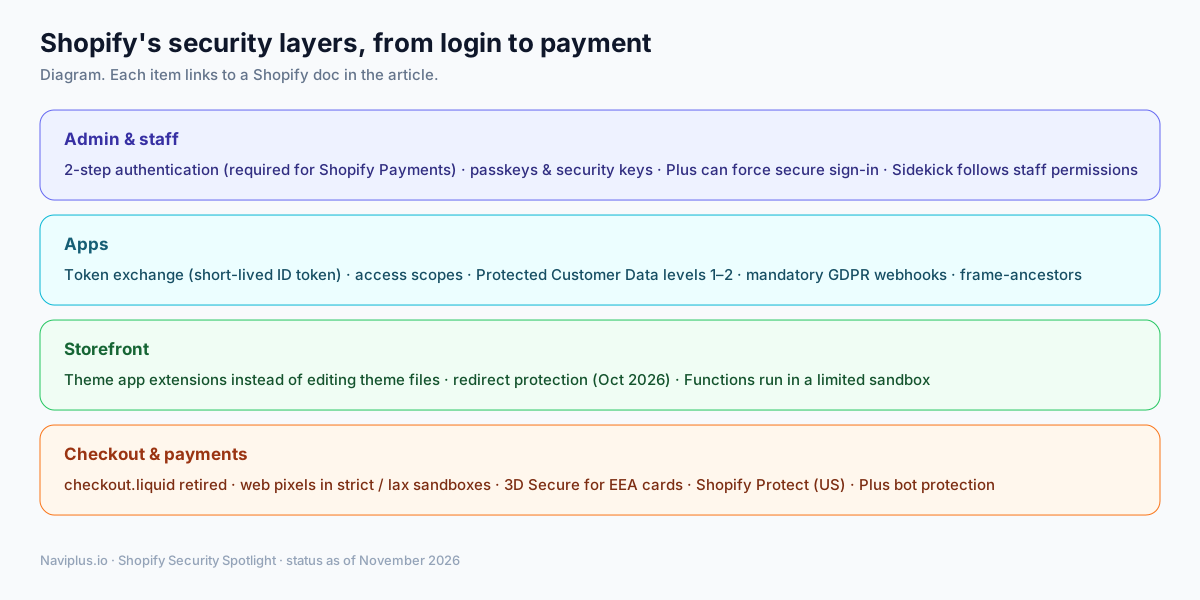 Diagram: four layers, each described below with a link to Shopify’s documentation.
Part of the Topic HubExplore the Shopify Security Spotlight Hub →
1. Admin and staff: stronger logins
Account takeovers start at the login screen. Shopify enforces several controls to keep unauthorized users out of your admin:
- 2-step authentication is mandatory for merchants using Shopify Payments. Supported methods include passkeys, physical security keys, and authenticator apps. Shopify no longer allows new SMS-based setups.
- Shopify Plus organizations can enforce secure sign-in across every user in the company.
- Sidekick, Shopify’s AI assistant, honors existing staff permissions. Shopify states that team members only interact with the data and features they are authorised to use.
Your part: give every team member an individual account with the narrowest permissions needed, and promptly remove staff who depart.
2. Apps: less trust by default
Third-party apps introduce outside code into your business, making them a primary attack vector. Shopify has steadily narrowed what apps can see and do:
- Token exchange. Embedded apps receive a short-lived, signed ID token from Shopify and exchange it for an access token, eliminating the old redirect-based install flow.
- Access scopes. Every app must declare what data it reads or modifies. You review and approve that list during installation.
- Protected Customer Data. Apps requesting customer data must comply with platform requirements including data minimisation, encryption, and retention limits. Apps handling names, addresses, phone numbers, or emails face a stricter second level: encrypted backups, segregated test data, staff access limits, access logs, and a documented incident response policy.
- Mandatory privacy webhooks. Every public app must support customer data requests and erasure requests, and must reject any incoming payload whose signature does not match.
- Clickjacking protection. Apps must send a
frame-ancestorsheader so other sites cannot frame their admin pages.
The limit: these rules control what an app is allowed to do through Shopify’s APIs. They cannot fully control what an app’s own servers send to your storefront. The October 2026 incident shows this gap.
3. Storefront: fewer ways to inject code
Every script on your storefront runs directly in your customer’s browser. Shopify minimizes rogue code execution with structured extension points:
- Theme app extensions and app embeds allow apps to add features without modifying your underlying theme files. When you remove an app, its script blocks stop loading automatically.
- Redirect protection (October 2026). Storefronts now alert shoppers before redirecting them to an outside website. Following an update on October 23, links to sites Shopify identifies as malicious are blocked, suspicious destinations require shopper confirmation, and normal links continue to work as before.
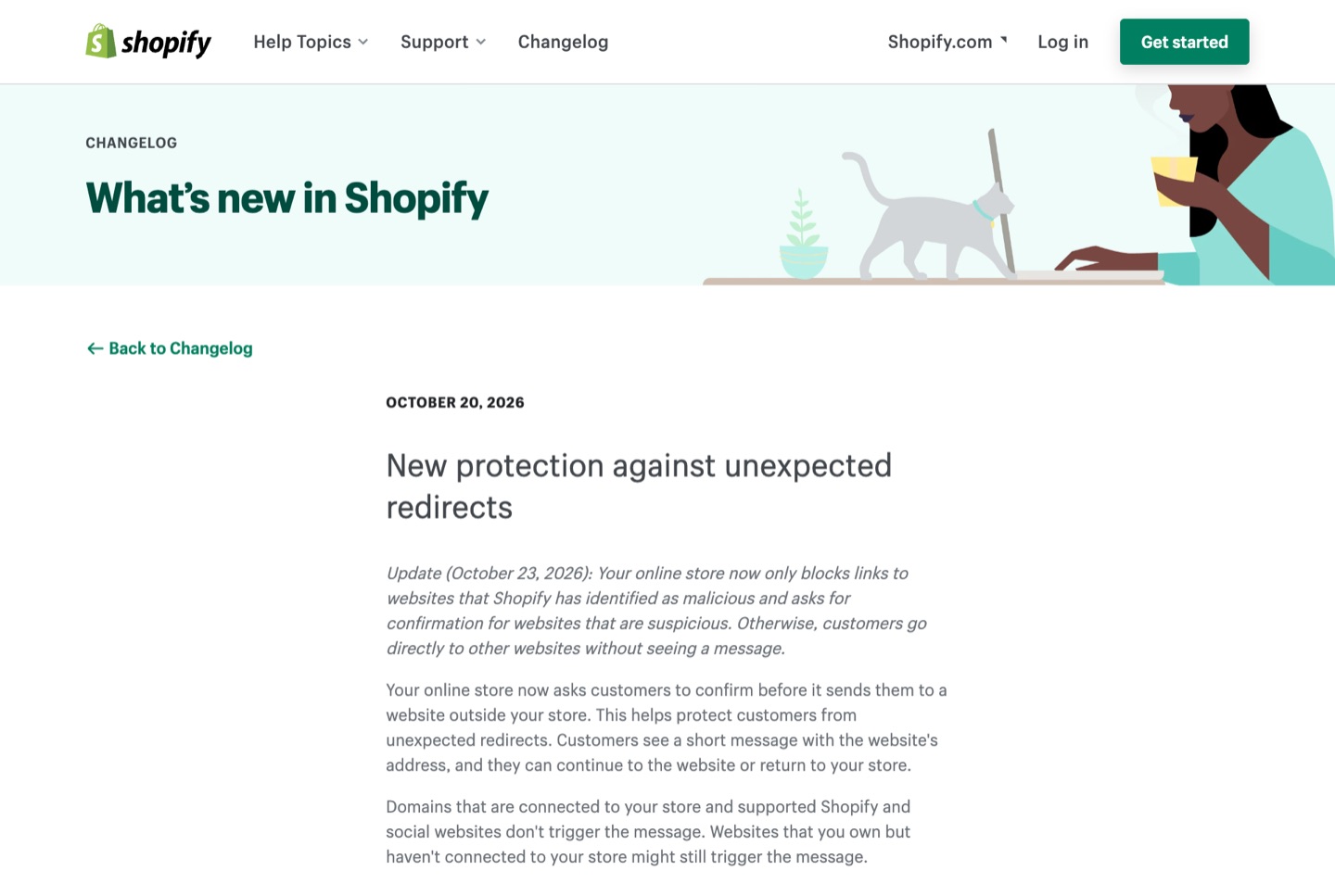 Real-world observation: Shopify’s changelog entry, published October 20 and updated October 23, 2026.
- Shopify Functions execute custom discount, shipping, and payment logic within an isolated sandbox governed by strict limits on execution instructions, memory, and input payload size. External network access is reserved for custom apps on Enterprise plans.
4. Checkout and payments: the most protected zone
Checkout handles payment details and customer identities, making it the most heavily guarded zone across the platform:
- checkout.liquid is retired. Shopify sunset the legacy layout file for Thank you and Order status pages in August 2025 for Plus stores. Script tags on those pages ended for non-Plus stores on August 26, 2026. All checkout modifications now run through Checkout Extensibility.
- Web pixels run in sandboxes. App pixels run in a “strict” sandbox with no access to the page. Custom pixels run in a “lax” sandboxed iframe that cannot reach the top page. Tracking code can no longer read card fields.
- 3D Secure applies automatically to card payments across the European Economic Area to satisfy PSD2 rules.
- Shopify Protect (United States, Shopify Payments with Shop Pay) covers the order value and chargeback fee on eligible fraudulent chargebacks, provided orders ship with tracking within 7 days.
- Bot protection at checkout (Plus, Online Store) uses challenge verification such as reCAPTCHA or hCaptcha. Shopify describes it as a fairness tool for limited releases, not an anti-fraud product.
5. People: the bug bounty
Automated tools catch routine bugs, but Shopify also funds crowdsourced research to identify complex vulnerabilities before attackers exploit them. Its public bug bounty page lists a maximum bounty of $200,000 and more than $10.2 million paid in total (statistics updated November 2026).
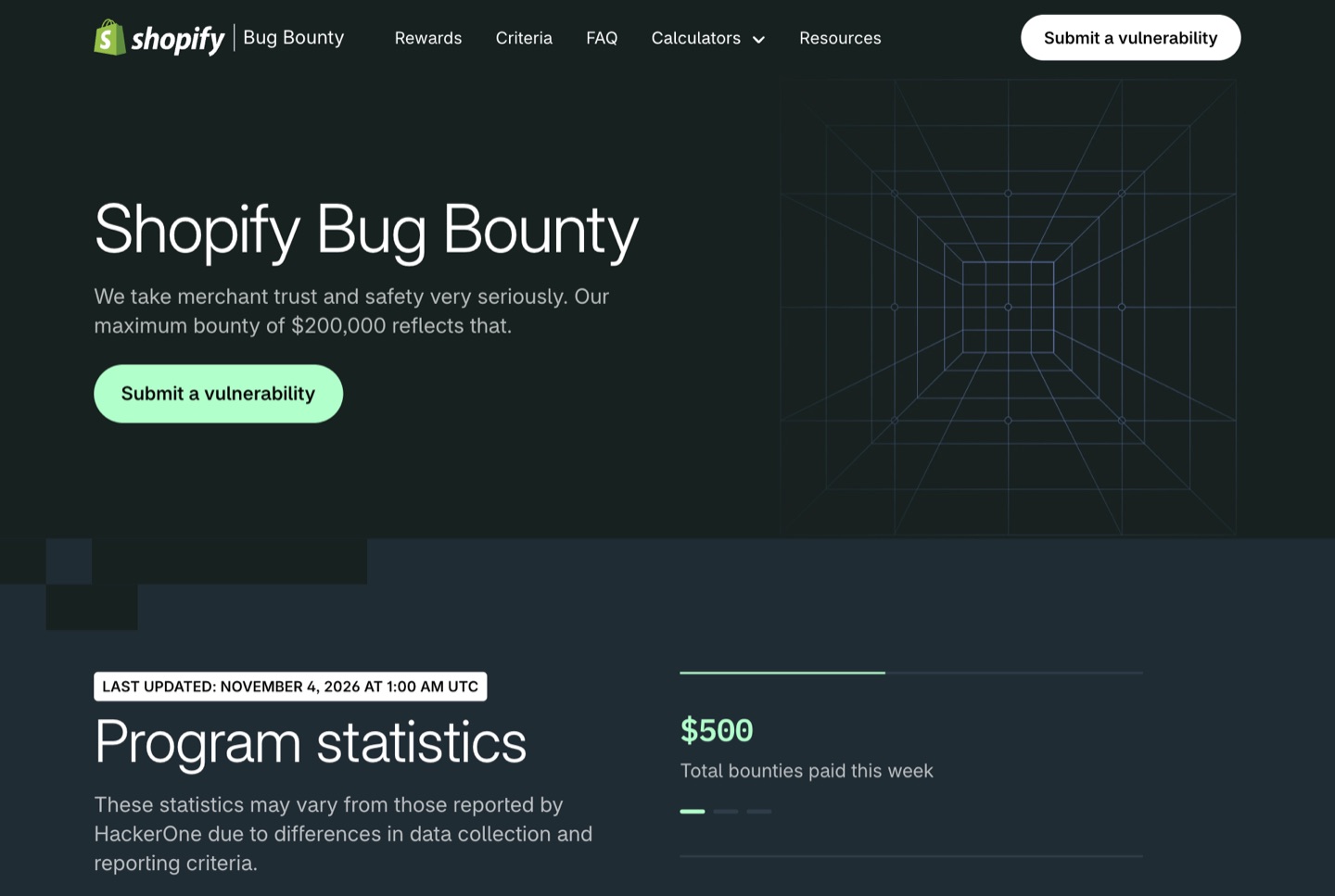 Real-world observation: Shopify’s bug bounty page, captured November 4, 2026.
6. AI agents: new rules being written
Autonomous software is beginning to browse and purchase, and Shopify is defining boundaries for AI shopping traffic. Through native agent tooling and the Universal Commerce Protocol announced with Google in January 2026, Shopify is setting clear operating rules. Shopify’s agent documentation requires agents to identify themselves with signed requests, and uses trust tiers to decide rate limits and which actions, including completing a checkout, an agent may take. This area is new and will change quickly.
7. Trade-offs: where Shopify’s protection stops
Securing an ecommerce store is a shared responsibility: Shopify protects platform infrastructure, but store configuration remains in your hands.
| Area | Shopify handles | Still on you |
|---|---|---|
| Servers, uptime, PCI for checkout | Yes | — |
| Staff logins | Tools (2FA, passkeys) | Turning them on, removing old accounts |
| Apps | Review rules, scopes, sandboxes | Choosing vendors, removing unused apps |
| Storefront code | Redirect warning, app embeds | Custom code you or agencies add |
| API tokens | Short-lived tokens for apps | Tokens for your custom apps and agencies |
One gap worth knowing: we found no official Shopify page saying who is responsible for the PCI DSS requirements on payment-page scripts (6.4.3 and 11.6.1) in every setup. If you need PCI compliance evidence, ask Shopify and your payment provider directly rather than assuming.
8. Checklist
- Require every staff account to use a passkey or physical security key.
- Review granted app scopes under Settings → Apps and sales channels, and question any app asking for more permissions than its role requires.
- Confirm your store has no legacy checkout scripts relying on retired features.
- If you sell in the US with Shopify Payments, check whether Shopify Protect applies to your orders.
- Bookmark the Shopify Changelog security posts; protections are being added month by month.
Continue with the security technologies behind these layers, or go back to the threats facing Shopify merchants in 2026.
Sources
- Shopify Help, Two-step authentication: https://help.shopify.com/en/manual/your-account/account-security/two-step-authentication
- Shopify, Shopify AI / Sidekick: https://www.shopify.com/ai
- Shopify.dev, Token exchange: https://shopify.dev/docs/apps/build/authentication-authorization/access-tokens/token-exchange
- Shopify.dev, Protected customer data: https://shopify.dev/docs/apps/launch/protected-customer-data
- Shopify.dev, Privacy law compliance (mandatory webhooks): https://shopify.dev/docs/apps/build/privacy-law-compliance
- Shopify.dev, Set up iframe protection: https://shopify.dev/docs/apps/build/security/set-up-iframe-protection
- Shopify Changelog, New protection against unexpected redirects: https://changelog.shopify.com/posts/new-protection-against-unexpected-redirects
- Shopify.dev, Shopify Functions: https://shopify.dev/docs/api/functions
- Shopify.dev, checkout.liquid: https://shopify.dev/docs/storefronts/themes/architecture/layouts/checkout-liquid
- Shopify Help, Checkout upgrade: https://help.shopify.com/en/manual/checkout-settings/checkout-extensibility/checkout-upgrade
- Shopify.dev, Web pixels: https://shopify.dev/docs/apps/build/marketing-analytics/pixels
- Shopify, Shopify Protect: https://www.shopify.com/protect
- Shopify Help, Bot protection: https://help.shopify.com/manual/checkout-settings/bot-protection
- Shopify, Bug Bounty: https://www.shopify.com/bugbounty
- Shopify.dev, Agents: https://shopify.dev/docs/agents
- Shopify News, AI commerce at scale (UCP): https://www.shopify.com/news/ai-commerce-at-scale